


Cloud Based Restaurant POS System: What It Is & Benefits
Running a restaurant means juggling dozens of moving parts, and your point-of-sale system sits at the center of nearly all of them. A cloud based restaurant POS system stores your data on remote servers instead of a local machine, giving you access to sales reports, menu controls, and order management from anywhere with an internet connection. It's a meaningful shift from the legacy terminals that have dominated the industry for decades, and understanding how it works helps you decide whether it's the right move for your operation.
The benefits go beyond convenience. Cloud-based POS platforms typically cost less upfront, update automatically, and integrate with the online ordering tools that drive a growing share of restaurant revenue. That integration piece matters. At The Foody Gram, we build commission-free online ordering systems for restaurants, and we've seen firsthand how a modern POS setup makes it easier for owners to manage orders across every channel, dine-in, pickup, and delivery, without the headaches of disconnected software.
This article breaks down what a cloud-based restaurant POS system actually is, how it compares to traditional setups, the core benefits it offers, and a look at leading providers worth evaluating. Whether you run a single location or manage multiple sites, the goal here is to give you enough clarity to make a confident decision for your business.
Why a cloud-based restaurant POS system matters
The restaurant industry has changed more in the last five years than in the previous two decades. Online ordering now accounts for a significant share of restaurant revenue, and customers expect to place orders from any device, at any time, with accurate wait times and real-time confirmations. A cloud based restaurant POS system sits at the intersection of all those demands, connecting your front-of-house, kitchen, and online channels into a single source of truth rather than a collection of disconnected tools.
The shift from a single terminal to every channel
For most of the industry's history, a POS system meant a terminal bolted to a counter, storing data locally and accessible only to staff inside the building. That model worked when nearly all orders came through the front door, but the rise of delivery apps and direct online ordering has made it inadequate for most restaurants. Operations now process orders from multiple channels simultaneously, and a system that can only track one of them forces your team to manually reconcile the rest, which costs time and introduces errors.
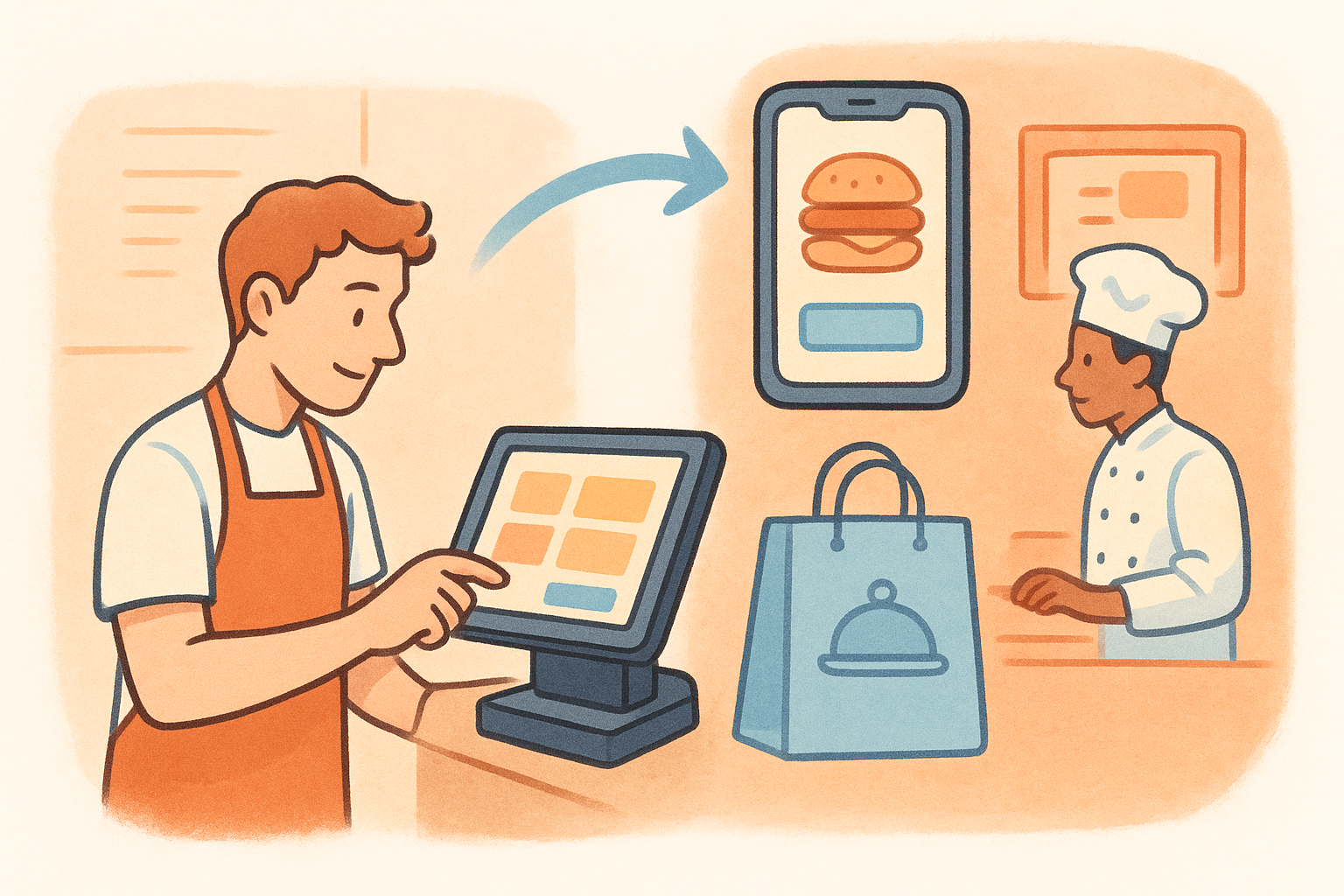
Cloud-based systems solve this by syncing data across every channel in real time. When you update a menu item, the change reflects on your online ordering page, your kitchen display, and your reporting dashboard at the same time. That kind of consistency reduces mistakes, shortens ticket times, and keeps your staff focused on service rather than troubleshooting discrepancies between platforms that should already be talking to each other.
When your POS and your online ordering channel share the same data layer, you eliminate an entire category of operational mistakes that cost restaurants time and money every shift.
Why thin margins make this a financial decision
Restaurant margins typically run between 3% and 9% for full-service establishments, and every inefficiency in your ordering workflow carries a direct cost. A missed order, a reprinted ticket, or a manual entry error at the end of the night all chip away at revenue you already earned. Technology that reduces those friction points doesn't just make your operation run more smoothly; it protects the money you've already made.
Third-party delivery platforms have made the margin problem worse for many operators. Paying 20% to 30% commission on every order can turn a profitable menu item into a loss once food cost and labor are factored in. A modern POS that integrates with a commission-free direct ordering system lets you capture online demand without handing over a third of your revenue on each transaction.
What data ownership actually gives you
Owning your customer and sales data matters more than most restaurant operators realize until they try to build a loyal customer base from scratch. Traditional systems often lock sales history and customer records inside proprietary formats that are difficult or expensive to export. Cloud-based platforms typically give you open access to your own data, which means you can track purchase patterns, build targeted promotions, and make staffing decisions based on actual demand rather than instinct.
Accessibility compounds that advantage if you manage more than one location or want to review last night's numbers before the morning rush begins. A cloud-based system lets you pull reports from your phone without needing to be physically behind the counter. That flexibility leads to faster decisions, fewer surprises at the end of the month, and a clearer picture of which parts of your operation are actually working.
What a cloud restaurant POS is and how it works
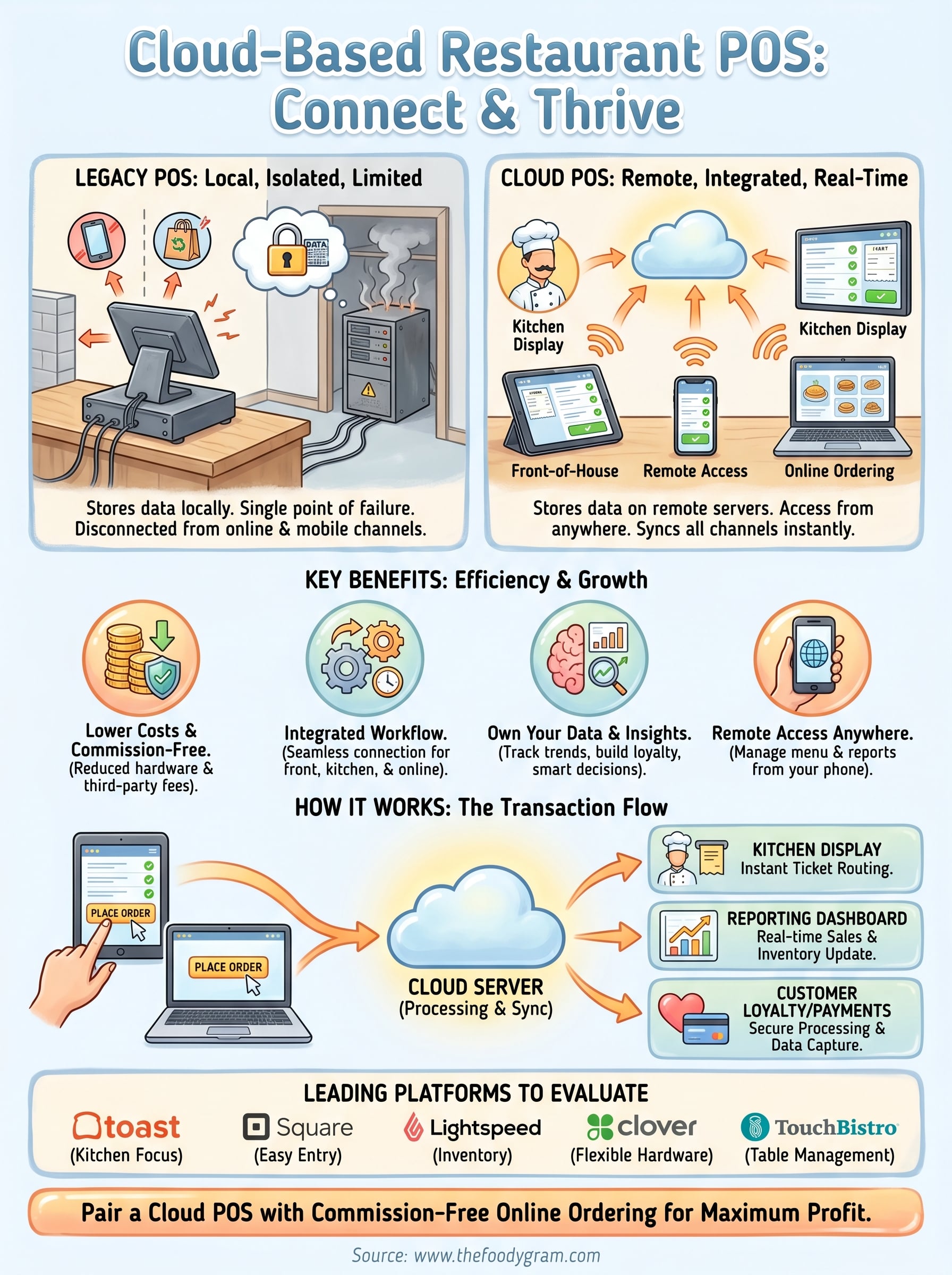
A cloud based restaurant POS system processes and stores your transactions, menu data, and sales history on remote servers rather than on a local hard drive or on-site computer. Your terminals, tablets, and mobile devices connect to those servers through an internet connection, which means every piece of data updates in real time across your entire operation the moment a transaction occurs. Think of it as running your restaurant's core software the same way you run email or online banking: the work happens on servers you don't manage, and you access it through a device you already own.
The architecture behind cloud POS
The system has three main layers working together. Your front-end hardware handles the part your staff interacts with directly: touchscreen tablets, receipt printers, card readers, and kitchen display screens. Those devices send data to the cloud-hosted backend, which processes payments, updates inventory counts, applies discounts, and logs every transaction. A third layer, your reporting and management dashboard, sits on top and gives you access to all of that information from any browser or mobile app.
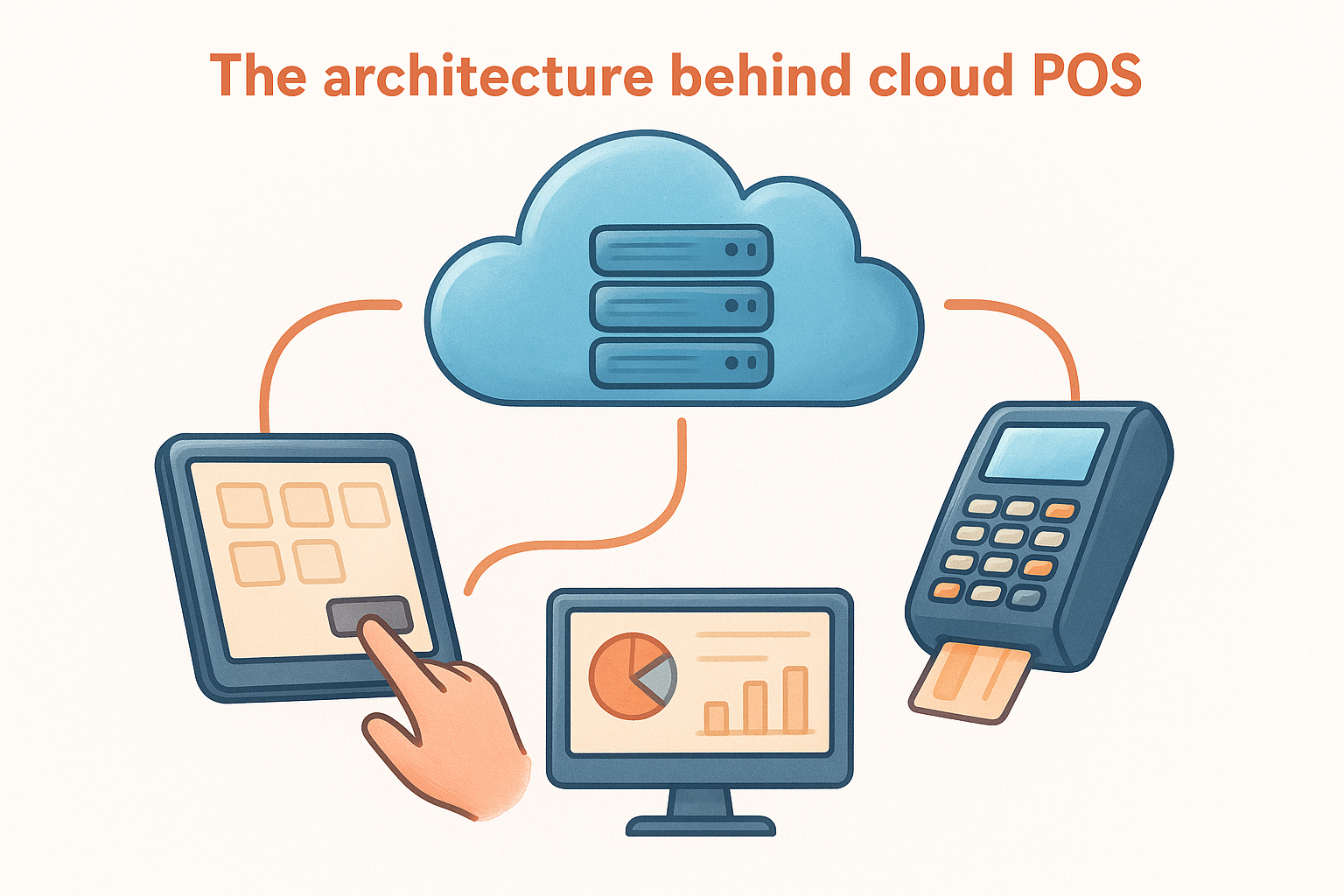
Because the processing happens on remote servers, your data remains intact even if a terminal loses power or crashes mid-shift.
This separation between hardware and software is what makes cloud systems fundamentally different from legacy setups. Your menu, pricing, and sales data live in one place regardless of how many terminals or locations you operate, so a change you make in the management portal reflects everywhere at once without requiring manual updates on individual machines.
What happens during a transaction
When a customer places an order, whether at the counter, through a tableside tablet, or through your online ordering page, the order data travels to the cloud server and routes to the right destination simultaneously. The kitchen display receives the ticket, the inventory count adjusts, and the transaction logs to your sales history all at the same moment. Payment processing works the same way: your card reader sends encrypted data to the payment processor through the cloud, and the result comes back in seconds.
This real-time routing means your front-of-house staff and kitchen team always work from the same version of an order. Modifications, cancellations, and additions made after an order is placed update instantly on the kitchen display rather than requiring a reprint or a verbal relay, which reduces errors and speeds up ticket times during your busiest hours.
Cloud POS vs legacy POS for restaurants
Understanding the difference between a cloud-based setup and a legacy system helps you see exactly what you're trading when you switch. Legacy POS systems store all your data on an on-site server or hard drive connected to your terminals, which means your software, transaction history, and menu data exist only inside the building. A cloud based restaurant POS system moves that entire data layer off-site, making it accessible from any device with a connection and eliminating the single point of failure that local hardware creates.
What legacy systems require from you
Legacy setups carry significant infrastructure demands that fall entirely on your operation. Your on-site server handles all processing, which means you bear the cost of maintaining that hardware, replacing it when it ages out, and scheduling software updates during off-hours to avoid disrupting service. Version upgrades typically require a technician visit or a manual installation process, and if your server crashes during a Saturday dinner rush, your entire operation stops until someone fixes the problem on-site.
A failed local server during peak service has no remote fix; you wait for a technician, and every minute that passes costs you revenue.
Security responsibilities also sit heavier with legacy systems. Payment card data processed locally must be secured through hardware you own and maintain, which puts more of the PCI compliance burden directly on your team. That adds complexity that most independent restaurant operators are not equipped to manage without outside help.
Where cloud systems change the equation
Cloud systems handle updates, backups, and security patches automatically in the background without any action from your staff. Your terminals always run the current software version without scheduled downtime or manual installs. When a tablet stops working mid-shift, you replace the hardware and log back in; all your data remains intact on the remote server because nothing critical ever lived on that device to begin with.
Here is a direct comparison of how the two setups differ across the factors that matter most to restaurant operators:
| Factor | Legacy POS | Cloud POS |
|---|---|---|
| Data storage | On-site server | Remote servers |
| Software updates | Manual or technician | Automatic |
| Remote access | Not available | Any device, anywhere |
| Hardware failure impact | Full system outage | Switch to backup device |
| Adding a location | New server required | Log in and go |
Scalability works differently as well. Adding a second location to a legacy system typically means purchasing additional server capacity and coordinating a full installation. With a cloud system, you connect new hardware to your existing account, and it immediately pulls in your current menus, pricing, and reporting structure.
Benefits and tradeoffs of cloud POS systems
Switching to a cloud based restaurant POS system delivers real advantages, but it also comes with limitations worth understanding before you commit. Knowing both sides helps you match the technology to how your restaurant actually operates rather than making a decision based on marketing claims alone.
Where cloud POS delivers the most value
The most immediate benefit most operators notice is lower upfront cost. Legacy systems often require expensive on-site server hardware, installation fees, and ongoing maintenance contracts. Cloud systems eliminate that infrastructure entirely since the processing happens off-site, and you typically pay a monthly subscription that covers software updates, security patches, and customer support without additional charges.
Remote access is the second major advantage, and its value compounds the more locations you manage. You can review sales totals, update a menu item, or check ticket times from your phone without stepping into the building. That visibility shortens your response time when something goes wrong and gives you a cleaner picture of daily performance across every shift.
The combination of lower upfront cost and real-time remote access makes cloud POS a practical choice for most independent operators running one to three locations.
Integration capability rounds out the core benefits. Cloud platforms connect more cleanly with online ordering systems, payment processors, and loyalty programs because they share modern API infrastructure that legacy systems often lack. That means less manual reconciliation at the end of the night and fewer opportunities for order data to fall through the cracks between platforms.
Where cloud POS systems fall short
Internet dependency is the most significant tradeoff you need to account for. If your connection goes down during a busy service period, your ability to process orders can degrade or stop entirely. Some cloud POS providers offer an offline mode that queues transactions locally and syncs when connectivity returns, but not all systems handle offline scenarios equally, so this is worth testing before you sign a contract.
Ongoing subscription costs add up over time in a way that upfront hardware purchases do not. Monthly fees that seem manageable at a single location can become a meaningful line item when you multiply them across several sites. Compare total cost of ownership over a three-year window rather than just the monthly rate when you evaluate vendors. Data portability is also worth examining because some providers make it difficult to export your customer and sales records if you decide to switch platforms later.
Key features to look for in a restaurant cloud POS
Not every cloud based restaurant POS system offers the same depth of functionality, and choosing one based on price alone often leads to gaps that hurt your operation later. Evaluating specific features before you sign up saves you from discovering limitations mid-service, when switching costs are highest and the pressure to make it work is strongest.
Order management and menu control
Your POS needs to handle order routing without requiring your staff to manually move tickets between systems. Automatic routing to kitchen displays or printers based on item type keeps your line organized and reduces the verbal communication that slows down high-volume shifts. Look for a system that lets you set routing rules per station so that a burger modification goes to the grill screen while a drink order routes to the bar.
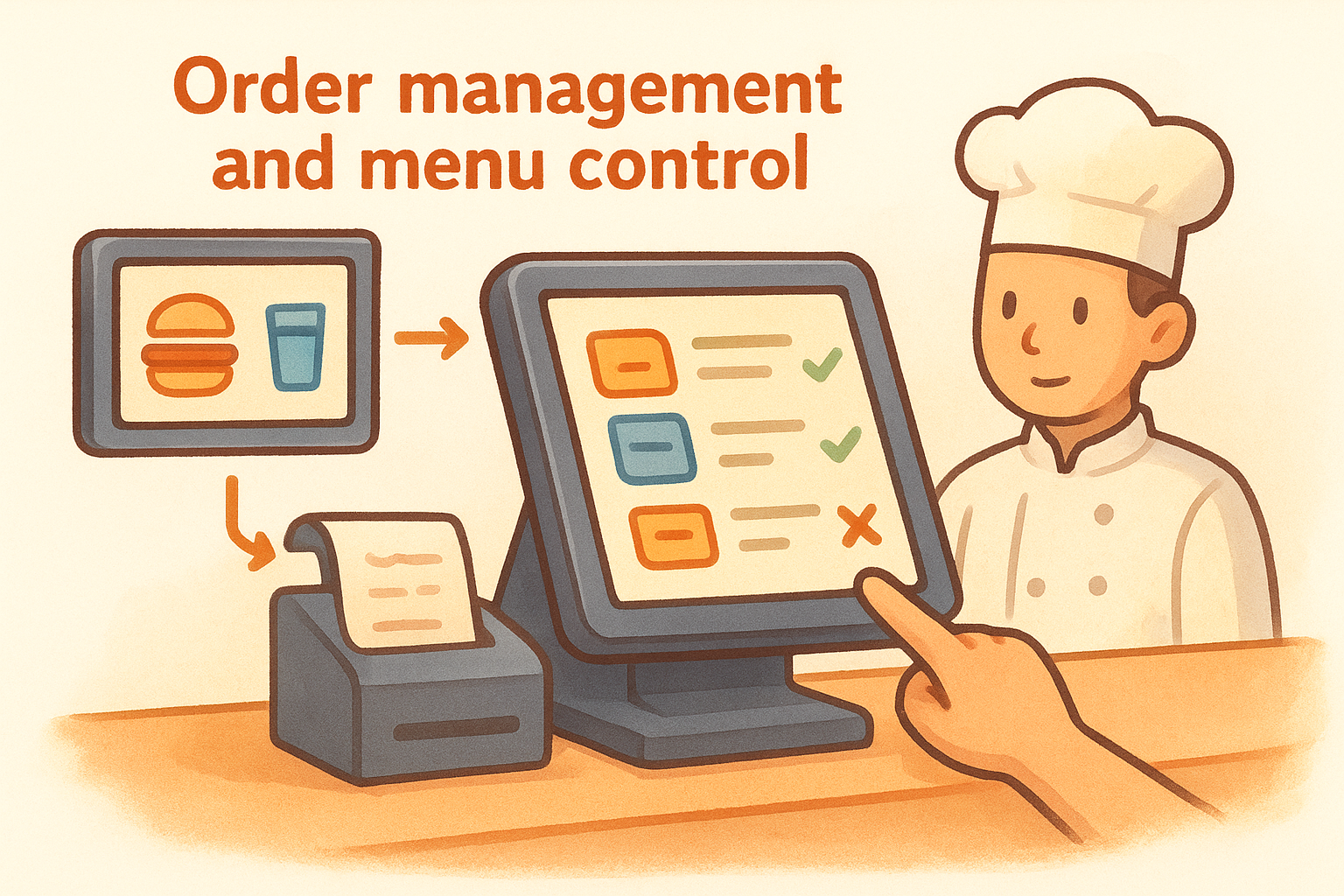
Menu control should be fast and accessible from outside the building. Updating a price, marking an item as sold out, or adding a seasonal special should take minutes, not a service call. Systems that require you to contact a support team every time you need a menu change add friction and create lag between your decision and your customer's experience. Confirm that the management portal gives you direct control over every menu element without additional fees per update.
The ability to update your menu in real time from any device is one of the most practical advantages a cloud POS gives you over a legacy terminal setup.
Reporting and integration tools
Strong reporting turns your daily transaction data into decisions you can act on. Sales breakdowns by item, daypart, and server help you identify which menu items carry your margins and which shifts need better staffing. Look for a system that lets you filter reports by date range, location, and category without requiring an export into a spreadsheet every time you want a clear picture of performance.
Integration capability matters as much as what the system does on its own. Your POS should connect cleanly with your online ordering platform, payment processor, and any loyalty or email marketing tools you use, so that customer and order data flows between systems automatically. A POS that operates as an island forces your team to manually reconcile online and in-house orders at the end of every shift. Confirm that the vendor offers documented integrations with the specific tools your operation already relies on before you commit to a platform.
Costs, fees, and contracts to expect
Pricing for a cloud based restaurant POS system varies widely depending on the provider, your hardware needs, and the number of terminals you operate. Most operators focus on the monthly subscription rate and overlook additional charges that appear later, which makes it worth examining how pricing actually breaks down before you sign anything.
Monthly subscription pricing
Cloud POS providers typically charge between $69 and $399 per month per location depending on the feature tier you select. Entry-level plans often cover basic order management and reporting, while higher tiers add tools like multi-location dashboards, advanced inventory tracking, and loyalty program integrations. Some vendors charge per terminal rather than per location, which means a restaurant with four registers pays significantly more than the advertised base rate.
Always calculate your total monthly cost based on the number of terminals you actually run, not the entry price listed on a vendor's homepage.
Hardware costs sit on top of your subscription. Tablets, card readers, kitchen displays, and receipt printers each carry their own price tags, and some vendors require you to purchase their proprietary hardware rather than using devices you already own. Budget between $500 and $2,000 per station depending on the equipment the system requires.
Hidden fees to watch for
Several cost categories catch operators off guard after they commit to a platform. Payment processing fees are the most common surprise: many cloud POS providers bundle payment processing into their plans but charge between 2.5% and 3.5% per transaction, which adds up quickly at high order volumes. Confirm whether your contract lets you use a third-party processor if a cheaper rate is available elsewhere.
Other fees worth examining before you sign include:
- Onboarding and training fees charged for initial setup support
- Menu update fees billed per change request rather than included in your subscription
- Customer support tiers where priority response times cost extra
- Data export fees applied when you want to pull your own records out of the system
Contract terms and commitments
Annual contracts often come with a lower monthly rate but lock you in for twelve months regardless of how the software performs for your operation. Month-to-month pricing gives you the flexibility to switch if something does not work, though you typically pay 10% to 20% more per month for that option. Ask the vendor directly whether they charge an early termination fee before you commit.
Cancellation policies also differ significantly between providers. Some platforms retain your data for a limited window after you cancel, while others delete it immediately, so confirm what happens to your sales history and customer records if you decide to move to a different system down the road.
Best cloud-based restaurant POS systems in 2026
The market for a cloud based restaurant POS system has matured enough that several platforms now dominate the independent restaurant segment. Toast, Square for Restaurants, Lightspeed, Clover, and TouchBistro each carry a strong user base and enough feature depth to handle both full-service and quick-service formats. The right fit depends on your order volume, the integrations you need, and how much technical setup you want to manage on your own.
The leading platforms compared
Each platform takes a different approach to pricing and feature bundling, which makes a side-by-side look the fastest way to spot gaps for your operation. Hardware requirements and contract terms vary enough between vendors that a system built for a high-volume counter-service concept may not match what a table-service restaurant with complex modifier needs actually requires.
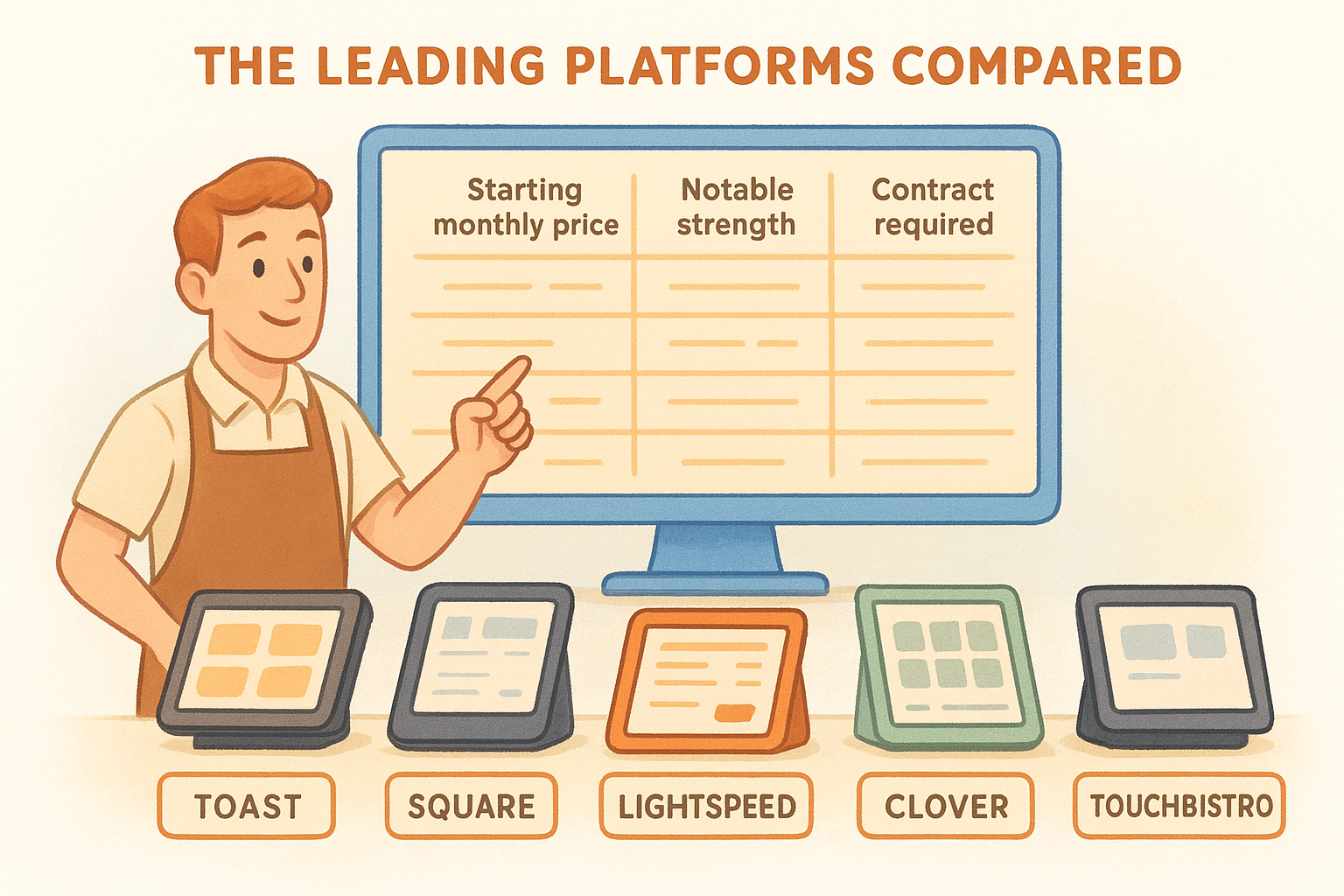
| Platform | Starting monthly price | Notable strength | Contract required |
|---|---|---|---|
| Toast | $69/mo | Kitchen integration depth | Annual |
| Square for Restaurants | $0 (free tier) | Low barrier to entry | None |
| Lightspeed | $189/mo | Inventory management | Annual |
| Clover | $14.95/mo | Hardware flexibility | Varies |
| TouchBistro | $69/mo | Table management | Annual |
Comparing contract terms alongside monthly price is critical because locking into an annual agreement with a platform that does not fit your workflow is an expensive mistake to unwind.
What sets the top options apart
Toast stands out for operators who need tight kitchen integration and detailed modifier routing across a high-volume line. Its hardware ecosystem is purpose-built for restaurant environments, which reduces setup friction if your format depends on fast ticket routing and reliable kitchen display performance. Square for Restaurants offers the lowest barrier to entry, making it a practical starting point for newer operations that want to test online ordering before committing to a more feature-heavy platform.
Lightspeed suits operators who carry significant inventory complexity, such as restaurants with large beverage programs or multi-unit setups where tracking cost variance by location matters. TouchBistro and Clover both handle table management well, though TouchBistro's floor plan tools give full-service operators more granular control over seat assignments and turn times during peak service. Regardless of which platform you evaluate, confirm that it connects cleanly with your direct online ordering setup before you sign, because disconnected systems force your team to reconcile orders manually on every shift.
How to choose and roll out the right POS
Choosing a cloud based restaurant POS system comes down to matching the platform's actual capabilities to the specific way your restaurant takes and processes orders. Vendor demos tend to highlight best-case scenarios, so your evaluation needs to focus on the edge cases that matter most to your operation: how the system handles a lost connection mid-shift, what happens when you need a menu change at 7 PM on a Friday, and whether support picks up the phone during dinner service rather than routing you to a ticket queue.
Narrow your options before you demo
Start by listing the three or four features your current setup handles poorly. Those gaps should drive every conversation you have with a vendor, not the features their sales team wants to show you. If you already know your kitchen display routing causes problems during rushes, put a busy-period simulation at the top of your demo agenda rather than watching a walkthrough of the reporting dashboard.
Use a short checklist to structure your vendor evaluation before committing to a full demo:
- Confirm whether offline mode is included in your pricing tier, not just available as an add-on
- Ask how long a typical menu change takes and whether you can make it yourself through the portal
- Verify that the platform integrates with your current payment processor or detail what switching would cost
- Request references from restaurants with a similar format and order volume to yours
The vendors who hesitate when you ask for operator references are usually the ones whose product performs differently in production than it does in a sales call.
Roll out in stages, not all at once
Switching your entire operation to new software in a single shift is one of the fastest ways to turn a manageable transition into a crisis. Start by running the new system in parallel with your existing setup for a short period, even if that means extra reconciliation work for a week or two. Your staff needs time to build muscle memory on the new interface before the training wheels come off during your busiest service.
Plan your go-live date around a slower period, such as an early weekday rather than a Friday night or a holiday weekend. Brief your team on the three or four actions they will perform most often, walk through the order flow once before service starts, and have a direct support contact ready before the first ticket hits the kitchen.
Next steps for your restaurant
You now have a clear picture of how a cloud based restaurant POS system works, what it costs, and which platforms deserve a closer look. The next move is simple: identify the two or three operational problems that cost you the most time or money each week, then use those problems as your filter when you talk to vendors. A system that solves your actual friction points delivers far more value than one with features you will never use.
Your ordering setup matters just as much as your POS. Restaurants that pair a modern POS with a commission-free direct ordering channel stop paying per-order fees to third-party apps and keep more of every transaction. If you want to see how that model works in practice and what it would cost your operation, explore The Foody Gram's commission-free online ordering plans and find the tier that fits your volume.