


How Does a Restaurant POS System Work? A Step-by-Step Tour
Every order your restaurant processes, whether it's a dine-in ticket, a phone call, or a tap on a customer's phone, passes through one central hub. That hub is your POS system, and understanding how a restaurant POS system works gives you a real advantage when it comes to speed, accuracy, and profit.
At its core, a POS system connects your front of house to your back of house. It captures what a customer wants, sends it to the kitchen, processes the payment, and logs everything for your records. Simple concept, but the details matter, especially when you start layering in online orders, delivery management, and multi-location reporting.
That's where things get interesting for restaurant owners who also use platforms like The Foody Gram. Our commission-free online ordering system feeds directly into your daily operations, and knowing how your POS handles that flow helps you make smarter decisions about your tech stack. Whether you're evaluating a new POS or trying to get more out of your current one, this step-by-step tour breaks down exactly what happens from the moment a customer places an order to the moment the data hits your end-of-day report.
Why a restaurant POS matters to daily operations
A restaurant runs on dozens of small decisions every hour. Your POS system is the backbone that ties those decisions together, from the moment a server opens a table to the moment a manager closes the books at night. Without a reliable POS, orders get missed, payments slow down, and your staff spends more time fixing errors than serving customers. That friction costs you money, and it costs you repeat business.
Order accuracy and kitchen communication
When you understand how does a restaurant POS system work, one of the first things you notice is how much it reduces human error. Before POS systems became standard, servers wrote orders by hand, and kitchen staff had to decipher rushed handwriting under pressure. Today, a digital ticket appears at the kitchen display or printer the second a server submits an order, with no ambiguity about modifiers, allergy notes, or quantities.
Clear, immediate communication between your front of house and kitchen is one of the biggest operational gains a POS system delivers.
Accuracy at the order level protects your food costs, your customer relationships, and your kitchen's rhythm. When a guest gets exactly what they ordered, you cut down on remakes, comps, and table delays. Over hundreds of covers per week, those savings show up in a measurable way on your bottom line.
Payment speed and cash flow
Faster payment processing means tables turn over quicker, which directly affects how much revenue you generate per shift. A POS system lets servers split checks, apply discounts, and process multiple payment types without walking back and forth to a register. Guests spend less time waiting for the bill, and your staff handles more covers with less friction.
Your POS also creates a direct record of every transaction. When it comes time to reconcile your cash drawer or review daily deposits, all the data is already organized by payment type, server, and time period. That removes a significant amount of manual bookkeeping from your plate and reduces the risk of errors that slip through during end-of-day reconciliation.
Staff management and accountability
Every action in your POS system ties back to a specific employee login. Managers can see who processed a refund, who voided an item, and which server handled which tables during a shift. That level of visibility discourages shortcuts and keeps your team accountable without requiring you to physically watch every transaction that happens on the floor.
Beyond accountability, POS data helps you schedule smarter. If your system shows that Tuesday dinner rushes peak between 6 PM and 8 PM, you can staff up accordingly instead of guessing based on memory. Over time, you build a clear picture of your restaurant's actual patterns rather than relying on instinct.
Real-time visibility across your entire operation
Most modern POS systems give owners and managers a live dashboard that shows open tables, active orders, and current sales totals at any point during service. If you manage more than one location, that visibility extends across all your sites from a single login. Knowing your numbers in real time lets you make decisions during a shift, not after it, which is a meaningful shift from the way restaurants operated even ten years ago.
That real-time layer is what separates a basic cash register from a true restaurant management tool.
The core parts of a restaurant POS system
When you break down how does a restaurant POS system work, you find two distinct layers: the hardware your staff touches every shift and the software running behind every transaction. Both layers depend on each other, and a weak link in either one slows down your entire operation. Understanding what each component does helps you evaluate your options without getting overwhelmed by vendor feature lists.
The hardware your team uses every day
Your POS hardware is everything physical that your staff and customers interact with during a meal or transaction. At minimum, most restaurant setups include a touchscreen terminal or tablet, a receipt printer, a cash drawer, and a card reader. Larger operations often add kitchen display screens, customer-facing displays, and handheld devices for tableside ordering.
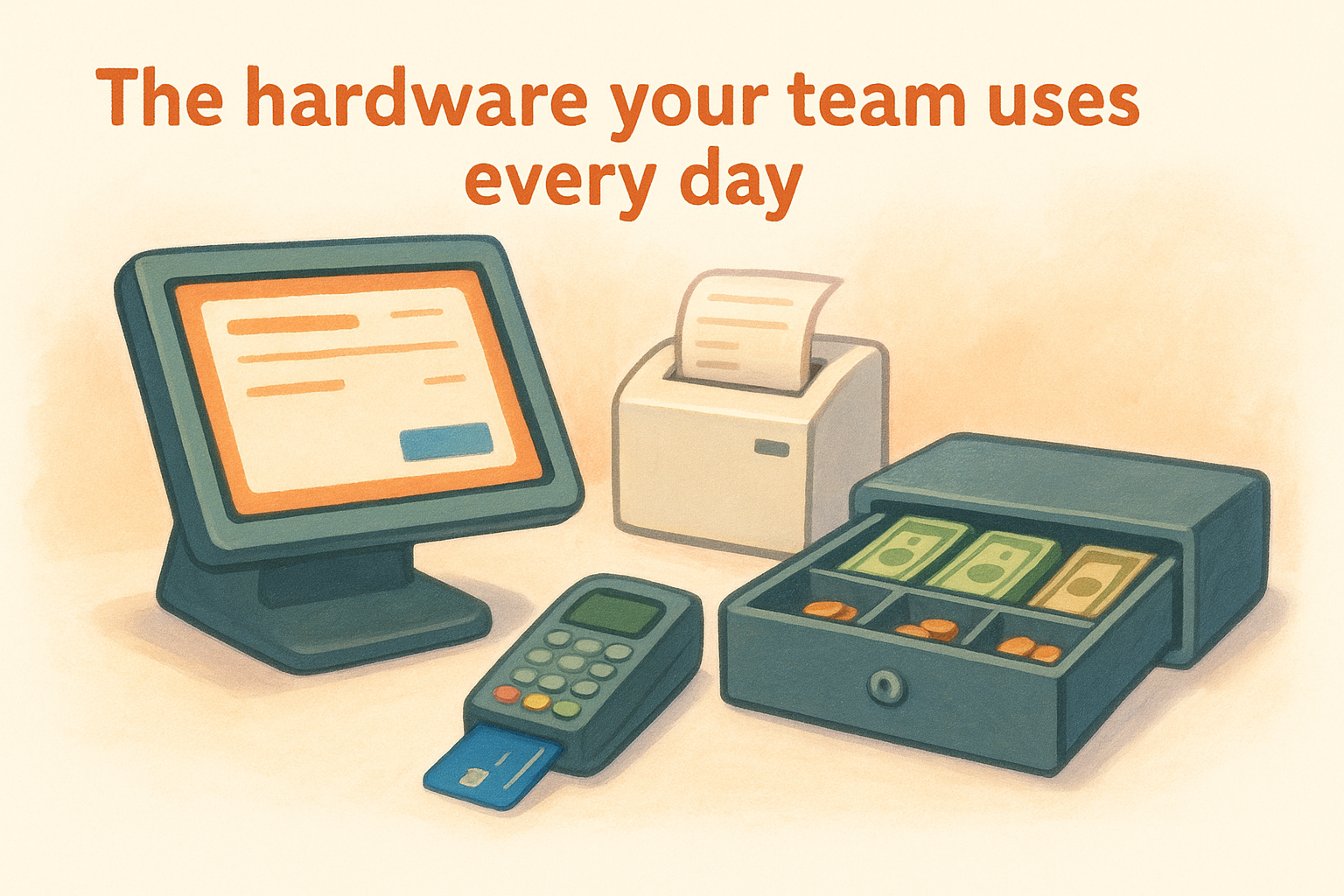
Here is a quick breakdown of common hardware components and their primary roles:
| Hardware | Primary Function |
|---|---|
| Touchscreen terminal | Staff enter orders and process payments |
| Kitchen display screen | Shows tickets to kitchen staff in real time |
| Receipt printer | Prints guest checks and kitchen tickets |
| Card reader | Processes credit, debit, and contactless payments |
| Cash drawer | Stores cash and tracks drawer totals |
| Handheld device | Enables tableside ordering and payment |
Choosing restaurant-grade hardware matters because consumer devices don't hold up against the heat, spills, and constant use that a busy front of house or commercial kitchen puts them through.
The software that ties everything together
The software is where your POS actually becomes a management tool rather than a fancy cash register. It stores your complete menu, pricing structure, modifiers, and tax rules in one place, and it applies that data automatically every time a staff member rings in an order. That consistency removes guesswork and keeps every transaction accurate from the first cover to the last.
The software layer is what transforms raw order data into the reports, insights, and records your restaurant needs to run efficiently day after day.
Beyond the menu, your POS software manages employee permissions, logs every transaction with a timestamp, and tracks sales by category so you can spot trends fast. Cloud-based systems go a step further by letting you access your data from any connected device, without needing to sit at a back-office computer. That flexibility matters most when you are comparing numbers across multiple locations or checking in on a slow shift from off-site.
How a restaurant POS system works, step by step
When you watch how does a restaurant POS system work in real time, it follows a predictable sequence that repeats for every order your restaurant processes. Each step builds on the last, and a breakdown at any point in the chain creates a ripple effect that your staff and customers both notice immediately. Understanding the full sequence helps you pinpoint exactly where delays or errors are actually coming from.
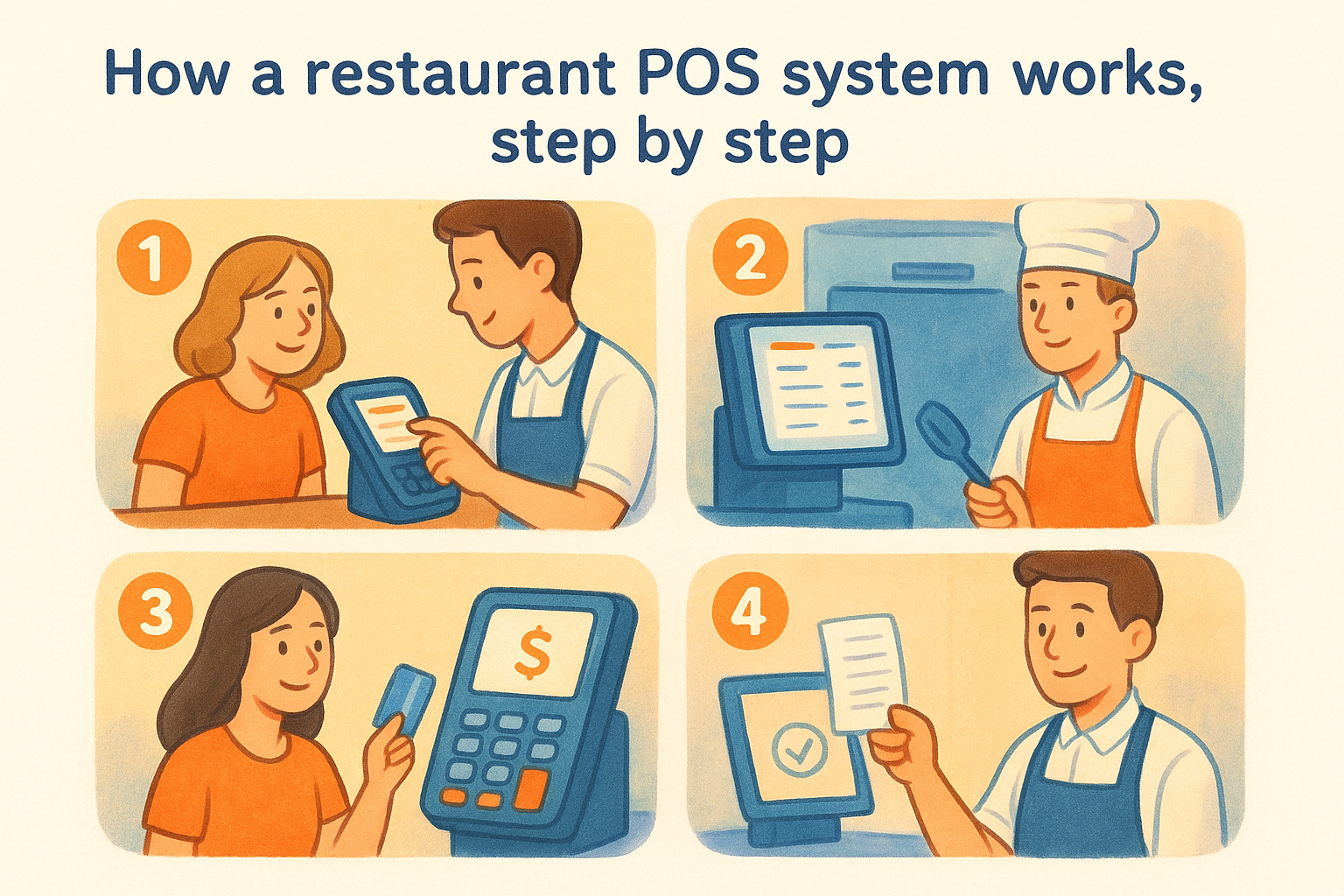
Step 1: A customer places an order
Your staff opens a table or counter ticket on the terminal and begins entering items. The POS pulls the correct price, modifiers, and tax rules from your menu database automatically, so there is no manual calculation involved. If a customer wants a substitution or has an allergy note, your server taps through the modifier options and the system attaches those details to the ticket before it moves forward.
Every item your staff rings in creates a digital record tied to that specific table, transaction, and employee login from the moment the order starts.
Step 2: The kitchen receives the ticket
The moment your server submits the order, the POS sends a formatted ticket to your kitchen display or printer in real time. Kitchen staff see the full order with all modifiers and special requests, so no one has to decode handwriting or run back to confirm a detail. Timing begins automatically, which helps your kitchen manage prep sequences across multiple tables at the same time.
Step 3: Payment gets processed
When the customer is ready to pay, your staff pulls up the ticket and selects the payment method, whether that is a card, cash, or a contactless tap. Card payments route through your integrated payment gateway, authorization typically completes in a few seconds, and the POS records the transaction amount, tip, and payment type right away. Split checks, partial payments, and applied discounts all follow the same automated logic without any manual math.
Step 4: The transaction closes and data saves
Once payment clears, the POS closes the ticket and writes every transaction detail to your system's database instantly. That data feeds your sales history the moment the ticket closes. Your end-of-day totals, server performance numbers, and inventory adjustments all update from that single closed transaction, giving you an accurate read on the shift without any manual data entry required.
Reports, inventory, and security in the background
Most of what makes a POS system valuable happens without your staff lifting a finger. While your team handles orders and payments up front, the system is constantly logging data, updating stock counts, and enforcing security rules in the background. Understanding how does a restaurant POS system work at this layer gives you a clearer picture of why the reports you pull at the end of the week are actually worth trusting.
Sales reports and performance data
Your POS generates a running record of every transaction, discount, and void that occurs during service. At any point, you can pull a sales summary broken down by item, category, server, or time window, without manually building a spreadsheet. That granularity tells you which menu items drive the most revenue, which server consistently upsells, and what hours produce the highest check averages.
Consistent reporting data removes the guesswork from menu decisions and helps you focus your investment on what already works.
Over time, those reports compound into trend data you can act on. If chicken wings spike every Thursday, you can prep more and reduce food waste. If a specific appetizer rarely moves, you have real numbers to justify pulling it from the menu rather than a gut feeling.
Inventory tracking and cost control
Every item your staff rings in automatically subtracts from your inventory counts if your POS includes inventory management features. That real-time subtraction gives you a more accurate read on what you have on hand and helps you avoid running out of a high-margin item during a busy shift. Consistent inventory tracking also flags discrepancies between what your system shows and what's physically on your shelves, which points directly to waste, portioning issues, or theft.
Connecting your POS data to your ordering decisions shortens the gap between what you use and what you buy, which tightens your food cost percentage over time.
Security and access controls
Your POS protects your business by requiring individual employee logins before anyone can process a transaction, issue a refund, or apply a discount. Managers set permission levels for each role, so a line cook cannot accidentally void a check and a new hire cannot access end-of-day totals. Every action in the system carries a timestamp and an employee ID, which makes it straightforward to investigate any discrepancy during a shift review.
That accountability layer reduces internal theft and keeps your financial records clean without requiring a manager to watch every terminal in real time.
How POS connects to online ordering and delivery
Understanding how does a restaurant POS system work with online ordering is where modern restaurant technology gets genuinely useful. Your POS does not have to be a separate world from your digital ordering channels. When the two systems connect properly, every online order flows into the same ticket queue your staff already uses, with no manual re-entry and no missed items.
Pulling online orders directly into your ticket queue
When your online ordering platform integrates with your POS, a customer placing an order on your website creates the same digital ticket as an order entered by your server at the terminal. The POS routes it to the kitchen display or printer automatically, just like any other order, and your staff handles it without switching between systems or checking a separate tablet.
A clean integration between your online ordering channel and your POS is what prevents the double-entry errors and missed orders that slow down your kitchen during busy service.
Tight integration also keeps your menu consistent across every channel. When you update a price or mark an item unavailable in your POS, that change can push to your online menu automatically so customers never order something you have run out of mid-shift.
Managing delivery orders without extra complexity
Delivery order management runs through the same system when your POS and ordering platform are properly connected. Your staff sees delivery tickets alongside dine-in orders on the same dashboard, which keeps your kitchen sequencing accurate rather than splitting attention across multiple screens. Estimated prep times and order statuses update in one place, so your front of house always knows what is ready to hand off.
Platforms like The Foody Gram feed commission-free online orders directly into your operation without the per-transaction fees that third-party apps charge. Because you own the ordering channel, you also keep the customer data tied to every order, which gives you a direct line back to your regulars for future promotions or announcements.
Protecting your margins with direct ordering channels
Every order that comes through your own branded platform instead of a third-party app saves you the commission fee that would otherwise come out of that ticket. When your POS connects to a direct ordering solution, those savings show up in your daily sales report without any extra work on your end. Your POS treats every order the same, but your bottom line reflects the difference clearly.
Wrapping it up
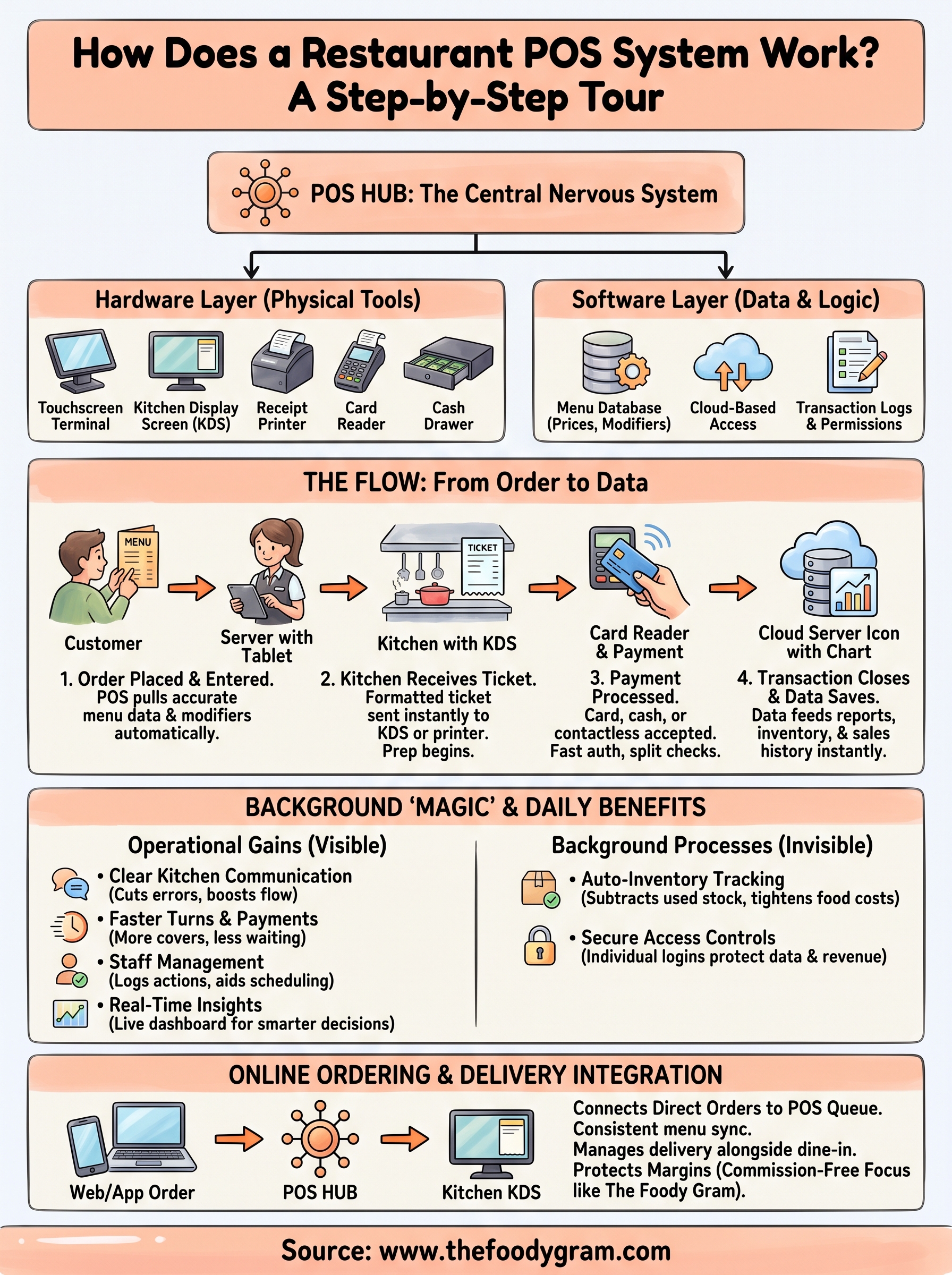
Now that you've seen how does a restaurant POS system work from order entry to end-of-day reporting, the bigger picture becomes clear. Your POS is not just a payment tool. It's the central nervous system of your restaurant, connecting your kitchen, your staff, your inventory, and your customers into one continuous data stream. Every section of this tour, from hardware and software to reports and online ordering integration, works together to keep your operation running accurately and efficiently.
The part most restaurant owners overlook is how much margin they lose when their online ordering channel sits outside that system entirely. Connecting a commission-free ordering platform to your POS keeps every dollar where it belongs. If you're ready to stop paying per-order fees to third-party apps and bring your online orders directly into your operation, see what The Foody Gram includes at each pricing tier and find the plan that fits your restaurant.