


10 Restaurant POS System Comparison Picks for 2026
Your POS system touches every part of your restaurant, from how orders hit the kitchen to how you track revenue at the end of the night. Choosing the wrong one means clunky workflows, frustrated staff, and money left on the table. A thorough restaurant POS system comparison matters because the differences between platforms aren't always obvious until you're locked into a contract. The right system should fit your operation, not force you to change how you run it.
Most POS platforms now offer some form of online ordering, but many route those orders through third-party integrations that tack on commission fees or limit your control over customer data. That's exactly why we built The Foody Gram, to give restaurants a commission-free online ordering system that works alongside your POS, letting you keep your margins and own your customer relationships directly.
This guide breaks down 10 of the top restaurant POS systems available in 2026, comparing their features, pricing structures, and real-world strengths and weaknesses. Whether you run a single pizzeria or manage multiple locations, you'll find a clear side-by-side look at what each platform actually delivers. We've focused on the details that matter most to independent restaurant owners: cost, usability, integration options, and long-term value.
1. The Foody Gram
The Foody Gram sits at the intersection of restaurant website design and commission-free online ordering, which makes it a different kind of entry in any restaurant POS system comparison. It isn't a traditional point-of-sale platform built around hardware terminals and tableside payments. Instead, it focuses on giving independent restaurants a direct ordering channel they fully own, with no per-order fees cutting into their margins.
Best fit for
The Foody Gram works best for independent restaurant owners and small restaurant groups who are tired of paying 20-30% commissions to third-party delivery apps. If your operation runs on pickup and delivery orders and you want customers ordering through your own branded website, this platform fits that model directly.
Restaurant types that get the most out of it include:
- Pizzerias and fast-casual spots with consistent online order volume
- Ethnic cuisine restaurants building a loyal local customer base
- Multi-location groups looking to consolidate online ordering under one platform
What it does
The platform builds and hosts a custom-branded restaurant website and connects it to a commission-free ordering system. Customers place pickup or delivery orders directly through your site, and payments deposit straight into your account. You also get pre-order and reservation functionality, so you manage order timing without relying on any third-party marketplace.
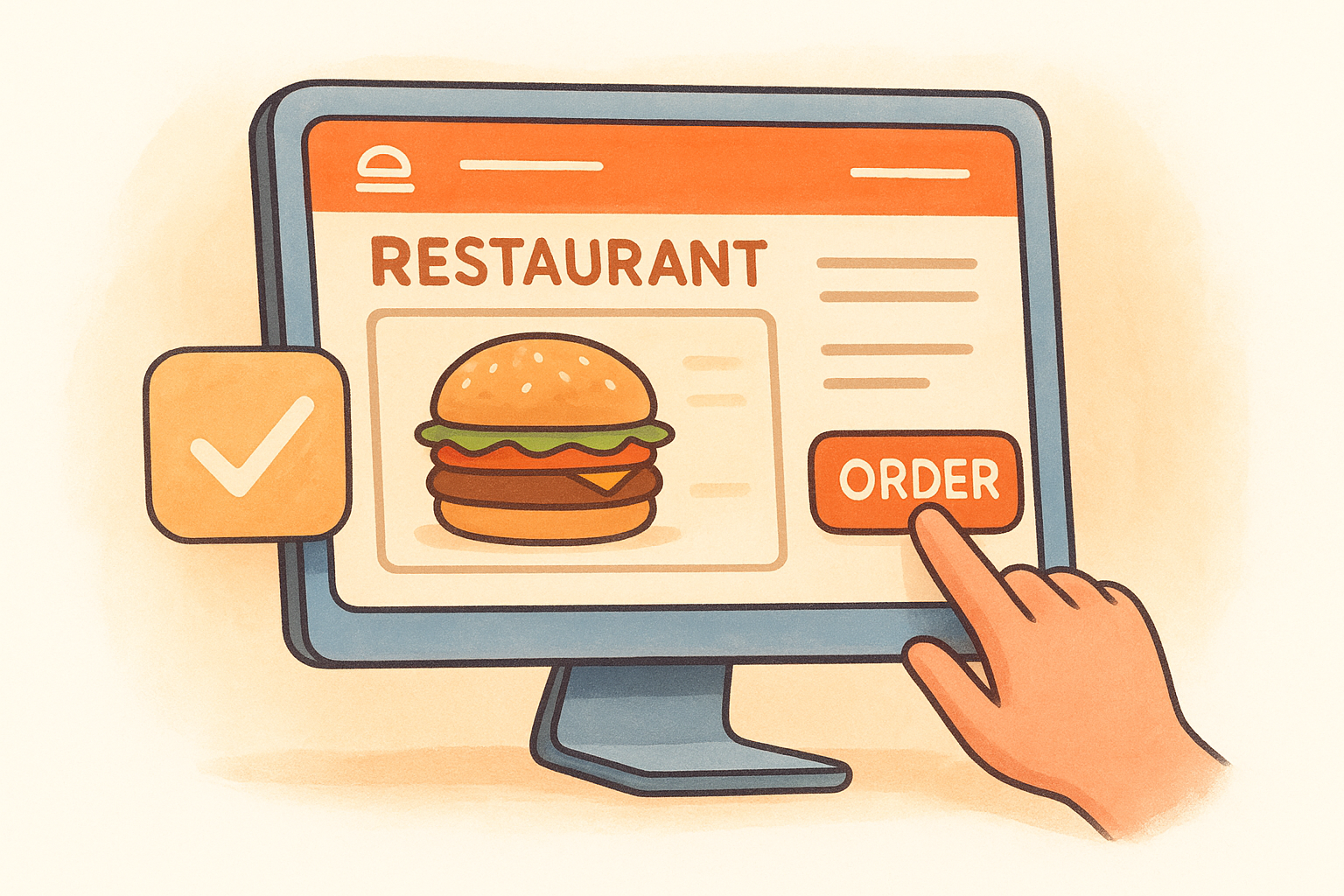
When you own your ordering channel, you also own the customer data, which means you can build direct relationships and market to your customers without a middleman.
Key features to know
The Foody Gram bundles several tools into one managed service:
- Custom branded website with mobile optimization
- Commission-free online ordering with direct deposit payment processing
- Pickup and delivery order management
- Pre-orders and reservations
- Real-time order dashboard with kitchen ticket printing
- Menu management with the support team handling updates
- Multi-location management on higher-tier plans
- 24/7 customer support
Trade-offs to consider
The Foody Gram is not a full-service POS system, so if you need tableside ordering, dine-in table management, or inventory tracking across your kitchen, you'll still need a separate POS for those functions. The system is built specifically for direct online orders, not in-house floor operations.
For restaurants that do the majority of their business in the dining room, this platform covers only part of the workflow. You'd likely run it alongside a traditional POS rather than as a replacement.
Pricing and fees
Subscription pricing runs on a flat monthly model rather than per-order commissions. Standard plans fall between $159 and $199 per month, depending on the tier. There are no setup fees, no contracts, and the platform includes a 45-day money-back guarantee.
Compared to the 20-30% per-order fees that delivery apps charge, most restaurants recover the monthly cost after just a handful of orders. A restaurant doing $5,000 in monthly delivery revenue through a third-party app could be paying $1,000-$1,500 in commissions every month.
Setup and day-to-day management
Website turnaround runs 48 to 72 hours after you provide your menu and branding details. The Foody Gram handles the technical setup, including menu uploads and ongoing updates, so you don't need any technical background to get started.
Day-to-day, orders come through the dashboard in real-time, and the kitchen ticket printer handles order routing. If something changes on your menu, you contact the support team and they update it for you, keeping the operational lift on your end minimal.
2. Square for Restaurants
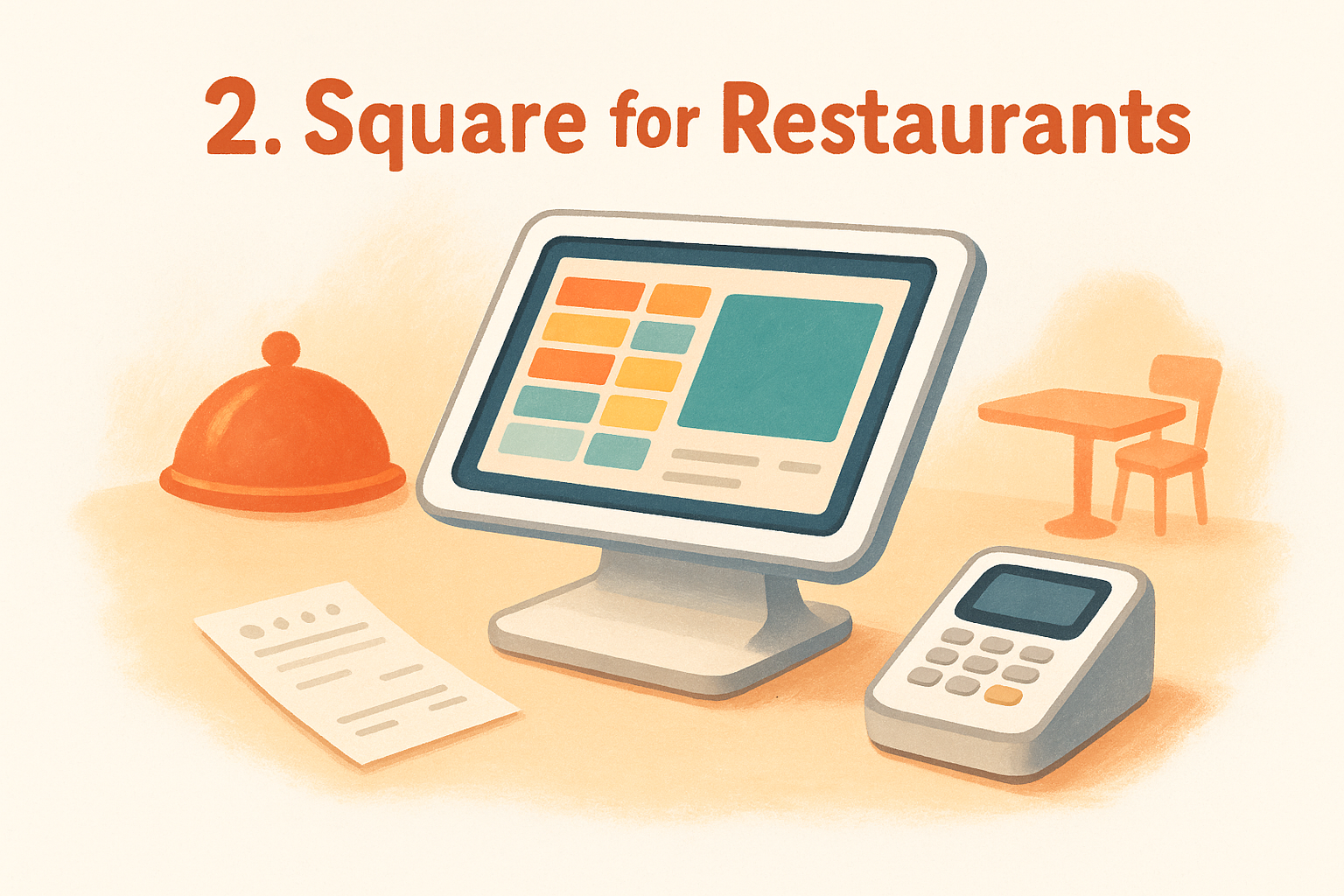
Square for Restaurants is one of the most recognized names in any restaurant POS system comparison, and its accessibility is a big reason why. It offers a cloud-based platform that scales from a single food truck to a multi-room dining operation without requiring a significant upfront investment or long-term contract commitment.
Best fit for
Square for Restaurants fits small to mid-sized operations that want a quick, low-cost setup. It works especially well for counter-service spots, cafes, and fast-casual restaurants that process a steady volume of orders and need an interface their staff can learn in a single shift without extensive training.
Standout features
The platform handles floor plan management, online ordering, and sales reporting from one dashboard. You also get coursing tools, seat management, auto-gratuity, and split check functionality included without needing separate add-ons for most core operations.
Square's free plan lets you test the core POS before committing to a paid tier, which makes it easier to evaluate whether the platform fits your workflow before spending money.
Trade-offs to consider
Square locks you into its own payment processing, meaning you cannot bring a third-party processor to negotiate better rates. Advanced reporting and multi-location management features require upgrading to higher-tier plans, which adds to your monthly cost as your operation grows.
Pricing and payment processing
The free plan covers basic POS functions at no monthly cost. The Plus plan runs $60 per month per location, and a Premium tier is available with custom pricing. In-person transactions process at 2.6% + $0.10 per swipe, while online orders run at 2.9% + $0.30. No setup fees apply.
Hardware and setup
Square sells its own hardware directly, including the Square Terminal at $299 and the Square Register at $799. Setup is self-guided and most restaurants go live the same day. Because the software runs on iPads, you can keep hardware costs lower by using devices you already own.
Add-ons and integrations
Square connects to a wide range of third-party tools through its App Marketplace, covering payroll, employee scheduling, loyalty programs, and accounting software. Delivery platform integrations are available, though some third-party connections carry additional monthly fees on top of your base subscription.
3. Toast
Toast is one of the most widely recognized names in any restaurant POS system comparison, and it earned that position by building hardware and software specifically for food service. Unlike general-purpose POS platforms, Toast's entire product line targets restaurants exclusively, which shows in how the system handles kitchen workflows and front-of-house operations together.
Best fit for
Toast fits full-service restaurants, bars, and multi-location groups that want a purpose-built system with strong dine-in functionality. If your operation runs a busy dining room and needs tight coordination between servers and the kitchen, this platform handles that workflow well without requiring workarounds.
Standout features
The platform covers tableside ordering, online ordering, kitchen display systems, and loyalty programs from a single interface. Real-time reporting gives you a clear view of your sales, labor costs, and menu performance without pulling data from multiple tools.
Toast's kitchen display system integrates directly with the POS, which cuts down on ticket errors and speeds up order fulfillment during peak hours.
Trade-offs to consider
Toast locks you into its own payment processing, so you cannot negotiate rates with a third-party processor. Early termination fees and long-term contract requirements on some plans have drawn complaints from restaurant owners who needed to exit the platform before their agreement ended.
Pricing and payment processing
Toast offers a free starter plan for single-location restaurants with basic features. Paid plans start at $69 per month and scale up based on features and location count. Payment processing runs at 2.49% + $0.15 per in-person transaction. Custom pricing is available for enterprise-level accounts.
Hardware and setup
All Toast hardware runs on Android-based terminals that are built for the kitchen and dining room environment, including spill-resistant and heat-resistant designs. Hardware packages start around $627 for a basic setup, and a Toast representative typically handles installation and staff training on-site.
Add-ons and integrations
Toast connects to a range of third-party tools covering payroll, scheduling, accounting, and inventory management. Several integrations carry additional monthly fees, so your total platform cost can grow depending on which tools your operation requires.
4. Lightspeed Restaurant
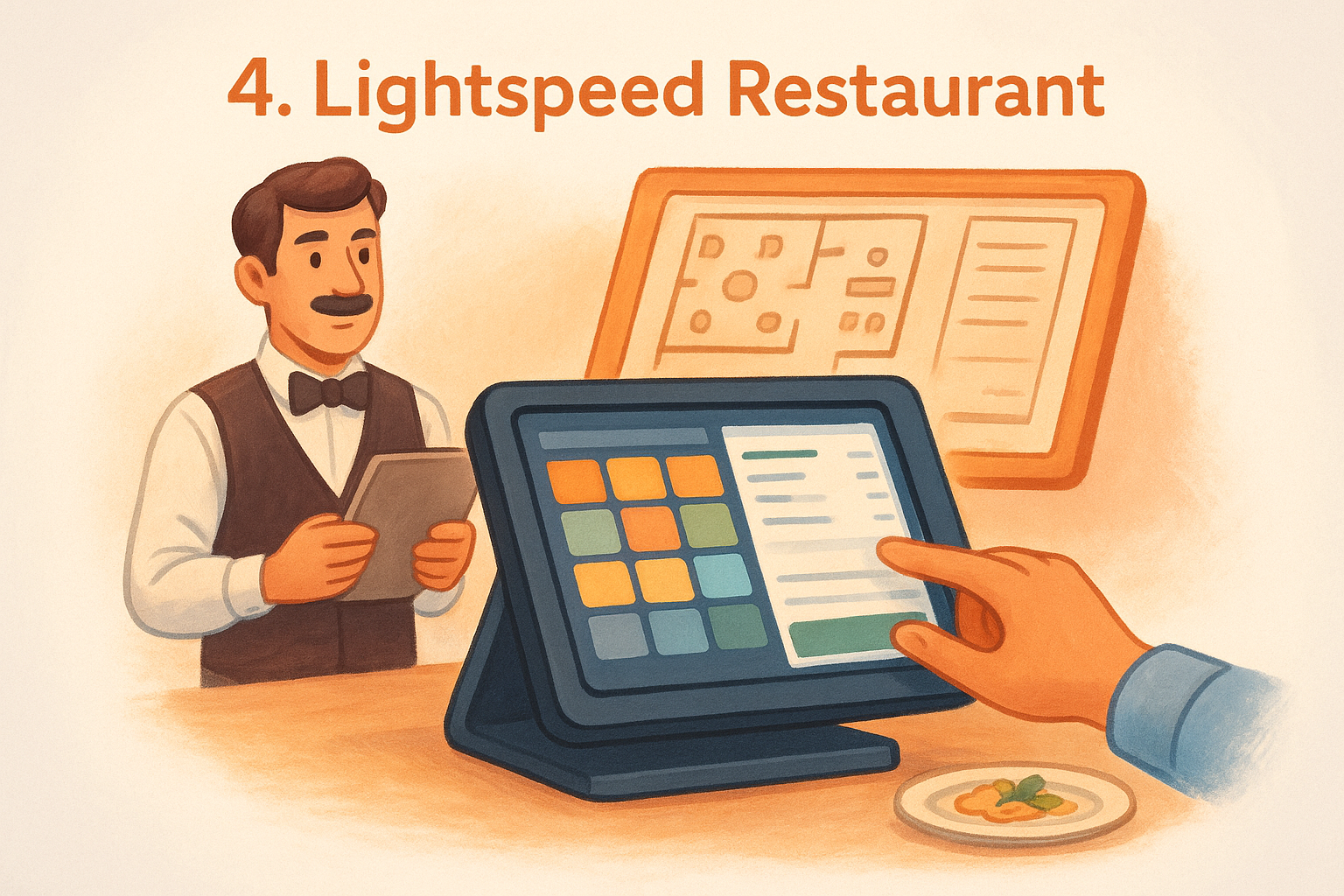
Lightspeed Restaurant stands out in any restaurant POS system comparison as a platform built with depth rather than simplicity. It targets restaurants that need detailed reporting, inventory control, and multi-floor management in one place, and it delivers on those fronts without requiring you to stitch together separate tools.
Best fit for
Lightspeed fits full-service restaurants, fine dining establishments, and multi-location operations that prioritize data and floor management over ease of onboarding. If you run a complex menu with ingredient-level inventory tracking or manage multiple revenue centers under one roof, this platform handles that kind of operational weight.
Standout features
The platform's inventory management goes deeper than most competitors, letting you track stock down to the ingredient level and set automatic reorder alerts when supplies run low. Combined with its floor plan editor and multi-zone management, Lightspeed gives you control over how the dining room runs from the POS itself.
The ingredient-level inventory tracking is particularly useful for restaurants with high food costs, where knowing exactly what you're using on each dish can directly protect your margins.
Trade-offs to consider
Lightspeed has a steeper learning curve than entry-level platforms like Square, and new staff typically need more onboarding time to get comfortable with the interface. The platform's pricing structure can climb quickly as you add features and locations, which makes it a harder sell for single-location restaurants watching their overhead closely.
Pricing and payment processing
Plans start at $189 per month for the Essential tier, with Advanced and Pro tiers available at higher price points. Payment processing rates depend on your plan and volume, and custom rates are available for higher-volume accounts. Setup fees vary by contract type and hardware bundle.
Hardware and setup
Lightspeed runs on iPad-based terminals, which keeps your hardware options flexible. The company provides implementation support, and more complex setups typically involve a dedicated onboarding specialist to configure your floor plan, menu, and reporting preferences before you go live.
Add-ons and integrations
The platform connects to a broad range of third-party tools covering accounting, payroll, reservations, and delivery integrations. Several key integrations, including advanced loyalty and marketing tools, require additional monthly fees on top of your base subscription cost.
5. TouchBistro
TouchBistro is an iPad-based POS built exclusively for restaurants, which gives it a focused edge in any restaurant POS system comparison. The platform concentrates on front-of-house efficiency and brings tableside ordering, menu management, and staff tools into a single interface designed around how restaurants actually operate.
Best fit for
TouchBistro fits full-service restaurants, bars, and breweries that prioritize tableside service and want a system built specifically for dine-in operations. If your staff takes orders at the table and your kitchen runs on tight timing, the platform's workflow-driven design reduces the back-and-forth between servers and the kitchen.
Standout features
The platform includes tableside ordering with a handheld iPad setup, floor plan management, and detailed sales reporting that breaks down performance by server, menu item, and time period. TouchBistro also offers built-in CRM tools that let you track customer visit history and preferences without requiring a separate third-party integration.
Tableside ordering keeps your servers on the floor longer and reduces the order errors that happen when staff relay orders from memory back to a stationary terminal.
Trade-offs to consider
TouchBistro relies on third-party payment processing partners rather than running its own payments natively, which means you coordinate between two vendors for billing and support issues. Some users report that customer support response times slow down during peak hours, which becomes a real problem when you need help mid-service.
Pricing and payment processing
Plans start at $69 per month for a single license, with pricing scaling based on the number of licenses and add-ons you select. Payment processing rates vary depending on which partner processor you use, so you'll need to compare processor options before committing to the full setup cost.
Hardware and setup
TouchBistro runs on Apple iPad hardware, giving you flexibility on device sourcing and replacement costs if a terminal breaks down. The company provides onboarding support, and most single-location setups go live within a few days of completing your menu configuration and floor plan layout.
Add-ons and integrations
The platform supports add-on modules for online ordering, reservations, loyalty, and gift cards, each priced separately from your base subscription. Third-party integrations cover accounting and payroll tools, but building out a full feature set can push your monthly cost well above the entry-level price.
6. Clover Dining
Clover Dining brings a hardware-forward approach to any restaurant POS system comparison, pairing its own branded terminals with a cloud-based software platform designed around quick-service and casual dining operations. The system is backed by Fiserv, one of the largest payment processing companies in the country, which shapes both its payment structure and its hardware ecosystem.
Best fit for
Clover Dining works best for quick-service restaurants, casual dining spots, and food trucks that want a sleek, purpose-built terminal without piecing together hardware from different vendors. If your operation needs a turnkey setup with minimal configuration time, Clover delivers a polished out-of-the-box experience without requiring deep technical knowledge to get running.
Standout features
The platform covers order management, tipping prompts, real-time reporting, and employee shift tracking from a single dashboard. Its app marketplace lets you extend functionality without replacing the core system, which keeps the base platform lean while allowing you to layer in tools as your needs grow.
Clover's real-time reporting gives you a clear view of hourly sales and top-performing items, which helps you make staffing and prep decisions based on actual data rather than guesswork.
Trade-offs to consider
Clover locks you into Fiserv for payment processing, which means you cannot bring your own processor to negotiate better rates. Some restaurant owners also report that the monthly software fees add up quickly once you factor in hardware leases and app subscriptions stacked on top of your base plan.
Pricing and payment processing
Software plans start at $14.95 per month for basic functionality, but full restaurant features require the $84.95 per month plan. In-person payment processing runs at 2.3% + $0.10 per transaction. Hardware is typically sold through Fiserv-authorized resellers, so your final cost depends on the channel you purchase through.
Hardware and setup
Clover sells its own branded terminals, handheld devices, and countertop stations, with the Clover Station Solo starting around $799. Your reseller typically handles setup, and most single-location restaurants go live within a few days of receiving their hardware and completing menu configuration.
Add-ons and integrations
The Clover App Market offers tools covering loyalty programs, online ordering, payroll, and accounting integrations. Several popular add-ons carry separate monthly fees, so your total platform cost depends on which apps your operation actually needs beyond the base software plan.
7. Revel Systems
Revel Systems positions itself as an enterprise-grade iPad POS platform in any serious restaurant pos system comparison, and it delivers on that promise with a feature set built for high-volume operations that need reliability and deep customization across multiple locations. Revel runs on a hybrid cloud model, which means your system keeps processing orders even when your internet connection drops.
Best fit for
Revel fits multi-location restaurant groups, quick-service chains, and enterprise operations that process high order volumes and need consistent performance across every location. If you run several locations and want centralized menu management and reporting without logging into separate dashboards for each site, Revel handles that from one account.
Standout features
The platform includes kitchen display system integration, delivery management, self-service kiosk support, and loyalty program tools built directly into the software rather than bolted on through third-party apps. Revel's open API also gives technically capable operations the flexibility to build custom integrations with tools specific to their business.
Revel's hybrid cloud architecture keeps your terminals running during internet outages, which protects your revenue during peak service when connectivity issues are most likely to cause problems.
Trade-offs to consider
Revel carries a higher price point and steeper onboarding commitment than most entry-level platforms, which makes it a harder fit for single-location restaurants watching monthly overhead carefully. Some users also report that customer support quality varies depending on your account tier and the complexity of your setup.
Pricing and payment processing
Revel does not publish flat pricing publicly. Plans are quoted based on your number of terminals and locations, so you need to go through a sales conversation to get actual numbers. Payment processing is available through Revel Advantage, the platform's in-house processor, or through select third-party processors depending on your contract.
Hardware and setup
The platform runs on Apple iPad hardware, which keeps replacement costs manageable if a terminal needs swapping out. Revel assigns a dedicated implementation team for setup, and larger multi-location deployments typically require several weeks of configuration time before you go live.
Add-ons and integrations
Revel connects to payroll, accounting, inventory, and delivery tools through its integration marketplace. The open API gives larger operations room to build custom connections to proprietary systems, which separates Revel from platforms that limit integration options to a fixed list of approved partners.
8. SpotOn Restaurant
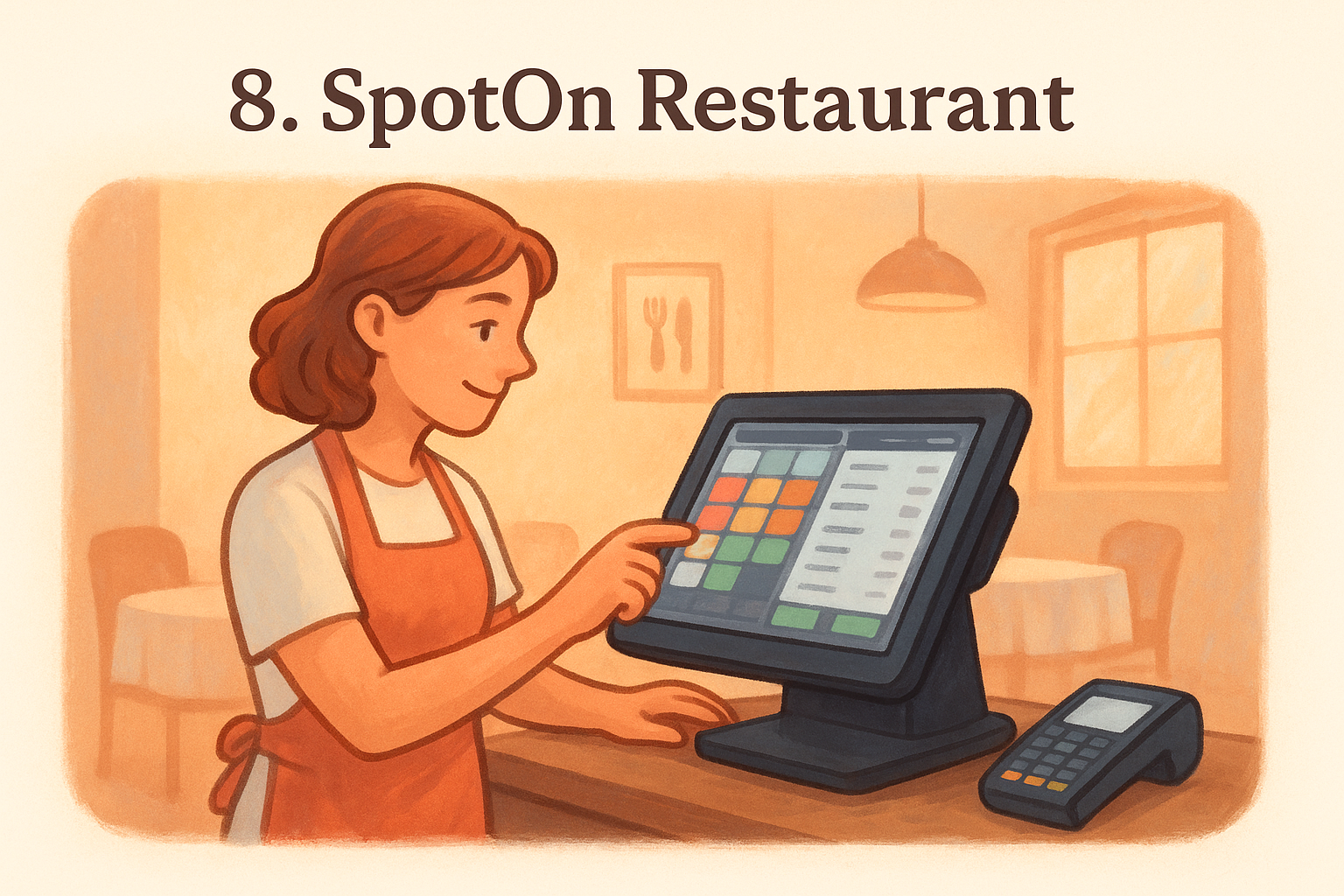
SpotOn Restaurant earns its place in any restaurant pos system comparison by combining competitive pricing with a feature set that most independent restaurants actually use day-to-day. The platform targets full-service and quick-service operations that want strong reporting and payment flexibility without locking into a rigid contract.
Best fit for
SpotOn works well for independent restaurants, bars, and sports bars that run a mix of dine-in and online orders. If your operation needs reliable tableside service tools paired with a loyalty program that doesn't require a separate app subscription, SpotOn fits that model without significant upselling pressure.
Standout features
The platform covers online ordering, tableside payments, kitchen display system integration, and a built-in loyalty program from a single dashboard. SpotOn also gives you advanced reporting tools that break down sales by server, item, and time period, so you can identify what's actually driving revenue without digging through raw data manually.
SpotOn's built-in loyalty program stands out because it doesn't require your customers to download a separate app, which removes friction and typically leads to higher enrollment rates.
Trade-offs to consider
SpotOn requires a direct sales conversation to get pricing, which makes it harder to comparison shop without committing time to a demo process. Some users also report that certain advanced features are gated behind higher-tier plans, so the entry-level setup may not include everything your operation needs from day one.
Pricing and payment processing
SpotOn does not list flat pricing on its website. Plans are quoted based on your operation's size and feature needs, and payment processing rates are negotiated as part of the same conversation. The platform competes on bundling loyalty and reporting tools into the base price rather than charging for them as add-ons.
Hardware and setup
SpotOn provides its own branded hardware options including countertop terminals and handheld devices. A dedicated onboarding team handles setup, and most single-location restaurants complete the installation within a few days of finalizing their menu and floor plan configuration.
Add-ons and integrations
The platform integrates with accounting tools, payroll software, and delivery platforms through its partner network. SpotOn also supports reservation and waitlist management as add-ons, giving you room to expand functionality as your operation's needs grow without switching platforms entirely.
9. Shift4 Dine
Shift4 Dine is backed by Shift4 Payments, one of the larger independent payment processors in the United States, which gives it a distinct infrastructure advantage in any restaurant pos system comparison. The platform targets full-service restaurants that want tightly integrated payment processing and POS functionality from a single vendor rather than piecing together separate tools.
Best fit for
Shift4 Dine fits full-service restaurants and hospitality-focused operations that prioritize payment reliability and need a system built to handle high transaction volumes without slowdowns. If your restaurant runs a dining room with consistent table turns and you want payment processing and POS software under one contract, this platform reduces the vendor management complexity that comes with mixing separate providers.
Standout features
The platform handles tableside ordering, kitchen display system integration, and detailed sales reporting from a unified dashboard. Shift4 also includes end-to-end encryption and tokenization on every transaction by default, which reduces your exposure to payment data security risks without requiring a separate compliance tool.
Shift4's payment infrastructure processes billions of dollars in annual transactions across hospitality clients, which means the system is tested at a scale that most restaurant-specific POS providers never reach.
Trade-offs to consider
Shift4 Dine bundles its payment processing directly into the platform, so you cannot bring your own processor or negotiate rates outside of Shift4's structure. Some restaurant owners also report that onboarding support quality varies by region, which can slow your go-live timeline if your local implementation team is stretched thin.
Pricing and payment processing
Shift4 does not publish flat monthly pricing publicly. Plans are quoted through a sales conversation based on your location count and feature requirements. Payment processing rates are negotiated as part of the same contract, and volume discounts are available for higher-transaction operations.
Hardware and setup
The platform runs on Shift4-compatible terminals and tablet hardware, with setup handled by a dedicated implementation team. Most single-location restaurants complete their initial configuration within a few days once menu and floor plan details are finalized.
Add-ons and integrations
Shift4 connects to payroll, accounting, and delivery platform integrations through its partner network. The platform also supports online ordering and gift card tools as add-ons, giving you room to expand functionality without switching systems as your operation grows.
10. Aloha POS
Aloha POS, developed by NCR Voyix, is one of the longest-standing names you'll encounter in any restaurant pos system comparison. The platform carries decades of deployment history in large-scale restaurant environments, and that track record gives it credibility with operators who prioritize stability and proven performance over newer, flashier alternatives.
Best fit for
Aloha fits large full-service restaurants, casual dining chains, and enterprise-level hospitality groups that need a system with deep operational capabilities and established vendor support. If your operation runs multiple revenue centers, high table volumes, or a corporate structure that requires centralized oversight, Aloha's infrastructure is built to handle that level of complexity.
Standout features
The platform covers tableside ordering, kitchen display system integration, and detailed labor and sales reporting within a single ecosystem. Aloha also includes tools for menu management, guest loyalty, and enterprise-level data reporting that give multi-location operators a consolidated view of performance across every site without switching between dashboards.
Aloha's longevity in high-volume restaurant environments means it has been stress-tested in conditions that newer platforms haven't faced yet, which matters when your dining room runs full capacity every weekend.
Trade-offs to consider
Aloha carries a reputation for higher implementation costs and a more complex setup process compared to cloud-native competitors. Smaller independent restaurants often find the platform overcomplicated for their actual needs, and the pricing structure reflects its enterprise focus rather than a single-location budget.
Pricing and payment processing
NCR Voyix does not publish flat pricing publicly. Quotes are generated through a sales process based on your terminal count, location number, and feature requirements. Payment processing is available through NCR's preferred partners, and rates are negotiated as part of your overall contract rather than listed on a public pricing page.
Hardware and setup
Aloha runs on NCR-certified terminal hardware, and the company handles installation through its implementation team. Multi-location rollouts typically require several weeks of configuration time to complete menu builds, floor plan setup, and staff training across all sites.
Add-ons and integrations
The platform connects to payroll, inventory, accounting, and delivery tools through its integration network. Larger enterprise accounts can also access custom API connections that allow you to link Aloha to proprietary internal systems your corporate group already operates.
Next Steps
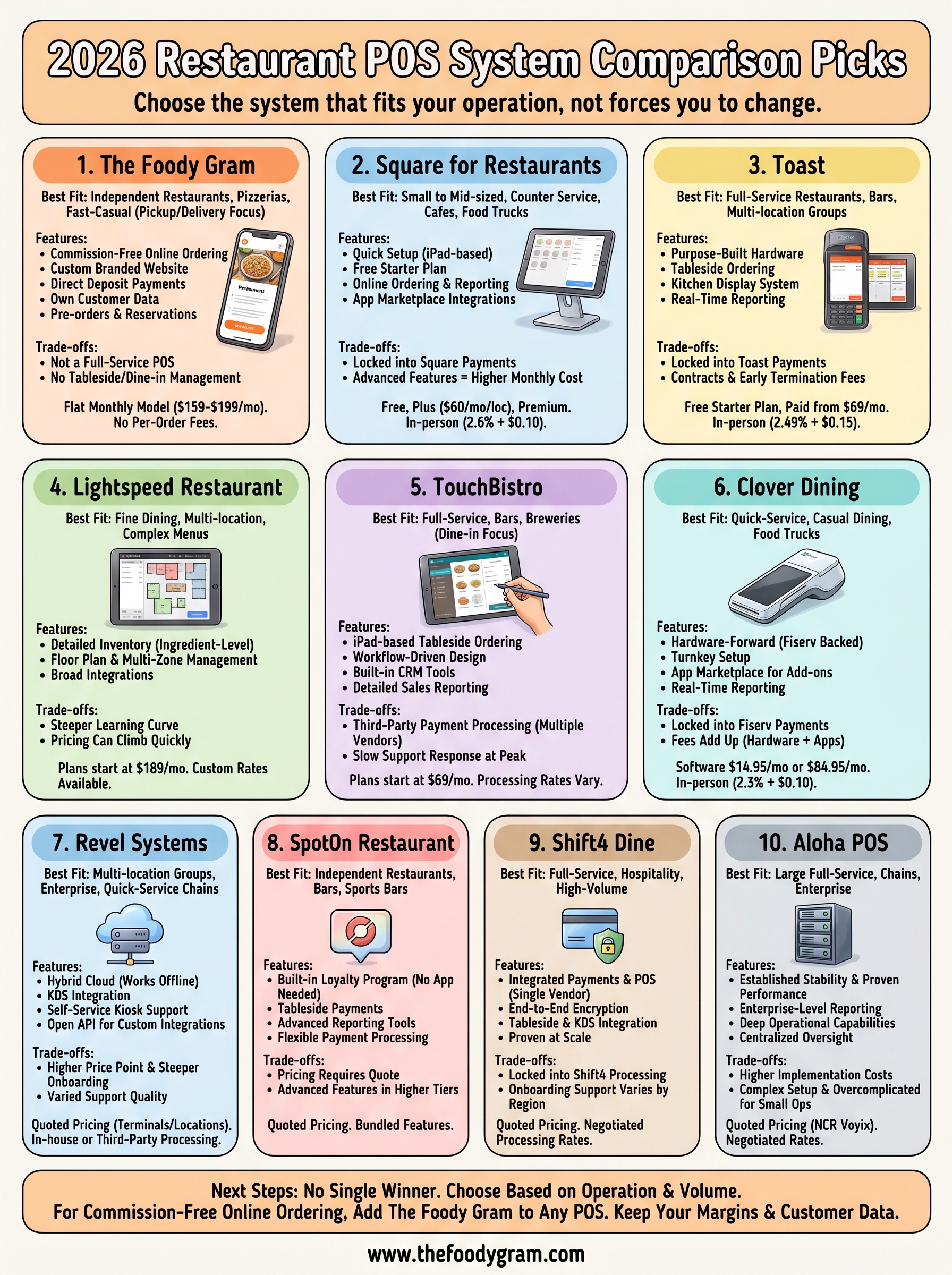
A thorough restaurant pos system comparison shows that no single platform wins across every category. The right choice depends on your operation type, order volume, and how much control you want over your customer relationships and margins.
If dine-in table management is your primary need, Toast, TouchBistro, or Aloha give you purpose-built tools for that workflow. If you run a high volume of pickup and delivery orders and want to stop paying commissions to third-party apps, The Foody Gram solves that problem directly with a flat monthly fee and no per-order cuts.
You can run The Foody Gram alongside any POS on this list without replacing the system your staff already knows. Check the restaurant online ordering plans and pricing to see exactly what you get and what it costs, with no contracts and a 45-day money-back guarantee covering your risk from day one.