


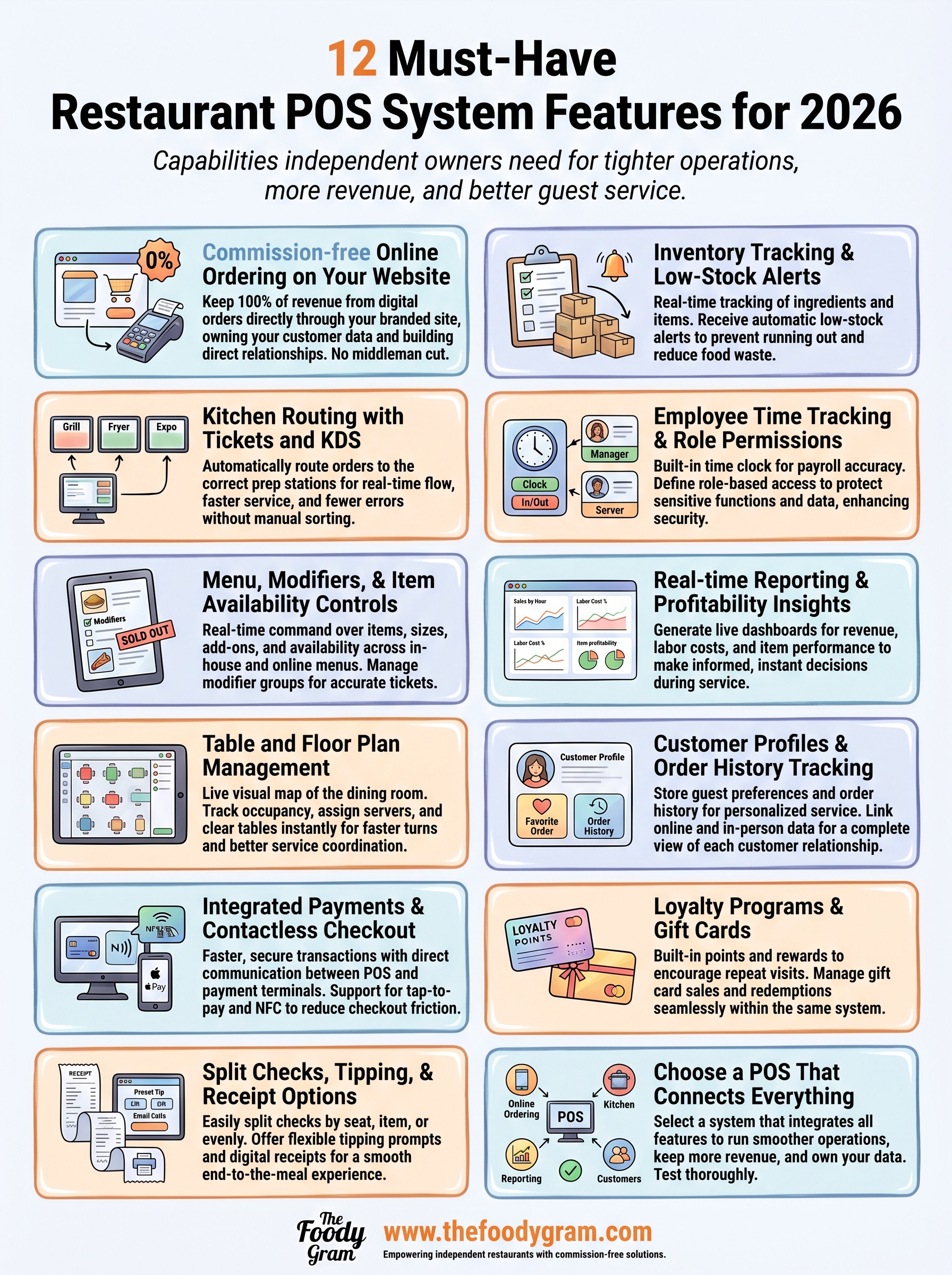
12 Must-Have Restaurant POS System Features for 2026
Your POS system touches every part of your restaurant, from the moment a guest places an order to the second payment clears. Choosing one with the right restaurant POS system features can mean the difference between a smooth service and a nightly headache. But with dozens of providers all claiming to be "the best," knowing what actually matters gets tricky fast.
Here's the thing: a POS system doesn't operate in a vacuum. It needs to play nicely with your online ordering, your kitchen workflow, your reporting, and your customer communication. That's exactly why we built The Foody Gram to integrate with your existing restaurant tech stack, our commission-free online ordering platform works best when your POS keeps everything connected and running without friction. We've seen firsthand how the right (and wrong) POS setup impacts a restaurant's bottom line.
This guide breaks down 12 features you should look for when evaluating a POS system in 2026. No fluff, no filler, just the capabilities that independent restaurant owners actually need to run tighter operations, keep more revenue, and serve guests better.
1. Commission-free online ordering on your website
Most POS systems focus heavily on in-house transactions but treat online ordering as an afterthought. That gap costs restaurants real money, especially when they rely on third-party platforms like Uber Eats or DoorDash that charge 25% to 30% commission on every order.
What the feature does
A POS system with built-in or integrated commission-free online ordering lets customers place orders directly through your restaurant's website and social channels. The order flows straight into your POS, your kitchen gets the ticket, and the payment lands in your account with no middleman taking a cut. This is one of the most financially impactful restaurant POS system features you can evaluate, because it directly affects your margin on every single online transaction.
Why it matters in 2026
Online ordering is no longer a bonus channel. A growing share of restaurant revenue now comes from digital orders, and handing a significant portion of that to a delivery app adds up fast. If your restaurant does $15,000 in monthly online orders through a third-party platform at 30% commission, you are giving away $4,500 every month. A flat monthly subscription model for your own ordering system changes that math completely.
Owning your online ordering channel means you keep more revenue, collect your customers' data, and build a direct relationship with your guests instead of renting access to them.
Questions to ask before you buy
Before you commit to any POS provider, press them on the details of their online ordering setup. Ask:
- Does the online ordering system live on your branded website, or does it redirect to a third-party page?
- Who owns the customer data collected through online orders?
- Are there per-order fees in addition to the monthly subscription?
- How long does it take to go live with online ordering after you sign up?
Red flags to watch for
Watch out for POS providers that bundle online ordering but still route payments through a third-party marketplace. If the provider cannot clearly explain who collects and owns customer contact data, that is a problem. Also be cautious of providers who charge setup fees, lock you into long-term contracts, or cannot give you a direct deposit payment timeline. You should always know exactly when your money arrives and where it goes.
2. Kitchen routing with tickets and KDS
Kitchen routing determines how fast and accurately orders move from your POS to the right prep station. Without it, your staff is shouting across the line, losing paper tickets, and sending wrong dishes to wrong tables. This is one of the core restaurant POS system features that shapes service speed on every single shift.
What the feature does
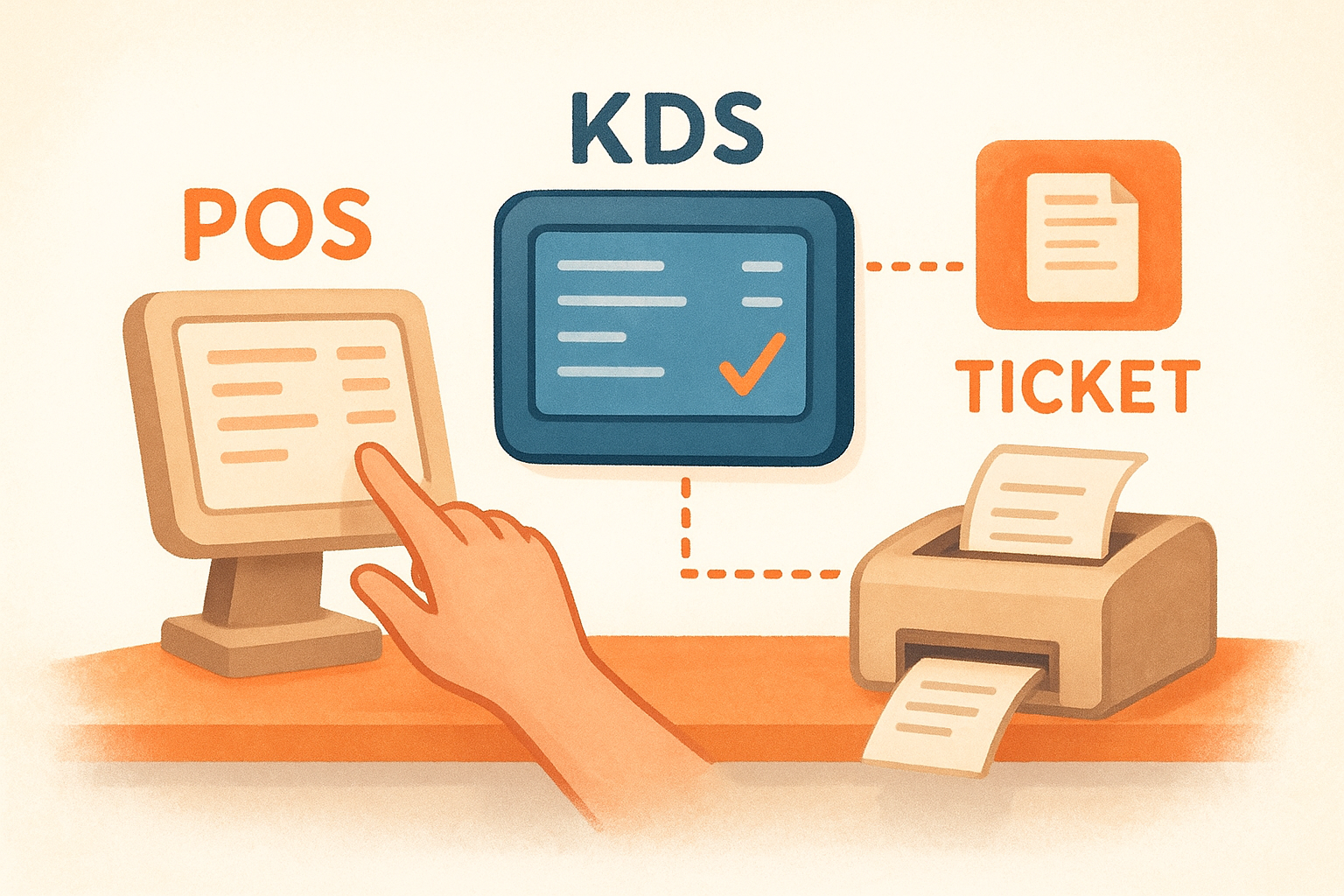
Kitchen routing sends orders from the POS to either a kitchen display system (KDS) or a dedicated ticket printer at the correct station, whether that is the grill, the fryer, or the expo line. Many systems let you route different menu items to different stations automatically, so a burger fires to the grill and a salad routes to cold prep at the same time without manual intervention.
Why it matters in 2026
Staffing stays tight in most restaurants, which means your team needs clear, real-time ticket flow to function without constant supervision. A KDS shows order times live and flags tickets that are running long, so your kitchen stays on pace without someone watching over it.
A kitchen running on clean digital routing makes fewer errors and turns tables faster, both of which show up directly in your nightly revenue.
Questions to ask before you buy
- Does the system support routing to multiple stations based on menu category?
- Can you set ticket priority rules by order type, such as dine-in versus pickup?
- Does the KDS work with third-party hardware, or do you need proprietary screens?
Red flags to watch for
Be cautious of any provider that only supports a single kitchen printer with no routing logic. If ticket management is not configurable by station, your kitchen will create bottlenecks the moment service volume picks up.
3. Menu, modifiers, and item availability controls
Your menu is not static, and your POS should not treat it like it is. Item availability controls and modifier management are core restaurant POS system features that give you real-time command over what customers can order, how they can customize it, and when it disappears from your menu.
What the feature does
This feature lets you build and manage your full menu inside the POS, including size options, add-ons, substitutions, and upsells. When an item sells out mid-service, you can pull it from both the POS and your online ordering in seconds. Modifier groups let your staff prompt customers at the point of order, which reduces errors and speeds up the line.
Why it matters in 2026
Guests expect accurate menus whether they order in person or online. Running out of an item but still showing it as available erodes trust fast and creates awkward service moments. A well-configured modifier setup also protects your kitchen from unclear tickets and pushes higher-margin add-ons at the right moment.
Tight menu control means fewer mistakes, less food waste, and a guest experience that matches what you actually deliver.
Questions to ask before you buy
- Can you update item availability in real time from a tablet or phone during service?
- Do modifier rules sync automatically to your online ordering menu?
- Can you set time-based availability for breakfast, lunch, or dinner menus?
Red flags to watch for
Avoid systems that require a manager to log into a desktop terminal just to pull an item. If menu edits take more than 30 seconds during a live service, that system will slow you down.
4. Table and floor plan management
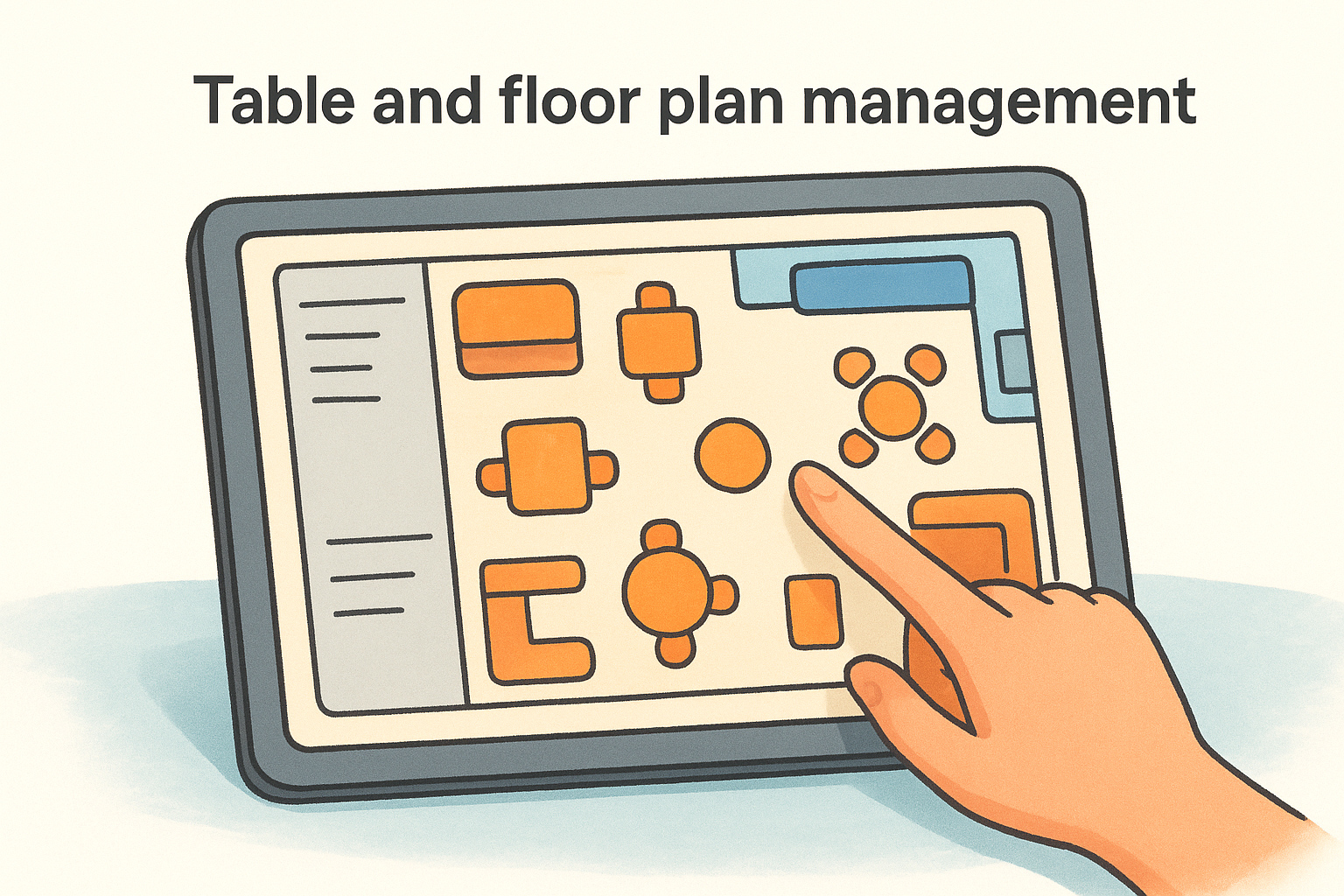
Table and floor plan management gives your front-of-house staff a live visual map of your dining room built directly into the POS. This feature is one of the foundational restaurant POS system features for any full-service restaurant, because it connects your physical layout to your order flow in one place.
What the feature does
This feature lets you build a digital version of your dining room inside the POS, including tables, booths, bars, and outdoor sections. Staff can open tables, assign servers, transfer checks between seats, and track how long each table has been occupied at a glance. When a table turns over, the system clears it and makes it available for the next party without manual resets.
Why it matters in 2026
Guests notice when a server looks confused about who owns a table or spends time hunting down a check. A clear floor plan view keeps your team coordinated during peak service without extra communication overhead. It also helps managers spot bottlenecks and redistribute server sections in real time.
A well-mapped floor plan inside your POS reduces missed tables, speeds up table turns, and keeps your service team working from the same information at all times.
Questions to ask before you buy
- Can you customize the floor plan layout to match your actual dining room?
- Does the system support multiple sections, such as patio, bar, and main dining?
- Can servers transfer tables or merge checks without manager approval?
Red flags to watch for
Avoid systems that lock your floor plan to a preset template you cannot edit. If reassigning a table mid-service requires more than two taps, your staff will skip using it entirely when things get busy.
5. Integrated payments and contactless checkout
Payment processing is one of the most overlooked restaurant POS system features until something breaks or a rate hike eats into your margins. When your POS handles payments natively, the entire checkout process becomes faster, more secure, and easier to reconcile at the end of each shift.
What the feature does
Integrated payments mean your payment terminal and POS software communicate directly, with no manual entry of sale amounts and no separate reconciliation between two disconnected systems. Contactless checkout adds tap-to-pay support for NFC-enabled cards, Apple Pay, and Google Pay, so guests can close out in seconds without handing over a card.
Why it matters in 2026
Guests expect fast, frictionless checkout. A slow or clunky payment process at the end of a meal leaves a bad final impression, and declined transactions or terminal errors during a dinner rush create real operational pain. Contactless adoption has grown steadily, and offering it signals that your restaurant runs a professional, modern operation.
Integrated payments also reduce human error. When the terminal pulls the total directly from the POS, your staff cannot accidentally enter the wrong amount.
Questions to ask before you buy
- Does the POS use flat-rate processing fees or interchange-plus pricing?
- Are NFC and contactless payments supported on all terminal models?
- Can you process offline payments if your internet connection drops?
Red flags to watch for
Watch out for providers that lock you into proprietary payment hardware with no third-party options. If the processing fees are not clearly disclosed upfront, negotiate or walk away.
6. Split checks, tipping, and receipt options
Few moments in a restaurant shift create more friction than a table of guests asking to split a check six ways while a line builds behind them. Split check functionality, flexible tipping prompts, and receipt options are core restaurant POS system features that determine how smoothly your team handles the end of every table experience.
What the feature does
This feature lets your staff divide a check by seat, by item, or by an even split without voiding the original ticket and starting over. Tipping prompts appear on the payment terminal screen with preset percentage options so guests can tip quickly without doing mental math. Receipt options let guests choose between a printed receipt, an emailed receipt, or no receipt at all.
Why it matters in 2026
Guests split checks constantly, and a POS that handles it cleanly keeps your table turn time tight and your staff from fumbling through awkward workarounds. Digital receipt options also reduce paper costs and give you a built-in opportunity to capture guest email addresses for future marketing.
Every friction point at checkout is a final impression, and a smooth close leaves guests more likely to return and tip well.
Questions to ask before you buy
- Can staff split a check by individual item without manager override?
- Do tipping prompts work on both card-present and contactless transactions?
- Can the system send email receipts automatically without staff manually entering addresses?
Red flags to watch for
Avoid POS systems that require multiple screen confirmations to process a split check. If the tipping screen only shows one preset option or no option at all, your staff will field complaints every weekend.
7. Inventory tracking and low-stock alerts
Inventory tracking is one of those restaurant POS system features that saves you money quietly in the background, cutting food waste and preventing the awkward mid-service conversation where your server tells a guest the dish they ordered is no longer available.
What the feature does
This feature tracks ingredient and item quantities in real time as orders come in through your POS. When stock for a specific item drops below a threshold you set, the system sends a low-stock alert so you can 86 the item or reorder before you run out. More advanced setups let you connect inventory counts directly to your menu availability, so items automatically hide from your POS screen and online ordering when they hit zero.
Why it matters in 2026
Food costs remain one of the largest expenses in any restaurant, and over-ordering or running out mid-service both cost you money in different ways. Real-time tracking gives you the data to order smarter and reduce the margin loss that comes from spoilage or rushed emergency purchases.
Restaurants that track inventory at the item level consistently find they over-order less and waste less food compared to those relying on manual counts.
Questions to ask before you buy
- Does inventory tracking sync automatically with your online ordering menu when stock runs low?
- Can you set custom alert thresholds by item or ingredient?
- Does the system generate reorder reports you can act on quickly?
Red flags to watch for
Avoid any POS that requires manual stock count entry after every service. If inventory updates are not tied directly to order activity, the data will always lag behind reality.
8. Employee time tracking and role permissions
Employee time tracking and role permissions are restaurant POS system features that protect your payroll accuracy and control who can access sensitive functions in your system. Without them, you are managing your team on the honor system, and that creates risk.
What the feature does
This feature lets employees clock in and clock out directly from the POS terminal, logging their hours automatically so you do not rely on paper timesheets or separate software. Role permissions let you define exactly what each staff member can do inside the system, so a cashier cannot issue a refund, and a server cannot access end-of-day sales reports without manager credentials.
Why it matters in 2026
Labor is your biggest controllable cost, and small time discrepancies across a full team add up to real money over a month. Role-based access also reduces internal theft and errors, since employees can only touch the parts of the system their job actually requires.
Tighter access controls and accurate time logs reduce your exposure on both payroll and fraud without adding any management overhead.
Questions to ask before you buy
- Can you export time logs directly to your payroll software or download them in a standard format?
- Does the system support custom permission levels beyond basic manager and employee roles?
- Can managers approve or edit clock-in records from a mobile device?
Red flags to watch for
Avoid any POS that offers only two permission levels with no ability to customize. If time logs cannot export cleanly or require manual data entry into your payroll system, you will spend hours every pay period fixing what the software should handle automatically.
9. Real-time reporting and profitability insights
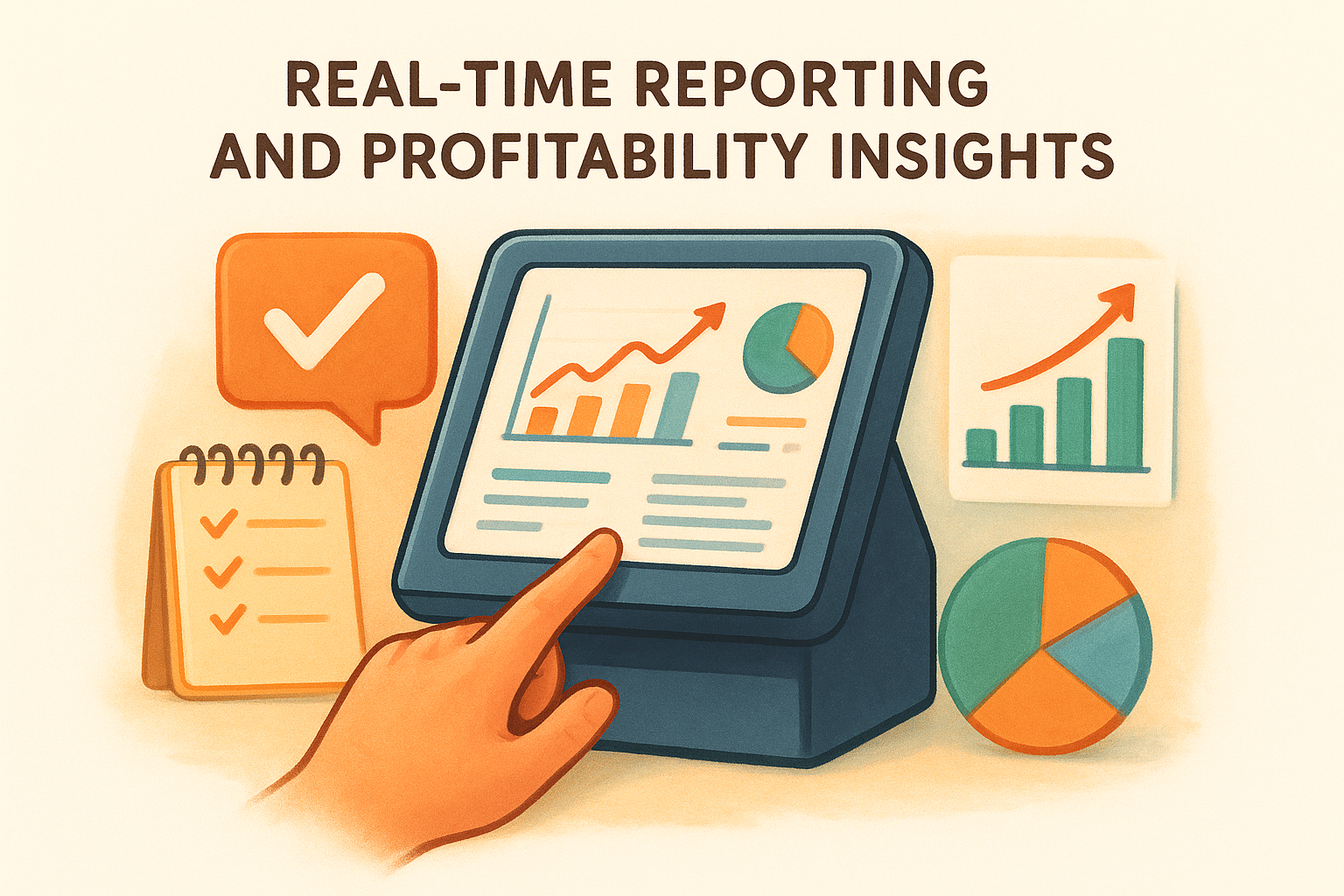
Real-time reporting is one of the restaurant POS system features that separates operators who react to problems from those who prevent them. When your POS surfaces sales data, labor costs, and item performance as they happen, you make better decisions during service instead of discovering issues the next morning.
What the feature does
This feature generates live dashboards and end-of-day reports that show your revenue by hour, sales by menu category, average check size, and labor cost as a percentage of sales. More advanced systems let you drill into individual item profitability so you can see which dishes are moving and which ones are dragging down your margins.
Why it matters in 2026
Food and labor costs shift constantly, and waiting until the end of the week to review numbers means you are already behind. A POS that delivers real-time profitability data lets you adjust staffing levels mid-shift or pull underperforming items before they drain your food budget further.
The restaurants that grow their margins are the ones reviewing data daily, not weekly.
Questions to ask before you buy
- Can you access reports from your phone while you are off-site?
- Does the system break down profitability by individual menu item, not just by category?
- How far back does the reporting history go?
Red flags to watch for
Avoid any POS that only generates reports at end-of-day batch intervals. If your sales data is not updating in real time during service, you are flying blind when it matters most.
10. Customer profiles and order history tracking
Customer profiles and order history tracking are restaurant POS system features that turn individual transactions into lasting relationships. When your POS builds a record of who ordered what and when, your team gains context that no amount of in-person guesswork can replace.
What the feature does
This feature stores guest contact information, order history, and spending patterns tied to each customer profile. Every time a returning guest places an order, your staff can pull up their previous orders and preferences at the point of sale, which makes personalized service faster and more consistent.
Your POS also links this data to your online ordering channel, so a guest who orders online and then walks in gets recognized in both places. That combined history gives you a complete picture of each customer's relationship with your restaurant.
Why it matters in 2026
Guests who feel recognized spend more and return more often. When your team can see a guest's usual order or dietary preferences in seconds, that interaction feels intentional rather than transactional.
Owning your customer data means you can market directly to your guests without paying a third-party platform for access to the audience you already built.
Questions to ask before you buy
- Does the system build profiles automatically, or does it require manual data entry for each guest?
- Can you export your full customer database at any time in a standard format?
- Do online and in-person orders merge into a single customer record?
Red flags to watch for
Avoid any POS that stores customer data on the provider's servers with no clear export option. If the contract does not explicitly confirm that your customer data belongs to you, that is a significant ownership risk you should not accept.
11. Loyalty programs and gift cards
Loyalty programs and gift cards are restaurant POS system features that turn one-time guests into regulars without discounting your menu or leaning on a third-party marketing platform. When these tools live inside your POS, your team manages everything from a single system, which keeps your data clean and your staff from juggling multiple apps mid-service.
What the feature does
This feature lets you build points-based or visit-based rewards that customers earn automatically each time they order. Gift cards run through the same system, so your staff can sell, reload, and redeem them at the terminal without switching software or manually tracking balances. Both tools connect directly to customer profiles, so every earned point and every gift card transaction appears in the same record you already use for order history.
Why it matters in 2026
Returning customers cost less to acquire and spend more per visit than first-time guests. A built-in loyalty program removes the friction that keeps guests from coming back consistently, and gift cards generate prepaid revenue you collect before you cook a single dish.
Restaurants with active loyalty programs consistently see higher visit frequency from enrolled customers than those running no program at all.
Questions to ask before you buy
- Do loyalty points sync automatically across in-person and online orders?
- Can you customize reward thresholds and redemption rules without calling support?
Red flags to watch for
Avoid any POS that charges a separate monthly fee to unlock loyalty features as an add-on. If your gift card balances live in a system you cannot export or audit independently, you carry real financial liability with no visibility into it.
How to choose a POS you will not regret
The right POS system does more than process transactions. It connects every part of your operation, from kitchen routing and inventory to customer profiles and online ordering, into one system your team can use under real service pressure. Before you sign anything, test the restaurant POS system features that matter most to your specific model and make sure the provider can demonstrate each one live, not just in a sales deck.
Online ordering deserves extra scrutiny. If your POS pushes you toward a third-party marketplace that charges commissions, you hand over revenue on every order you generate. The Foody Gram gives you commission-free online ordering on your own branded website, so you keep your margins and own your customer data outright. See what commission-free ordering costs per month and compare that number directly against what you currently pay in delivery app fees.