


Restaurant Marketing: How To Market A Restaurant Online
Most restaurants serve great food. That's not the problem. The problem is that too few customers know about it. If you've been wondering how to market a restaurant online, you're asking the right question, because that's where your customers are deciding what to eat tonight.
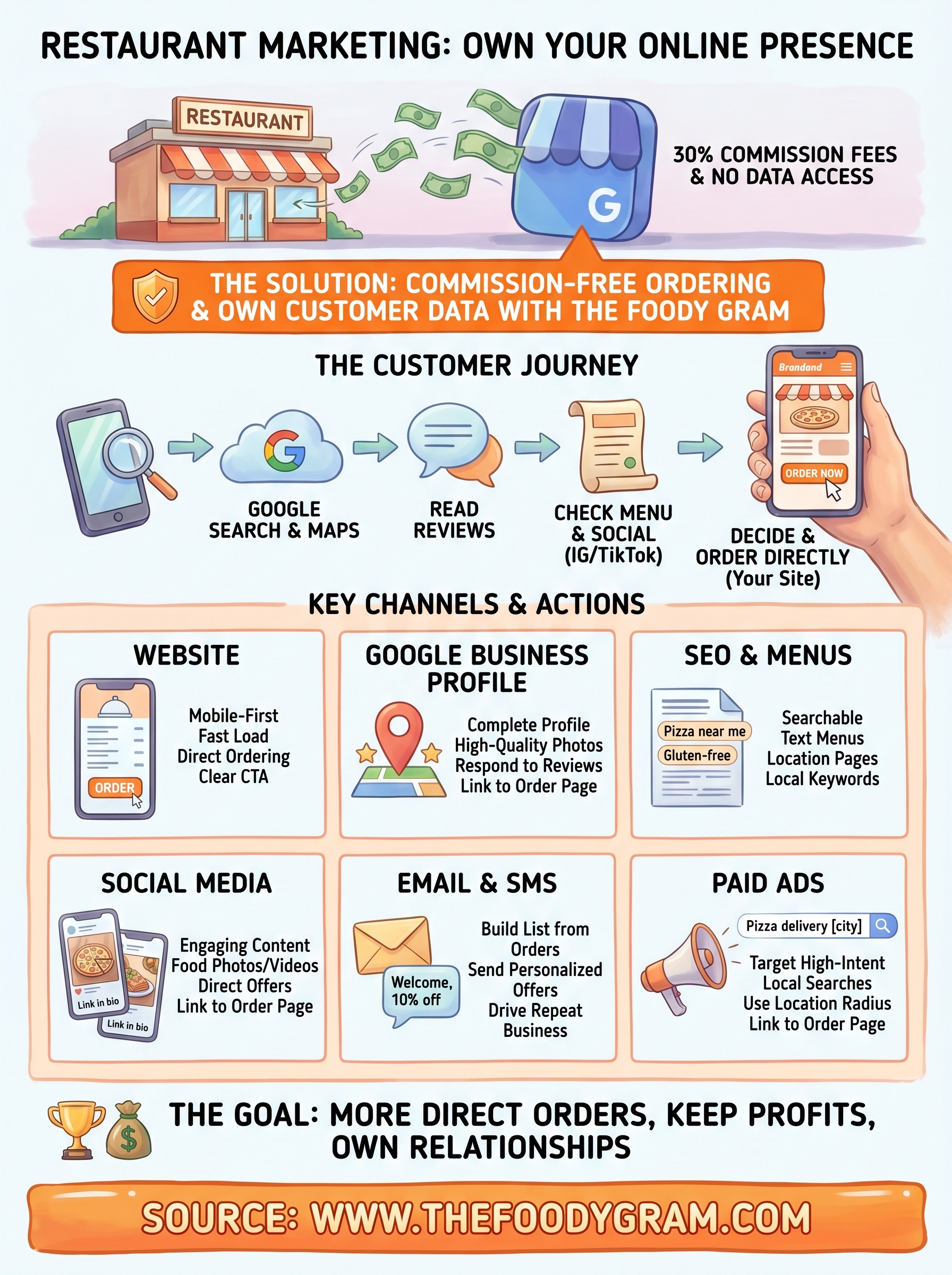
Third-party apps might seem like the easy answer, but they come with a catch: 30% commission fees and zero access to your own customer data. You're essentially paying to build someone else's brand while your margins shrink. Real online marketing means building a presence you own, your website, your customer relationships, your revenue.
That's exactly why we built The Foody Gram. Our platform gives restaurants a commission-free online ordering system and a branded website so you can drive orders directly, keep your profits, and actually own the customer data you need to market effectively. Every strategy in this guide works better when orders flow through your own site instead of a third-party middleman.
In this article, we're breaking down the practical, proven ways to get your restaurant in front of more people online. From optimizing your Google Business Profile to running social media that actually converts, building an SEO strategy, launching email campaigns, and managing your online reputation, this covers all of it. No fluff, no vague advice. Just clear steps you can start using this week to bring in more orders and grow your restaurant.
How online restaurant marketing works in 2026
Online marketing for restaurants used to mean posting on Facebook and hoping someone showed up. In 2026, the landscape looks completely different. Customers search, scroll, and decide where to eat across multiple touchpoints before they ever place an order, and your restaurant needs to show up at each of those moments. The goal isn't just visibility; it's building a system where discovery leads directly to orders on your own platform, not someone else's app.
The customer journey has changed
Your customers don't find restaurants the way they used to. Most of them start with a Google search or a map lookup on their phone, read through reviews, check your menu, scroll your photos, and then decide whether to order or move on. Others discover you through Instagram or TikTok, see a photo of your food, and immediately look you up to see if you deliver. The decision happens fast, often in under two minutes, and if your online presence doesn't hold up, they pick somewhere else.
This means your online presence needs to work across several channels at once. A restaurant that has a solid Google Business Profile but no functional website loses customers who want to order right now. A restaurant with a great website but no social presence misses the people scrolling their feed at 6pm wondering what to get for dinner. Every gap in your digital presence is a gap in your revenue, and those gaps add up quickly.
The restaurants winning in 2026 aren't the ones with the biggest ad budgets. They're the ones that show up consistently across search, social, and direct channels while keeping customers in their own ecosystem.
What the algorithm actually rewards
Whether you're thinking about Google's local search rankings or social media reach, the underlying principle is the same: platforms reward businesses that are active, accurate, and engaging. Google wants to see that your business information is complete, that your menu is current, and that real customers are leaving recent reviews. Social platforms want to see that you post regularly and that people actually interact with what you share.
Understanding how to market a restaurant online means understanding that these algorithms aren't the enemy. They're a filter designed to surface relevant, trustworthy, and active businesses to people who are ready to spend money. When you optimize for them correctly, they handle a significant portion of your customer acquisition for you, without you paying per click or per order. The restaurants that treat algorithm optimization as an ongoing habit, not a one-time task, are the ones that build durable organic traffic over time.
The full picture of a restaurant marketing system
Most restaurants treat marketing as a collection of disconnected tasks. They post on Instagram when they remember to, run a promotion once in a while, and hope Google figures out the rest. What actually works is treating your marketing as a connected system where each channel feeds the next and every touchpoint moves a customer closer to placing an order directly with you.
Here's how the pieces fit together:
| Channel | Primary Role | End Goal |
|---|---|---|
| Google Business Profile | Local discovery and trust | Drive website visits and calls |
| Restaurant website | Convert visitors into customers | Direct online orders |
| SEO and local pages | Organic search traffic | Consistent inbound visibility |
| Social media | Awareness and engagement | Traffic to your website |
| Email and SMS | Retention and repeat orders | Bring customers back |
| Paid ads | High-intent targeting | Fast order volume |
Each of these channels plays a specific role, and they reinforce each other when set up correctly. Your Google profile drives people to your website. Your website captures email addresses. Your email campaigns bring those customers back for a second, third, and fourth order. When you own the ordering channel, you own the entire customer relationship, and that's what makes every marketing dollar you spend more effective over time instead of disappearing into a third-party platform's pocket.
Step 1. Set goals, budget, and your best offers
Before you spend a single dollar or post a single photo, you need to know exactly what you're trying to accomplish. Jumping into marketing without a clear goal is the fastest way to burn through your budget and get nothing back. Most restaurant owners skip this step entirely and then wonder why their marketing feels scattered. Set a specific, measurable target before anything else: how many new orders per week do you want to add, what average order value are you aiming for, and which menu items do you want to drive?
Define what success looks like for your restaurant
Vague goals produce vague results. Instead of "get more customers," set a target like "add 50 online orders per week within 90 days" or "increase average order value from $28 to $35 by the end of the quarter." These numbers give you something concrete to measure against, and they tell you which marketing channels are actually pulling their weight.
Here are the core metrics worth tracking from day one:
- New online orders per week coming directly through your website
- Repeat customer rate (how many people order more than once in 60 days)
- Average order value across both pickup and delivery
- Cost per new customer across your paid and organic channels
- Email and SMS list size growing month over month
If you can't measure it, you can't improve it. Set your baseline numbers before you launch any campaign so you have something real to compare against later.
Decide how much to spend and where
Most independent restaurants should allocate between 3% and 6% of gross revenue to marketing, which is the standard range for established food service operations. If you're growing aggressively or opening a new location, 8-10% is a reasonable short-term ceiling. The key is distributing that budget across channels that match your goals, not splitting it evenly across everything at once.
A simple starting allocation looks like this:
| Channel | Suggested Budget Share |
|---|---|
| Google Ads (local search) | 40% |
| Social media ads | 30% |
| Email and SMS tools | 15% |
| Content and creative | 15% |
Lead with your best offer
When you're working out how to market a restaurant online, the offer you lead with matters as much as the channel you use it on. Your best offer is not always your most expensive dish; it's the item or deal that gets someone to place their first direct order with you. Think about a first-order discount on a popular item, a free side with any online order over a set amount, or a combo that makes the value obvious without any explanation. Pick one strong offer and lead with it consistently across every channel you run.
Step 2. Build a website that converts on mobile
Your website is the hub of everything you do when figuring out how to market a restaurant online. Every channel you run, from Google ads to Instagram posts, points people back to your site, which means if your site loads slowly, looks broken on a phone, or buries the order button, you are losing customers who were already ready to buy. Over 70% of restaurant website traffic comes from mobile devices, so a desktop-first website is not a minor inconvenience for your visitors; it is a conversion killer.
Build for the phone first, everything else second
Most website builders default to desktop layouts and let you adjust for mobile afterward. Flip that approach entirely. Start with how the site looks and functions on a phone, and make sure the most important actions, viewing the menu and placing an order, are reachable within one tap from the homepage. Your phone number, address, and hours should be visible without any scrolling. A mobile visitor who cannot find your menu in three seconds will close the tab and open a competitor's page instead.
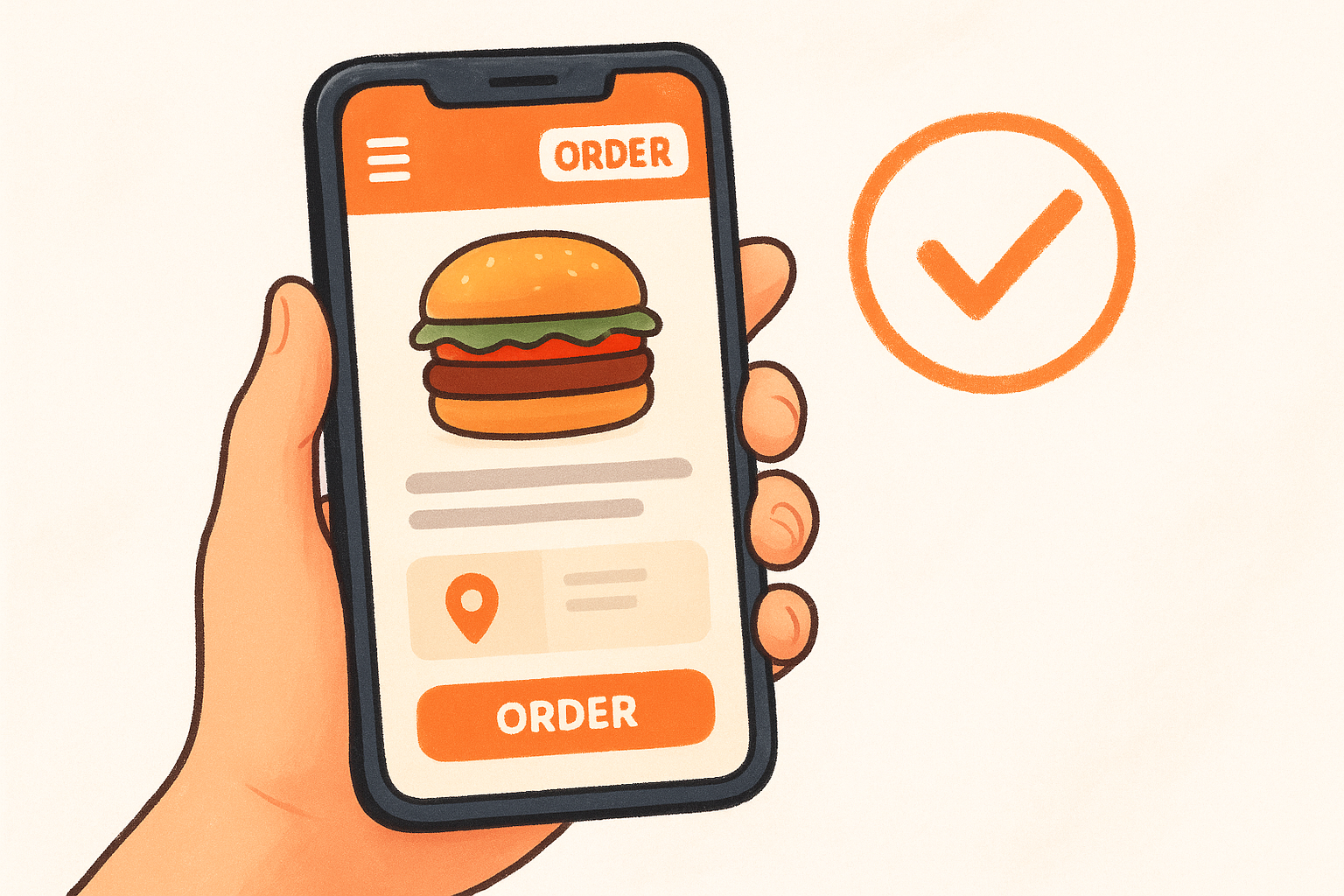
Speed is just as critical as layout. Google uses Core Web Vitals to measure page experience, and slow load times push your site down in search results while also frustrating anyone trying to order on a weak connection. Compress your images, cut heavy animations, and keep the design clean rather than cluttered.
If your site takes more than three seconds to load on a phone, you are losing a significant share of visitors before they ever see your menu.
The pages every restaurant website needs
A high-converting restaurant website does not need to be complicated. It needs the right pages, built with clear calls to action on each one. Here is what to include:
| Page | What it must do |
|---|---|
| Homepage | Immediately show your cuisine type, location, and an order button |
| Menu page | Display your full menu with photos and prices, mobile-optimized |
| Order page | Link directly to your commission-free ordering system |
| Contact page | Show address, hours, phone number, and a Google Maps embed |
| About page | Build trust with your story, team photos, and any press coverage |
Each page should have one clear next step for the visitor, whether that is placing an order, calling you, or finding your location. Remove anything that pulls attention away from those actions.
Step 3. Add commission-free online ordering
Your website drives traffic, but online ordering is what converts that traffic into revenue. Without a direct ordering system built into your site, every visitor you bring in through search, social, or ads has two options: call you or leave. Neither is as efficient as a one-click order button that processes payment immediately. Adding commission-free ordering closes the gap between interest and purchase and keeps the full margin in your pocket instead of splitting it with a third-party platform.
Why third-party apps cost you more than you think
Most restaurant owners know that platforms like Uber Eats and DoorDash charge commissions, but the real cost is easy to underestimate until you run the math on actual order volume. If your average order value is $40 and you're paying a 30% commission, you're handing over $12 per order. On 100 orders a week, that's $1,200 per week or over $62,000 per year going directly to a platform you don't control, that doesn't share customer data with you, and that lists your competitors right next to you.
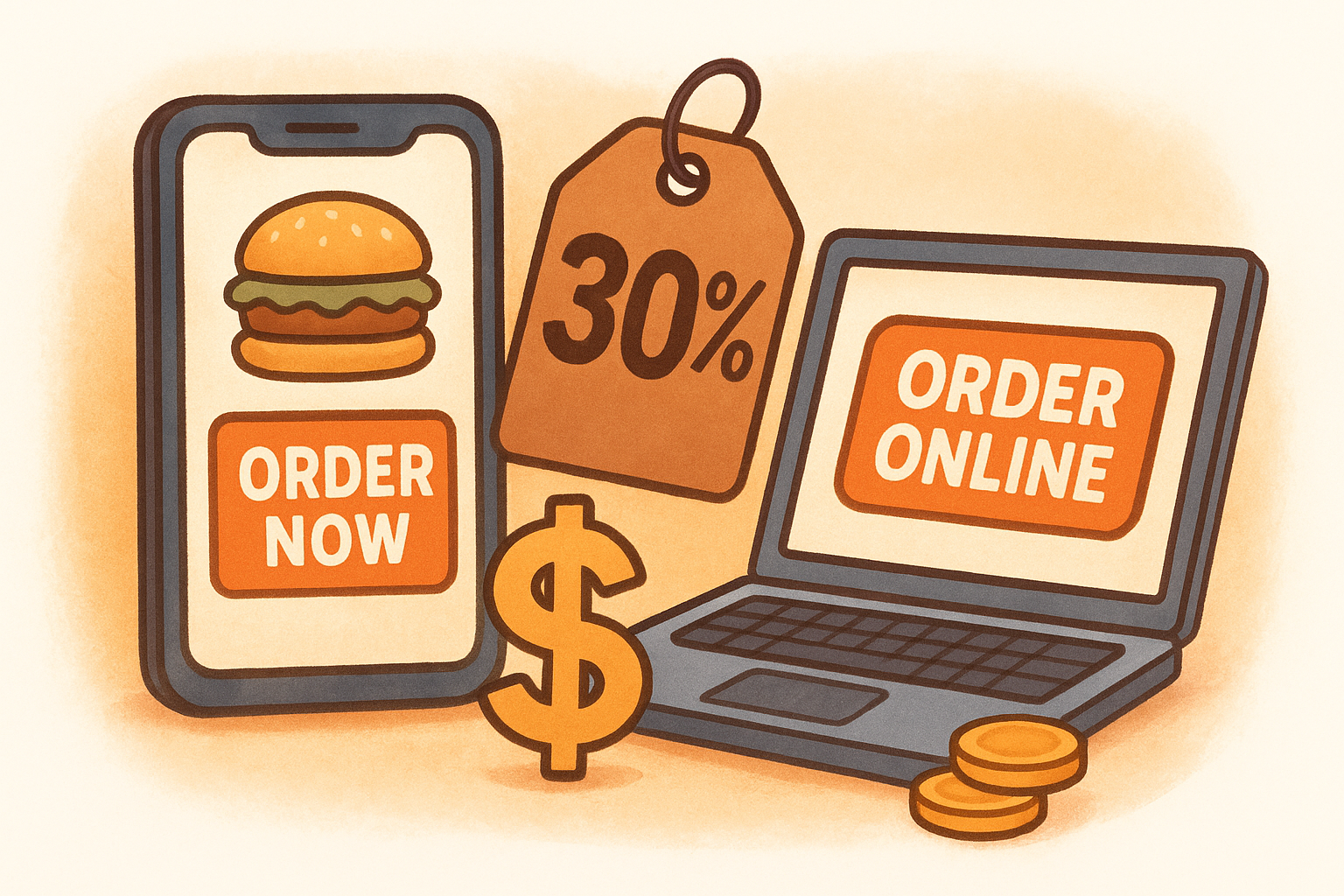
When you own your ordering channel, you keep the full revenue, the customer's contact information, and the ability to market directly to them again.
Running direct orders through your own site eliminates that commission entirely. A flat monthly subscription model gives you unlimited orders for a predictable fixed cost rather than a variable fee that scales against your success.
Set up your ordering system the right way
When working out how to market a restaurant online, the ordering system you choose determines how much of your marketing effort actually converts into profit. Place your order button above the fold on your homepage so it's the first thing a mobile visitor sees. Label it clearly with action-oriented text like "Order Now" or "Order Pickup or Delivery" rather than something vague like "Get Started."
Use this checklist to get your ordering setup right from the start:
- Connect your ordering system directly to your branded restaurant website, not a third-party subdomain
- Enable both pickup and delivery as options so customers can choose what works for them
- Set up direct deposit payment processing so funds land in your account without a middleman holding them
- Test the full order flow on a phone before you go live
- Confirm that your online menu matches your in-store menu exactly, including current prices and available items
Step 4. Optimize Google Business Profile and reviews
Your Google Business Profile is often the first thing a customer sees when they search for your restaurant. Before they visit your website or check your social media, they read your reviews, look at your photos, and check your hours directly in the search results. A complete, active profile pulls in customers who are already searching for somewhere to eat right now, which makes it one of the highest-return investments in how to market a restaurant online.
Complete every section of your profile
Most restaurant owners claim their profile and fill in the basics, then leave it alone. That's a mistake. Google rewards profiles that are thorough and regularly updated with better placement in local search results and on Google Maps. Fill in every available field, not just the obvious ones.
Here is what your profile must include:
- Business name, address, and phone number that match exactly what's on your website
- Your full list of service options (dine-in, takeout, delivery, curbside)
- Accurate and complete hours, including holiday hours updated in advance
- A direct link to your online ordering page, not just your homepage
- At least 10 high-quality photos of your food, interior, and exterior
- Your full menu uploaded directly into the profile using Google's menu editor
- A short business description (750 characters) that leads with your cuisine type and location
Restaurants with complete Google Business Profiles are significantly more likely to be considered reputable by customers compared to those with incomplete listings.
Get more reviews and respond to every one
Reviews are social proof, and they directly influence both where you rank in local search and whether a new customer chooses your restaurant over the one next to you. The most reliable way to get more of them is simply to ask at the right moment, right after a customer picks up their order or finishes their meal.
Use this short message template to follow up with customers via text or email:
Hi [First Name], thanks for your order from [Restaurant Name]!
If you enjoyed it, we'd love a quick review on Google.
It means a lot and takes less than a minute:
[Your Google Review Link]
Respond to every review, positive or negative, within 24 hours. When you reply to a negative review calmly and offer to make it right, potential customers see that you take service seriously, which builds more trust than a perfect score with no responses ever would.
Step 5. Improve local SEO with menus and location pages
When you think about how to market a restaurant online, search engine optimization probably sounds technical, but local SEO for restaurants is mostly about making sure Google can read your menu and find your location clearly. Most restaurants miss this entirely. They upload a PDF menu or post a photo of it, which Google cannot index, meaning all those dish names and ingredient keywords that customers actually search for never appear in search results. Text-based, crawlable menu content is one of the fastest ways to pull in organic traffic from people searching for exactly what you serve.
Turn your menu into searchable web pages
Your menu should not be a PDF, an image, or a third-party embed that loads on a separate domain. Each menu category should live on a page Google can crawl, with dish names, descriptions, and ingredients written in plain text. When someone searches "wood-fired pizza in Denver" or "gluten-free pasta near me," Google pulls that match from page content, and your menu descriptions are what make those matches happen.
Here is a simple structure to follow for each menu item on your website:
<h2>Margherita Pizza</h2>
<p>Wood-fired crust topped with San Marzano tomato sauce,
fresh mozzarella, and basil. Available for pickup and delivery
in [Your City].</p>
<p>Price: $18 | Category: Pizza</p>
Including your location and service type in menu descriptions, even briefly, adds local search relevance without requiring any extra tools or plugins.
Build a dedicated location page for every restaurant
If you operate one location, your contact page can double as a location page if it's built with the right content. Restaurants with multiple locations need a dedicated page for each one with unique text, not a copy-paste of the same content with a different address swapped in. Google treats duplicate location pages as thin content and ranks them poorly.
A strong location page includes:
- Full address and phone number matching your Google Business Profile exactly
- An embedded Google Map using an iframe from Google Maps
- Your hours, parking notes, and one or two nearby landmarks
- Two to three sentences describing that specific neighborhood and what makes that location distinct
- A direct link to your online ordering page
Google uses consistency between your website, your Google Business Profile, and other local directories to determine how trustworthy your listing is, so keeping all three in sync matters more than most restaurant owners realize.
Step 6. Use social media to drive orders and traffic
Social media is not just about getting likes. When you approach it correctly, it becomes a direct traffic driver that moves people from scrolling their feed to placing an order on your site. The key is treating every post as part of a system where awareness on social converts into direct orders on your own website, not on a third-party app.
Pick the right platforms for your restaurant
Spreading yourself across every platform at once is a fast way to burn out and produce mediocre content everywhere. Focus on one or two platforms where your customers actually spend time, and build a consistent presence there before expanding. For most restaurants, the highest-return platforms look like this:
| Platform | Best for | Primary content type |
|---|---|---|
| Food discovery and visual branding | Photos, short Reels | |
| Local community and events | Posts, offers, event pages | |
| TikTok | Reaching new audiences under 35 | Short behind-the-scenes videos |
| Google Posts | Search visibility boost | Offers, updates, new items |
Posting frequency matters less than posting quality. Three strong posts per week on Instagram will outperform seven low-effort ones in both reach and engagement, so pick a pace you can sustain and stick with it.
Post content that pulls people toward your ordering page
Every post you publish should have a clear next step for the viewer, even if that step is just visiting your profile link. Rotate between three content types: food photos that show your best dishes in natural light, short videos showing the preparation or final presentation, and direct offers tied to your online ordering page. Mix these evenly rather than posting the same format every time.
When you tie a specific offer to a specific post and link directly to your ordering page, you can measure exactly how much revenue that post generated, which turns social media from a guessing game into an accountable marketing channel.
Use this caption template when promoting an order-direct offer:
[Dish name] is back on the menu this week.
Order pickup or delivery directly from us at [your website URL].
No fees, no apps. Just good food.
Understanding how to market a restaurant online means recognizing that social media works best when it drives customers to a channel you own, not one that charges you a commission on every order they place. Your social profiles build the audience; your website is where that audience turns into paying customers.
Step 7. Bring customers back with email and SMS
Getting a new customer to order is expensive. Getting them to order again costs almost nothing if you have their contact information and a system for using it. Email and SMS are the two highest-return channels in how to market a restaurant online precisely because they reach people who already trust you. A customer who ordered once and had a good experience is far more likely to convert on a targeted message than a cold prospect seeing your ad for the first time.
Build your list from every order
Every order placed through your own website gives you a name, an email address, and potentially a phone number that belongs to you, not to a third-party platform. This is one of the clearest reasons why owning your ordering channel matters so much. Third-party apps keep that data for themselves; your own system gives you a growing contact list you can market to directly at zero incremental cost per message.
Start collecting from day one using these practices:
- Add an optional SMS opt-in checkbox at checkout with a short note like "Text me order updates and exclusive offers"
- Capture email at checkout and confirm it with a short welcome message that includes a first-time repeat order discount
- Add a simple email signup form to your homepage footer and your order confirmation page
- Ask in-store customers to join your list by scanning a QR code at the table or counter
Send messages that bring people back
Once your list is growing, the messages you send need to be short, direct, and tied to a specific action. The goal of every email or text is to get the reader to click your order link, not to admire your writing. Send at minimum one email per week and one SMS per month, and always include a link directly to your online ordering page.
Customers who receive a targeted offer within 48 hours of their last order are significantly more likely to place a second order than those who receive no follow-up at all.
Use this re-engagement SMS template for customers who have not ordered in 30 days:
Hi [First Name], we miss you at [Restaurant Name].
Come back this week and get a free [item] with your next
online order: [your website URL]
Offer ends [date].
Personalized messages with a clear expiration date consistently outperform generic promotions because they create urgency without requiring a large discount to work.
Step 8. Run paid ads for high-intent local searches
Organic search and social media build momentum over time, but paid ads deliver immediate visibility to people who are actively looking to order right now. When you understand how to market a restaurant online with paid ads, the goal is not to reach the largest possible audience. It is to reach the smallest, most relevant audience at the exact moment they are ready to spend money, which is when someone types a search query like "pizza delivery near me" or "best tacos in [your city]" into Google.
Target searches that show buying intent
Not all search traffic is equal. Someone searching "history of Italian cuisine" is not your customer right now. Someone searching "Italian restaurant open now near me" is. High-intent local searches contain signals like a location modifier, a service type, or a time-sensitive phrase, and those are the queries your ads should target.
Focus your keyword targeting on phrases that match these patterns:
- [Cuisine type] + near me (e.g., "sushi near me", "burger delivery near me")
- [Cuisine type] + [city or neighborhood name] (e.g., "Thai food downtown Austin")
- [Dish name] + delivery or pickup (e.g., "pad thai delivery", "pepperoni pizza pickup")
- Restaurant open now + [city] (e.g., "Mexican restaurant open now Chicago")
Customers using location-based or service-specific search terms convert at a significantly higher rate than those using broad, informational queries, which makes every dollar you spend on high-intent keywords work harder.
Set up your Google Ads campaign the right way
Google Ads lets you target by location radius, which means you can limit your ad spend to people within a specific distance from your restaurant. Set your radius to match your realistic delivery or pickup area, typically two to five miles for urban locations, and exclude areas outside that range so you are not paying for clicks from people who will never order from you.
Use this campaign structure as your starting point:
Campaign: [Restaurant Name] - Local Search
Location targeting: [Your city] + 3-mile radius
Bid strategy: Maximize conversions
Daily budget: $15-$30 to start

Ad Group 1: Delivery searches
Keywords: [cuisine] delivery near me,
          [cuisine] delivery [city],
          order [cuisine] online [city]

Ad Group 2: Pickup searches
Keywords: [cuisine] pickup near me,
          [dish] pickup [city],
          [cuisine] restaurant takeout [city]

Ad headline 1: Order [Cuisine] in [City] - No Fees
Ad headline 2: Direct Pickup and Delivery Available
Ad headline 3: Fresh [Cuisine] Ready in [X] Minutes
Ad description: Skip the apps. Order directly from
[Restaurant Name] and get [offer]. Fast pickup and
delivery in [city]. Order now at [your website URL].
Link every ad directly to your online ordering page, not your homepage, so the customer lands exactly where you want them to take action.
Step 9. Track results and improve every month
Marketing without measurement is just spending money and hoping something works. Every strategy you run, from paid ads to email campaigns, produces data that tells you exactly what is pulling in orders and what is not. The restaurants that grow consistently are not necessarily the ones with the best ideas; they are the ones that review their numbers on a fixed schedule and make small adjustments month after month until the results compound.
Know which numbers actually matter
When you are working out how to market a restaurant online, it is easy to get distracted by vanity metrics like follower counts and page views. Those numbers feel good but rarely tell you whether your marketing is generating revenue. Focus instead on the metrics that connect directly to orders and profitability.
Track these every month without exception:
| Metric | What it tells you |
|---|---|
| Direct online orders per week | Whether your owned channel is growing |
| Repeat order rate (within 60 days) | How well your retention channels are working |
| Average order value | Whether your offers are increasing spend per visit |
| Email and SMS list growth | Whether you are building a long-term asset |
| Cost per new customer from paid ads | Whether your ad spend is efficient |
| Google Business Profile views | How your local search visibility is trending |
Google Analytics 4 (available at analytics.google.com) is free and connects directly to your website so you can see exactly which channels are sending traffic and which ones are converting that traffic into orders.
Review and adjust on a fixed schedule
Reviewing your results once in a while is not enough. Set a recurring block of time on the same day each month to go through your numbers, compare them against the previous month, and make one or two specific changes based on what you find. Consistency here matters more than perfection.
The restaurants that improve the fastest are not the ones that run the most experiments; they are the ones that review results regularly and act on what they find.
Use this monthly review template to stay structured:
Monthly Marketing Review - [Month, Year]

1. Direct online orders this month: ___
   vs. last month: ___ | change: ___%

2. Repeat order rate: ___%
   vs. last month: ___%

3. Average order value: $___
   vs. last month: $___

4. Email list size: ___ | New subscribers: ___

5. Ad spend this month: $___
   Cost per new customer: $___

6. Top-performing content or campaign: ___

7. One thing to stop: ___
8. One thing to improve: ___
9. One thing to test next month: ___
Filling in this template takes under 20 minutes and gives you a clear picture of where your marketing budget is producing results and where it needs to be redirected.
Next steps
You now have a complete picture of how to market a restaurant online, from building a mobile-ready website to running paid ads that target customers ready to order right now. Every step in this guide works toward the same outcome: more orders flowing directly through your own channel instead of through platforms that take a cut of every transaction.
Start with the highest-leverage moves first. Claim and complete your Google Business Profile, add commission-free ordering to your website, and begin collecting customer emails from day one. Once those foundations are in place, layer in social media, email campaigns, and paid search to keep growing.
The restaurants that win online are the ones that own their customer relationships and build on them month after month. If you want a platform that makes that possible from day one, take a look at The Foody Gram's plans and pricing and see what fits your restaurant.