


5 Restaurant Upselling Techniques to Boost Check Size Today
Most restaurants focus on getting more customers through the door, or through their online ordering system, but the fastest way to grow revenue is increasing what each customer already spends. Effective restaurant upselling techniques can raise your average check size by 10–30%, and the best part is you don't need a single extra order to make it happen. That's pure profit from your existing traffic.
Whether customers order at the counter, through a server, or on your own branded website (which is exactly what we build at The Foody Gram), upselling works across every channel. The key is doing it in a way that feels helpful, not pushy, recommending the right add-on at the right moment so the customer actually thanks you for it. When you pair smart upselling with a commission-free ordering system, every extra dollar goes straight to your bottom line instead of a third-party app.
Here are five proven techniques you can put to work today to boost check sizes, train your staff with confidence, and keep more of the money your restaurant earns.
1. Add upsells to your online ordering flow
Online ordering is one of the most underused channels for restaurant upselling techniques, and it shouldn't be. When a customer orders online, they're already in a buying mindset and face no time pressure from a server hovering nearby. That calm, self-directed experience makes guests more likely to add items when you prompt them at the right moment in the checkout flow.
Why it works for check size and margins
Unlike a busy server juggling five tables, your online ordering system never forgets to ask. Every single order gets the same consistent upsell prompt, which means you capture revenue on every transaction rather than only when a staff member remembers. Add-ons like drinks, sides, and desserts also tend to carry higher profit margins than entrees, so even a small uptick in attachment rate moves your numbers fast.
Even a $2 add-on per order, across 50 daily orders, adds $3,000 to your monthly revenue without a single extra customer.
What to upsell in checkout without annoying guests
The goal is to make add-ons feel relevant and helpful, not like a pop-up ad. Limit prompts to one or two suggestions per item, and keep them contextually connected to what the guest already chose. Someone ordering a burger doesn't need a dessert prompt yet; they need a drink or fries suggestion right then.
How to set it up on your owned ordering channels
If you use a direct ordering platform, look for a modifier or add-on feature in your menu settings. Group related items together so the system surfaces them automatically based on what's in the cart. The Foody Gram's platform makes this straightforward, so you can configure these prompts without touching any code.
Example add-on prompts that convert
Simple, specific language outperforms vague suggestions every time. Try these:
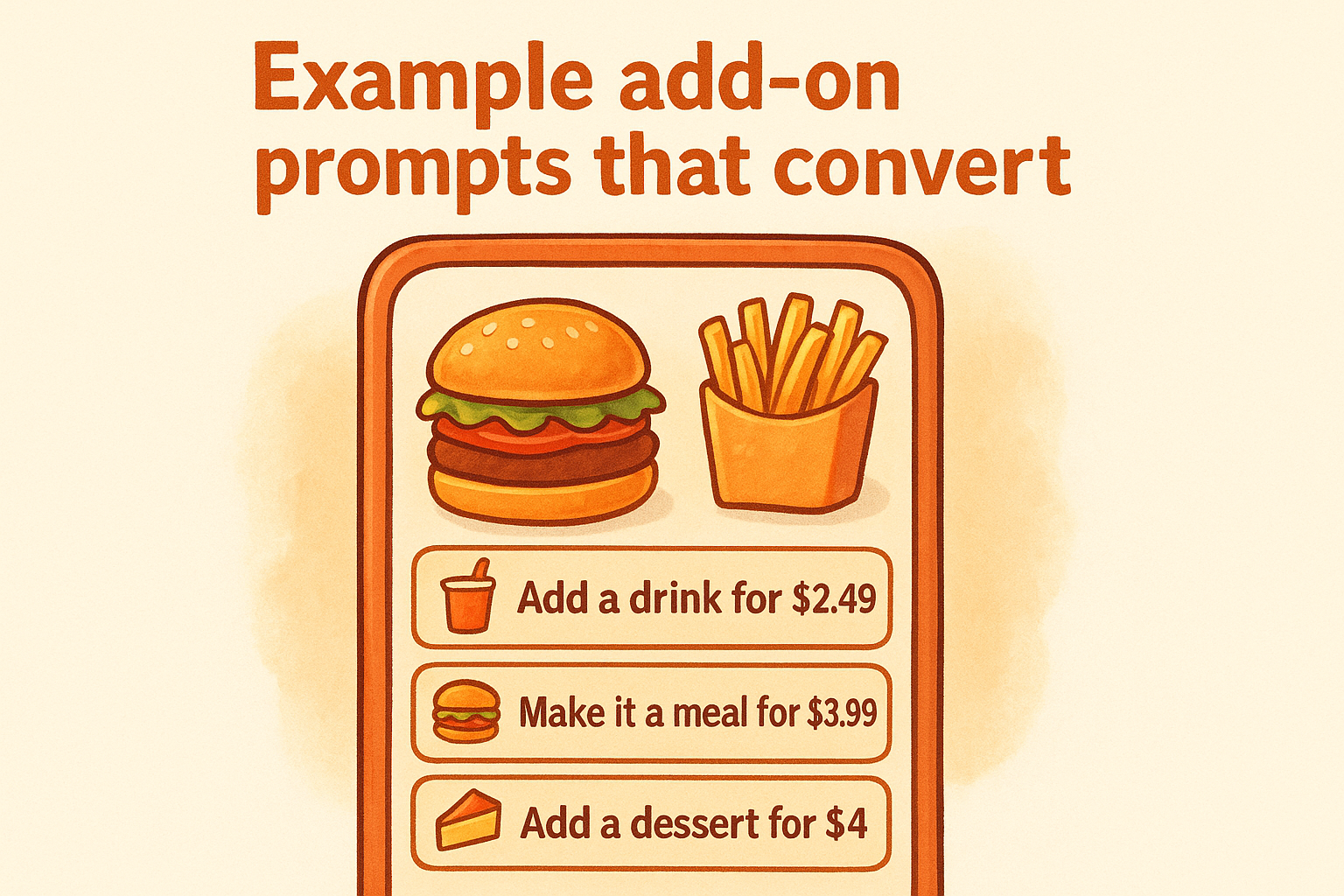
- "Add a fountain drink for $2.49?"
- "Make it a meal with fries and a drink for $3.99 more."
- "Don't forget dessert, add a slice of cheesecake for $4."
Metrics to track and quick fixes
Track your add-on attachment rate (the percentage of orders that include at least one add-on) and your average order value week over week. If attachment rate stays below 15%, move your prompts earlier in the checkout flow or cut the number of choices down to two per item.
2. Recommend pairings with specific language
How your staff phrases suggestions makes or breaks the upsell. Vague open-ended questions get polite "no thanks" responses, while specific item suggestions tied to what the guest already ordered get easy yeses.
Why specific suggestions beat "anything else?"
"Anything else?" gives guests nothing concrete to accept. Naming a specific item removes the decision burden and makes the suggestion feel genuinely helpful rather than scripted and obligatory.
Servers who name the item sell it; servers who ask open questions rarely do.
High-converting pairings by category
Build your pairing list by meal stage so staff always know what to suggest next:
- Appetizers: pair with cocktails, beer, or mocktails
- Entrees: pair with sides, wine, or specialty drinks
- Desserts: pair with coffee or a liqueur
How to train menu knowledge fast
Run a brief weekly tasting so your team knows the food from personal experience. Genuine knowledge makes suggestions sound real rather than rehearsed.
Post a one-page pairing sheet in the kitchen for quick reference. It keeps your whole team consistent and is one of the easiest restaurant upselling techniques to implement at zero cost.
Example table scripts for drinks, sides, and apps
Give staff exact lines to use rather than vague direction. Precision removes guesswork on the floor:
- "The spicy chicken pairs perfectly with our house lager."
- "Most guests add the loaded fries with that, want to try them?"
Metrics to track and quick fixes
Track your drink and appetizer attachment rate per server each week. Shadow anyone who lags and retrain on specific suggestion language rather than general encouragement.
Review your pairing list every two weeks. If a suggestion gets consistently declined, replace it with something that actually sells.
3. Build bundles and upgrades guests say yes to
Bundles shift the customer's thinking from "do I want this?" to "which option is the better deal?" That mental shift is one of the most reliable restaurant upselling techniques you can use across every service format, from dine-in to takeout and online ordering.
Why bundles feel like value, not pressure
When you package items together at a slight discount, guests perceive control and savings rather than a sales push. They're choosing a deal, not responding to pressure.
Customers who feel they're getting value spend more freely throughout the rest of their meal.
Bundle structures that work for dine-in and takeout
A simple structure works best: entree plus one side plus one drink for a fixed price, or a family meal deal that combines multiple entrees with sides. Keep bundles to two or three items so the decision stays easy and guests don't stall at the menu.
How to price upgrades without killing profit
Set your bundle price so you're discounting 5-10% off individual item prices while keeping food cost below 30%. Run the math on each bundle before it goes live so you know the exact margin on every package you sell and nothing slips through unnoticed.
Example bundle names and menu wording
Clear, benefit-driven names outperform clever ones every time:
- "The Full Meal Deal: entree, side, and drink for $14.99"
- "Family Pack: two large pizzas and a 2-liter for $34"
Metrics to track and quick fixes
Track your bundle attach rate weekly. If a bundle sells below 10% of eligible orders, simplify the contents or adjust the price point down by one dollar to test uptake before pulling it entirely.
4. Use timing scripts at the table and phone
The best suggestion lands on deaf ears if it arrives at the wrong moment. Knowing when to speak matters more than knowing what to say, and that applies whether your staff is at a table, on a phone call, or behind a counter taking walk-in orders.
Why timing matters more than persuasion
A guest still reading the menu is not ready to hear about dessert. Catch people at natural decision points in the ordering process and your suggestion feels like genuine help rather than a sales tactic.
The right word at the right moment converts; the same word thirty seconds too early gets ignored.
Best upsell moments during the guest journey
Three windows consistently work best: when guests order their first drink, when the server drops entrees, and when plates are cleared. Each moment matches a natural pause so your suggestion fits the flow of conversation rather than interrupting it.
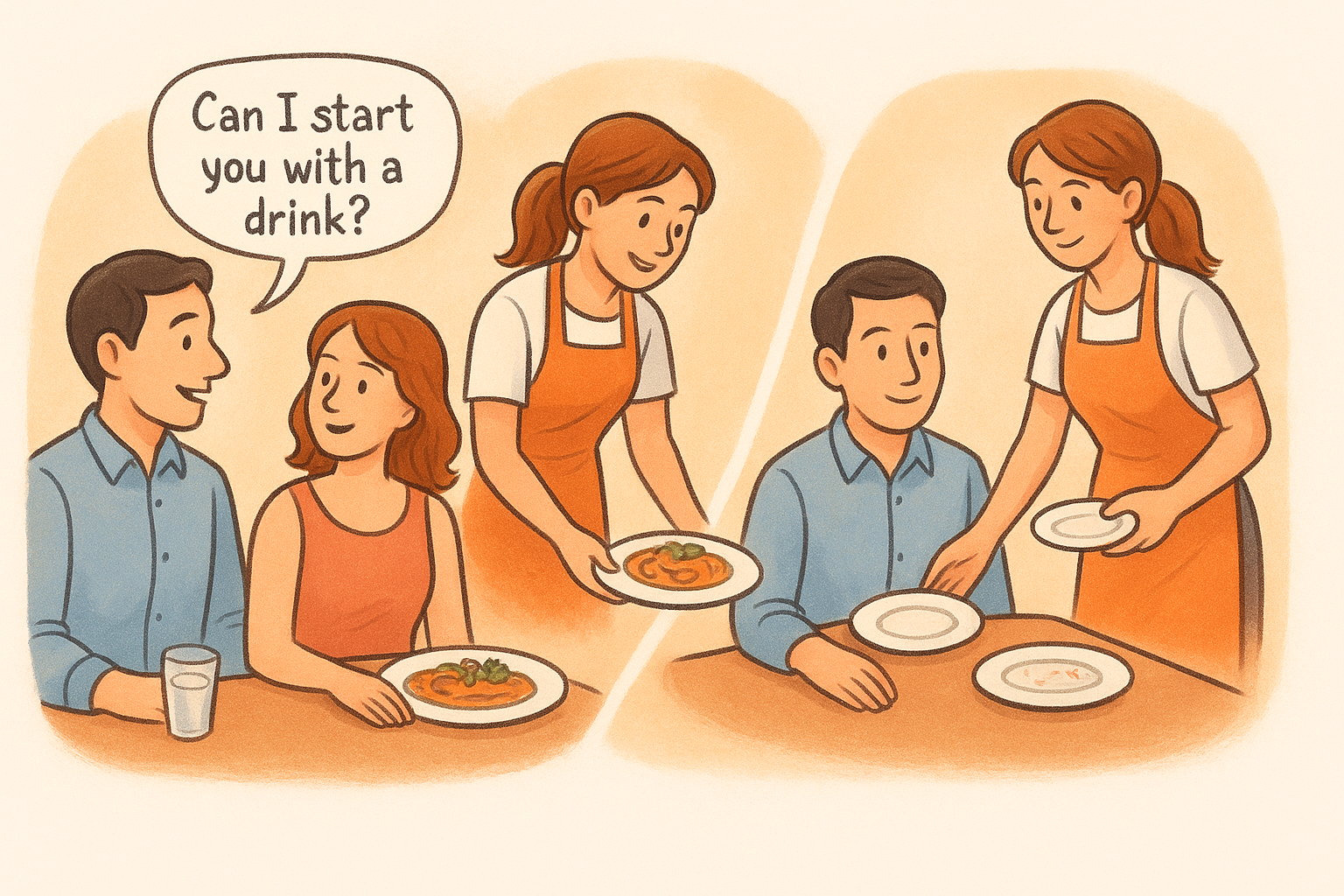
How to read the table and stop at the right time
Train staff to watch for closed menus and direct eye contact as signals that a guest is ready. If someone looks rushed or is mid-conversation, skip the upsell entirely and protect the experience.
Example scripts for dine-in, phone, and counter orders
Short, specific lines help your team apply these restaurant upselling techniques without sounding mechanical:
- "Can I start you with a drink while you look at the menu?"
- "Want to add garlic bread to that pasta order?"
Metrics to track and quick fixes
Track your upsell conversion rate by daypart to find which shifts produce the most add-ons. If phone orders consistently underperform, run a brief script drill with your team before the next busy service.
5. Sell dessert and add-ons to go
Dessert is one of the highest-margin items on most menus, yet most restaurants lose the sale the moment a guest says "I'm too full." Reframing dessert as a take-home option removes that objection entirely and keeps the upsell alive right through the final moment of the visit.
Why "to-go" saves the upsell when guests feel full
When a guest declines dessert at the table, the conversation doesn't have to end there. Offering a boxed slice or a bag of cookies to enjoy later shifts the question from "can you eat more right now?" to "would you like a treat for later?" That small reframe bypasses the full-stomach excuse entirely.
The to-go offer converts guests who said no to dessert at the table into paying customers before they reach the door.
What to offer at the end of the meal
Focus on items that travel well and hold their appeal at room temperature, think brownies, cookies, cheesecake slices, or mini dessert boxes. Avoid anything that gets soggy quickly, since a bad take-home experience kills the repeat purchase.
How to package and position take-home items
Use branded packaging with your logo so the item becomes a reminder of your restaurant when the guest opens it at home. Pre-box items during prep so staff can grab and present them quickly without breaking service flow.
Example end-of-meal prompts and checkout questions
Give your team clear lines that make these restaurant upselling techniques feel natural:
- "Want to take home a slice of chocolate cake for later?"
- "We have cookies boxed up and ready, great for the ride home."
Metrics to track and quick fixes
Track your dessert attachment rate separately for dine-in versus takeout. If numbers stay flat, put a physical display of boxed items near the register so guests see the product rather than just hearing about it.
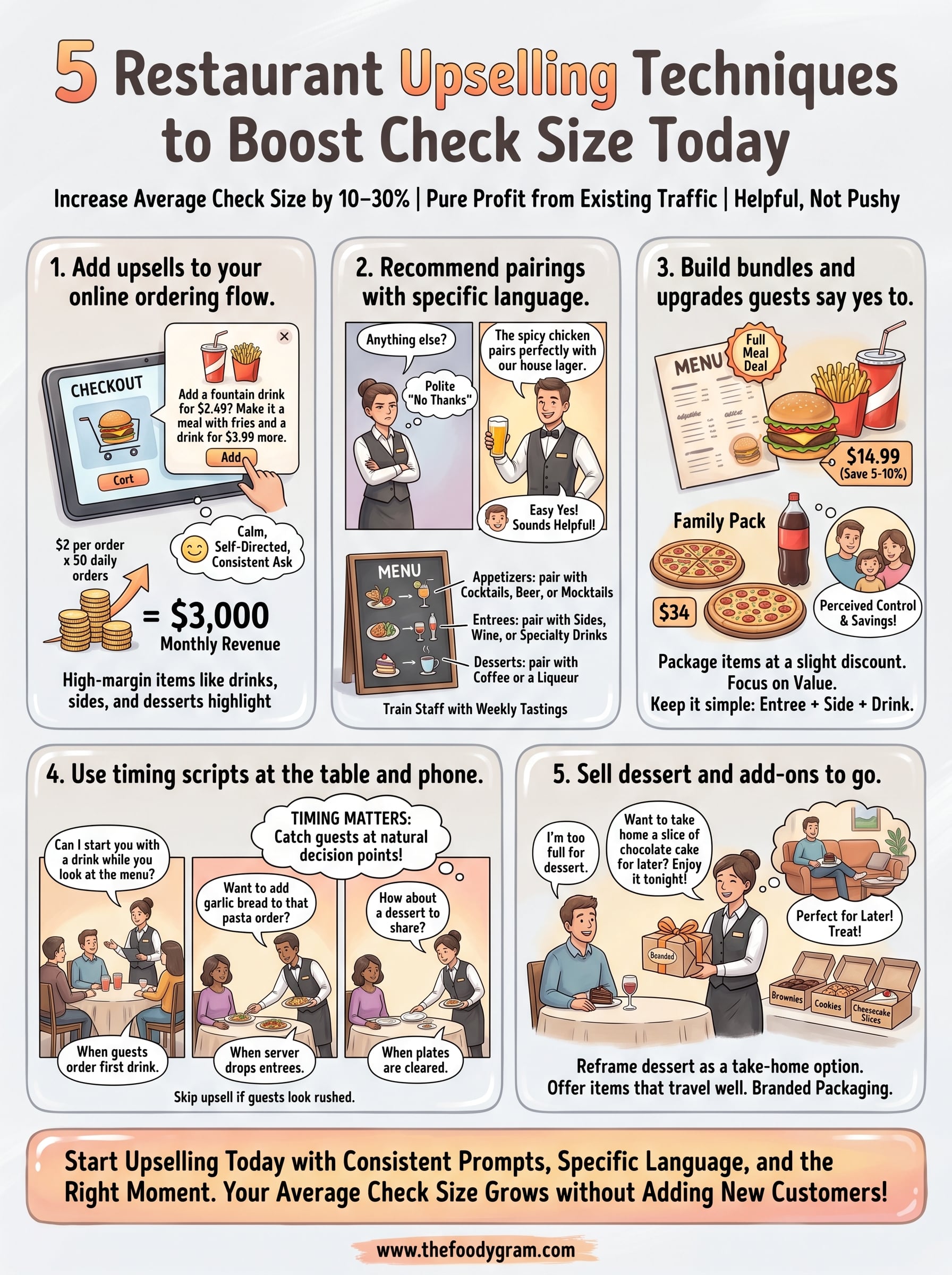
Start Upselling Today
These five restaurant upselling techniques work because they meet customers where they already are, whether that's at your table, on the phone, or inside your online ordering flow. You don't need a bigger team or a larger marketing budget to move the needle. You need consistent prompts, specific language, and the right moment to make the ask, and every technique in this list gives you exactly that.
Each method compounds the others. Bundles make individual suggestions feel natural. Timing scripts make bundles land without pressure. A strong online ordering setup captures add-ons even when no one is available to ask in person. Put all five to work and your average check size will grow without adding a single new customer to your traffic.
If you want an ordering platform built to support upsells at every step, see what The Foody Gram includes at each plan level and find the right fit for your restaurant.