


12 Facebook Posts for Restaurants That Boost Engagement Fast
Most restaurants post on Facebook a few times, get crickets, and quietly give up. The problem isn't the platform, it's the posts. Generic "come visit us" content doesn't stop anyone mid-scroll. Great Facebook posts for restaurants work because they trigger a reaction: a craving, a laugh, a reason to tag a friend. And when those posts actually drive people to order directly from your website, they start paying for themselves.
That's exactly where a tool like The Foody Gram fits in. We build commission-free online ordering websites for restaurants, so when your Facebook content does its job and gets people hungry enough to act, they land on your branded site, not a third-party app skimming 30% off every order. The posts bring the attention. Your ordering system captures the sale.
Below, you'll find 12 proven Facebook post types that independent restaurants are using right now to boost engagement, fill seats, and drive online orders. Each one includes a breakdown of why it works and how to make it your own, no design degree or marketing budget required.
1. Direct order post with The Foody Gram link
The most valuable Facebook posts for restaurants are the ones that move people directly from the feed to the checkout page. A direct order post does exactly that. It puts your food front and center, removes every friction point between the craving and the cart, and sends customers to your own branded ordering website instead of a third-party platform taking a commission cut.
What to post and why it works
This post type works because it has one clear job: get a hungry person to click and order. No ambiguity, no extra steps. You show your best-looking dish, write a short line about it, and drop your direct ordering link right in the caption. Facebook's algorithm rewards posts that get clicks, and this format consistently delivers them when the photo is sharp and the caption is direct.
A single post with a strong photo and a clear link to your ordering page can outperform a week's worth of generic content.
Simple visual template to copy
You do not need a designer to make this work. A clean, well-lit photo of your top-selling dish on a plain or branded background is enough. If you want to add text overlay, keep it to five words or fewer, something like "Order Now. Ready in 20 Minutes." Use your restaurant's brand colors consistently so customers recognize your posts at a glance. Canva's free tier handles this without any technical skill required.
Caption starters that drive clicks
Your caption should lead with the food, not a greeting. Here are three starters you can adapt immediately:
- "Craving [dish name]? Skip the wait and order straight from us:"
- "[Dish name] is on the menu tonight. Order direct and skip the fees:"
- "Your [dish name] is one click away. Order here:"
Each one puts the food and the action in the first line, which is all Facebook shows before the "see more" cut-off.
Best CTA button and link placement
Place your ordering link in the caption itself, not just in the comments or your bio. Facebook also lets you set a page-level call-to-action button labeled "Order Food" that links directly to your Foody Gram ordering page. Use both. Redundancy here is a feature, not a flaw, because some customers tap the button and others click the caption link.
2. New menu item spotlight post
A new menu item is one of the best excuses you have to post on Facebook. Your regulars want to know what's changed, and a well-framed spotlight post gives them a reason to come back and try something new. This is one of the most shareable facebook posts for restaurants because people naturally tag friends when they see something they want to eat together.
What to post and why it works
Post a single, clear photo of the new dish alongside a short description that names the key ingredients. Avoid listing every component. Instead, pick the two or three details that make it sound irresistible and lead with those. Customers scroll fast, so your first line needs to hook them on the food before they move on.
The fastest way to generate curiosity is to describe what something tastes like, not just what it contains.
Simple visual template to copy
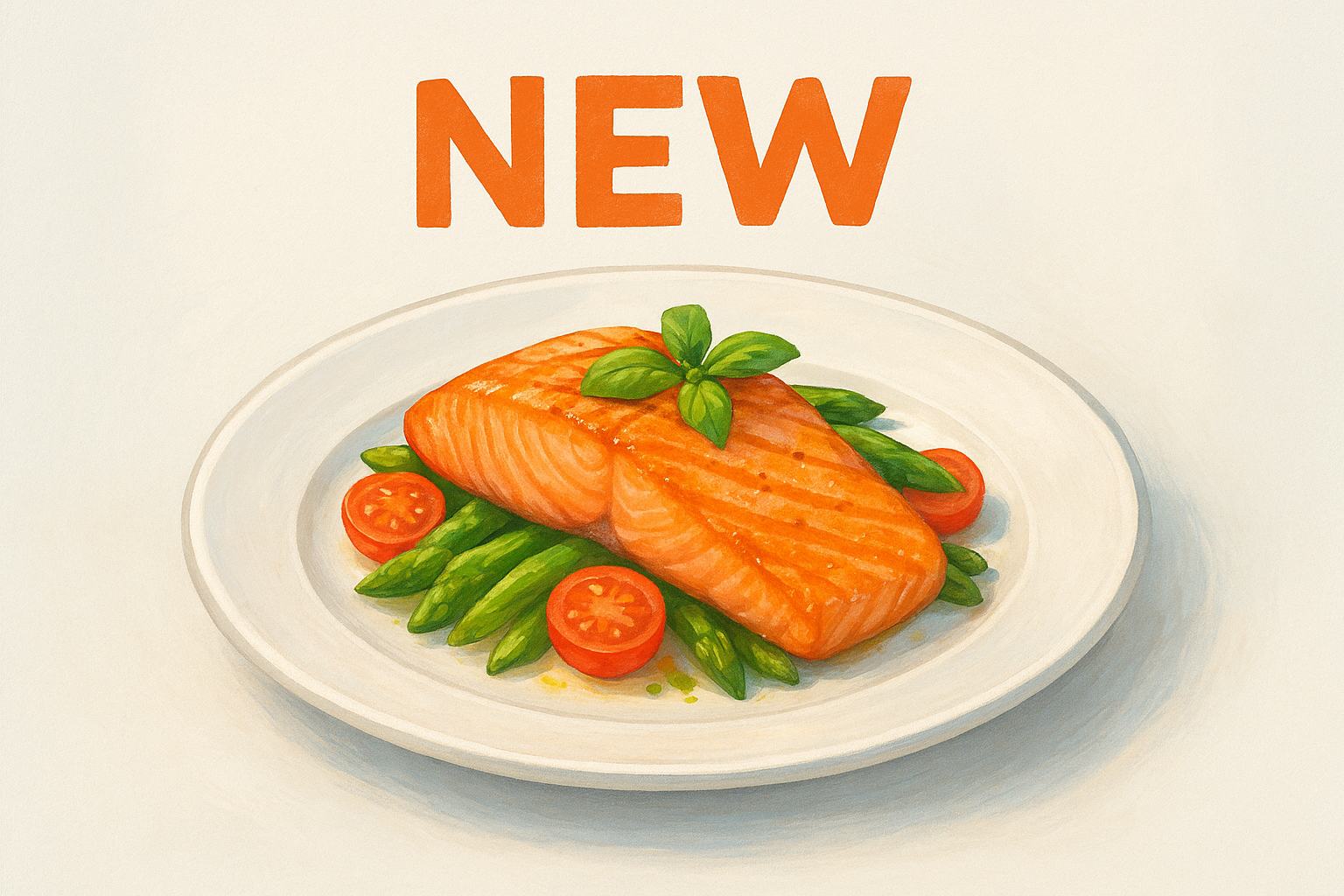
Use a close-up shot of the dish with a simple text overlay that says "New" or "Just Added to the Menu." Keep the background clean and your restaurant's branding consistent. If you shoot on a smartphone, natural light near a window produces better results than overhead kitchen lighting.
Caption starters that drive comments
- "We just added [dish name] to the menu. Would you try it?"
- "New this week: [dish name]. Tell us what you think in the comments."
- "[Dish name] is officially here. Who's coming in first?"
Fast ways to add scarcity without hype
Tell customers how many you make per day or note that it's available through a specific date. Stating "We prep 20 orders each night" is honest and creates real urgency without overpromising or using inflated marketing language.
3. Weekly specials roundup post
A weekly specials post gives your followers a reliable reason to check your page on a set day. When customers expect it, they start looking for your content, which trains both audience habits and the algorithm at the same time.
What to post and why it works
Weekly specials are among the most practical facebook posts for restaurants because they solve a real customer problem: people want to know what's worth ordering before they commit to placing an order. A roundup format that groups two to four specials into one post gives customers multiple reasons to engage and raises the chance something on the list triggers a craving.
Consistency beats creativity here. A predictable post that shows up every Monday builds more loyal followers than an occasional viral moment.
Simple visual template to copy
Use a grid-style graphic with one image per special, or a single strong hero shot with specials listed in text below. Keep your brand colors and font the same every week so regulars recognize the format instantly.
Caption starters that drive saves and shares
These starters work because they tell customers what to do next and give them a clear reason to save the post for later:
- "This week's specials are live. Save this post so you don't forget:"
- "Three things worth ordering this week:"
- "Which of this week's specials are you trying first?"
How to keep it consistent week to week
Set a recurring calendar reminder on the same day each week to photograph, write, and schedule your specials post. Batching this work on a slow afternoon means you're not scrambling during the dinner rush. Treating the weekly roundup as a standing operational task rather than optional marketing is what keeps your page active when business picks up.
4. Behind-the-scenes kitchen prep video post
Video is the highest-reach format on Facebook right now, and kitchen prep content performs especially well because it satisfies genuine curiosity. Customers want to see what happens before their food arrives. A short, unpolished clip shot on a smartphone outperforms a staged production when it feels real and specific to your kitchen.
What to post and why it works
Behind-the-scenes videos build trust in a way that static photos cannot. Showing your actual team, your actual ingredients, and your actual process signals quality without a single word of marketing copy. These are among the most shared facebook posts for restaurants because people tag friends who they think would enjoy eating there.
Authenticity in a 20-second clip does more for customer trust than a month of polished graphics.
Shot list for a 15 to 30 second video
Keep your shot list tight so filming takes under 10 minutes:
- Dough being stretched or sauce being ladled
- A close-up of fresh ingredients going into the pan
- The finished dish being plated right before service
Caption starters that keep people watching
Your caption should tease what viewers are about to see so they watch the full clip instead of scrolling past:
- "This is what happens before your order leaves our kitchen:"
- "Every [dish name] starts with this step:"
- "Watch how we prep [dish name] fresh every day:"
Food safety and privacy basics to follow
Before posting, make sure no sensitive information appears on screen, including supplier invoices, staff schedules, or anything that identifies team members who haven't given consent. Check that your kitchen meets local health code standards visually, since customers notice.
5. Meet the team post
People order from restaurants they trust, and trust starts with knowing who is cooking their food. A meet-the-team post puts a real face behind your brand in a way that menu photos and promotional graphics cannot. When customers feel connected to the people working in your kitchen and at your counter, they are more likely to return and more likely to recommend you to others.
What to post and why it works
Among all facebook posts for restaurants, the team spotlight is the one that earns the most genuine comments. It works because it treats your staff as the business asset they are, and customers respond to people they recognize. A short photo or video introducing one team member at a time gets better traction than a full group shot because it gives followers someone specific to connect with.
One good team photo with a personal detail builds more loyalty than a dozen promotional posts.
Simple visual template to copy
Shoot a clean portrait photo of your team member at their workstation with a short text overlay that includes their name and role. Keep the background recognizable as your restaurant so the post reinforces your brand identity at the same time.
Caption starters that feel human
- "Meet [name], who has been making your [dish] for [X] years."
- "This is [name]. Ask for them next time you visit."
- "[Name] joined our team [X] months ago and already has a fan club."
Questions that spark replies
Asking a simple question at the end of a team post turns passive viewers into active commenters. Try "What's your favorite thing to order when [name] is working?" or "What would you want to know about the people making your food?" Both questions invite a response without requiring any effort from the reader.
6. Customer photo repost and tag post
When a customer posts a photo of your food online, that image is already doing marketing work for you. Resharing it on your own Facebook page turns one customer's meal moment into content that reaches their entire network and signals to new customers that real people genuinely enjoy eating at your restaurant.
What to post and why it works
Customer photo reposts rank among the most trusted facebook posts for restaurants because they show real results without staging a thing. Diners trust peer content more than branded imagery, so an authentic customer shot of your dish carries more weight than a polished studio photo.
Authentic customer content converts better than promotional imagery because it shows real people making real choices.
Permission and credit checklist
Before you repost anyone's photo, run through this checklist to stay on solid ground:
- Ask for explicit permission in a comment or direct message
- Tag the original creator in both the photo and the caption
- Save a screenshot of the permission message in case of future disputes
Simple visual template to copy
Add a light-branded border or frame to the original photo so it fits your page's visual style while making clear it came from a real customer. Keep text overlays minimal, such as "Spotted at [Restaurant Name]" paired with your logo in the corner.
Caption starters that encourage more tags
Use these starters to turn one repost into a steady stream of new customer content:
- "Shoutout to [name] for this photo. Tag us in yours."
- "We love seeing your orders. Keep tagging us when you eat with us."
- "Your next visit deserves a photo. Tag us and we might share yours next."
7. Poll or this-or-that question post
Facebook polls and this-or-that questions are among the most underused facebook posts for restaurants, yet they consistently outperform standard promotional content for one simple reason: they ask for an opinion instead of a purchase. Your audience participates because it costs them nothing and feels fun, and every vote or comment signals to Facebook's algorithm that your post is worth showing to more people.
Asking a question gets you comments. Asking people to pick a side gets you a conversation.
Poll ideas that match restaurant decisions
The best poll topics are directly tied to real choices you're considering, so followers feel like their input actually matters. This also gives you a built-in excuse to post a follow-up.
- "Which sauce should we bring back: [option A] or [option B]?"
- "Weekend special vote: pizza or pasta?"
- "New appetizer idea: which one would you order first?"
Caption starters that invite opinions
Your caption should make the choice feel personal and low-stakes so followers answer without overthinking. Try starting with:
- "We need your help deciding:"
- "Your opinion is running the kitchen today:"
- "Pick one, defend it in the comments:"
Each starter puts the decision in your follower's hands, which increases the chance they engage.
How to turn answers into your next post
After your poll closes, post the results. A short follow-up post announcing what won closes the loop for your audience and shows them their vote changed something real. This single habit turns one poll into two pieces of content and keeps your page active without extra effort.
8. Limited-time offer post
A limited-time offer post gives potential customers a concrete deadline to act on, which is something that standard promotional content never provides. When you frame a deal around a specific end date or quantity, you shift the decision from "maybe later" to "right now," and that shift directly drives orders.
What to post and why it works
This is one of the most effective facebook posts for restaurants because it combines two powerful triggers: desire and deadline. Your followers already know they like your food, so a real time limit removes the reason to delay. The offer should be specific, a dollar amount off, a free side, a set price on a combo, rather than a vague discount that makes customers do math.
A post with a hard end date gets more clicks in 48 hours than the same offer with no deadline gets in a week.
Simple visual template to copy
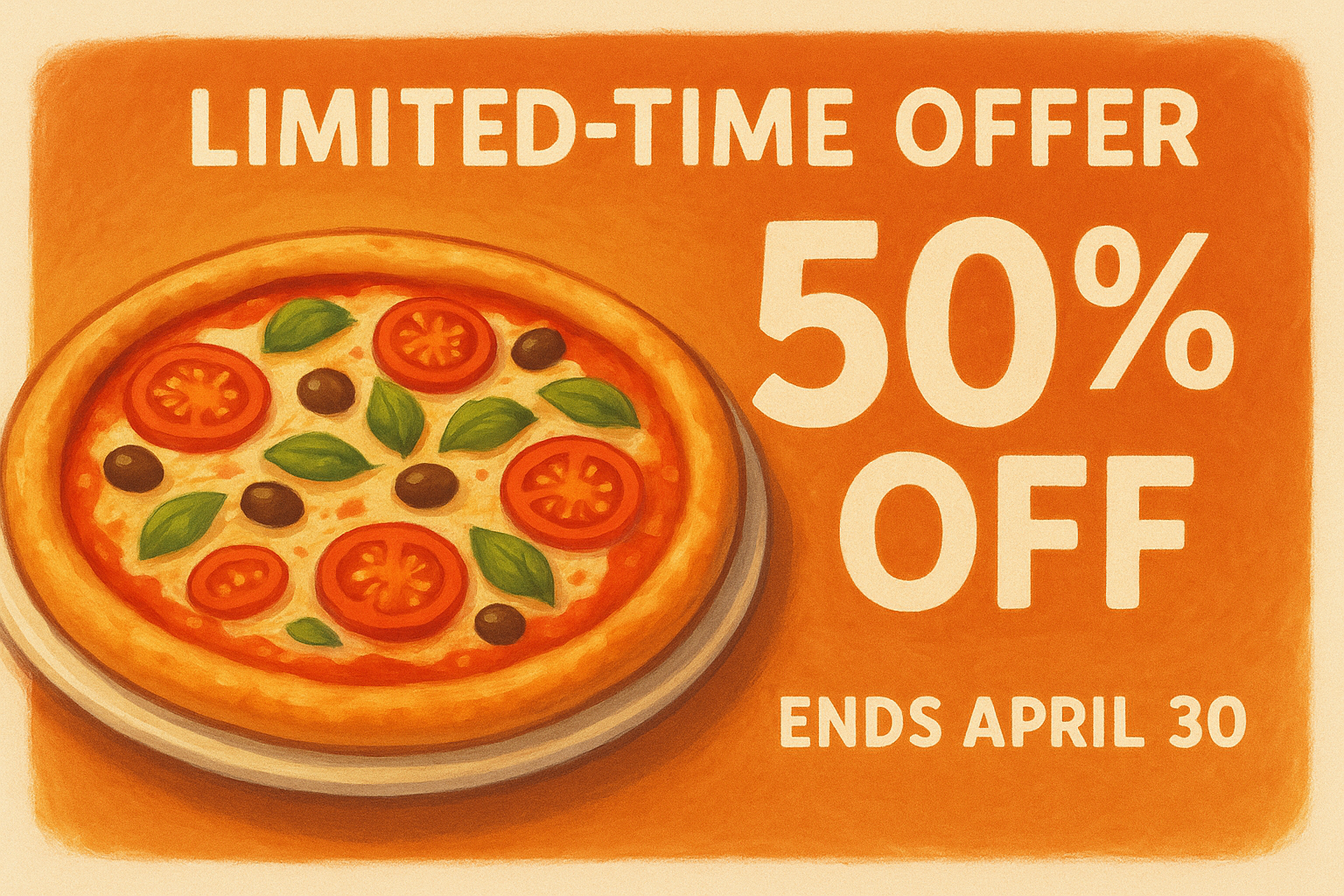
Use a bold countdown graphic with your dish photo on one side and the offer details on the other. Include the exact end date in the image itself, not just the caption, so customers absorb the urgency even if they skim the text.
Caption starters that create urgency
- "This offer ends [day]. Order here before it's gone:"
- "[Dish name] at [price] is only available through [date]:"
- "You have until [date] to grab this deal:"
Guardrails to avoid confusing fine print
Keep your offer terms in plain language inside the post itself. If there are restrictions, state them in one clear sentence. Burying conditions in comments or linking to a separate page erodes trust and increases the chance customers feel misled when they try to redeem the deal.
9. Event announcement post
An event gives your followers a specific reason to show up on a specific date, which is something your regular menu posts cannot do. Whether you're hosting a live music night, a tasting dinner, or a holiday pop-up, this format is one of the most action-oriented facebook posts for restaurants because it trades passive scrolling for active commitment.
What to post and why it works
Event posts work because they create anticipation and a fixed deadline at the same time. Followers who see the post early start planning, and those who see it late feel urgency to act before seats fill. A single clear event image paired with a short, direct caption consistently outperforms a long block of text when it comes to driving actual RSVPs.
A well-timed event post published seven days out and again two days before generates significantly more attendance than a single announcement the day before.
Simple visual template to copy
Use a bold headline graphic that leads with the event name, then the date, and then your restaurant name. Keep the design clean and limit yourself to three lines of text on the image so the information reads instantly on a small screen.
Caption starters that drive RSVPs
- "We're hosting [event name] on [date]. Reserve your spot here:"
- "[Event name] is happening [day]. Limited seats available:"
- "Join us [date] for [event name]. Details below:"
What details to include so people show up
Your post must answer four questions upfront: what is happening, when it starts, where exactly to go, and how to reserve a spot or confirm attendance. Leaving out any one of these forces followers to send a message asking for basic information, and most people will not bother.
10. Vendor or local partner spotlight post
A vendor or local partner spotlight turns a relationship your customers never see into a reason to trust your food more. These facebook posts for restaurants work because they connect your brand to a larger community story, and customers respond to businesses that root themselves in the local area rather than operating as anonymous operations.
What to post and why it works
This post type works because it adds depth and credibility to your restaurant's story without asking customers to do anything except read. When you show where your ingredients come from or name the bakery supplying your bread, you answer a question most customers have but rarely ask. Sourcing transparency signals quality in a way that a well-designed menu graphic simply cannot.
Tagging a local farm or supplier shifts your restaurant from a food transaction into a community relationship.
Simple visual template to copy
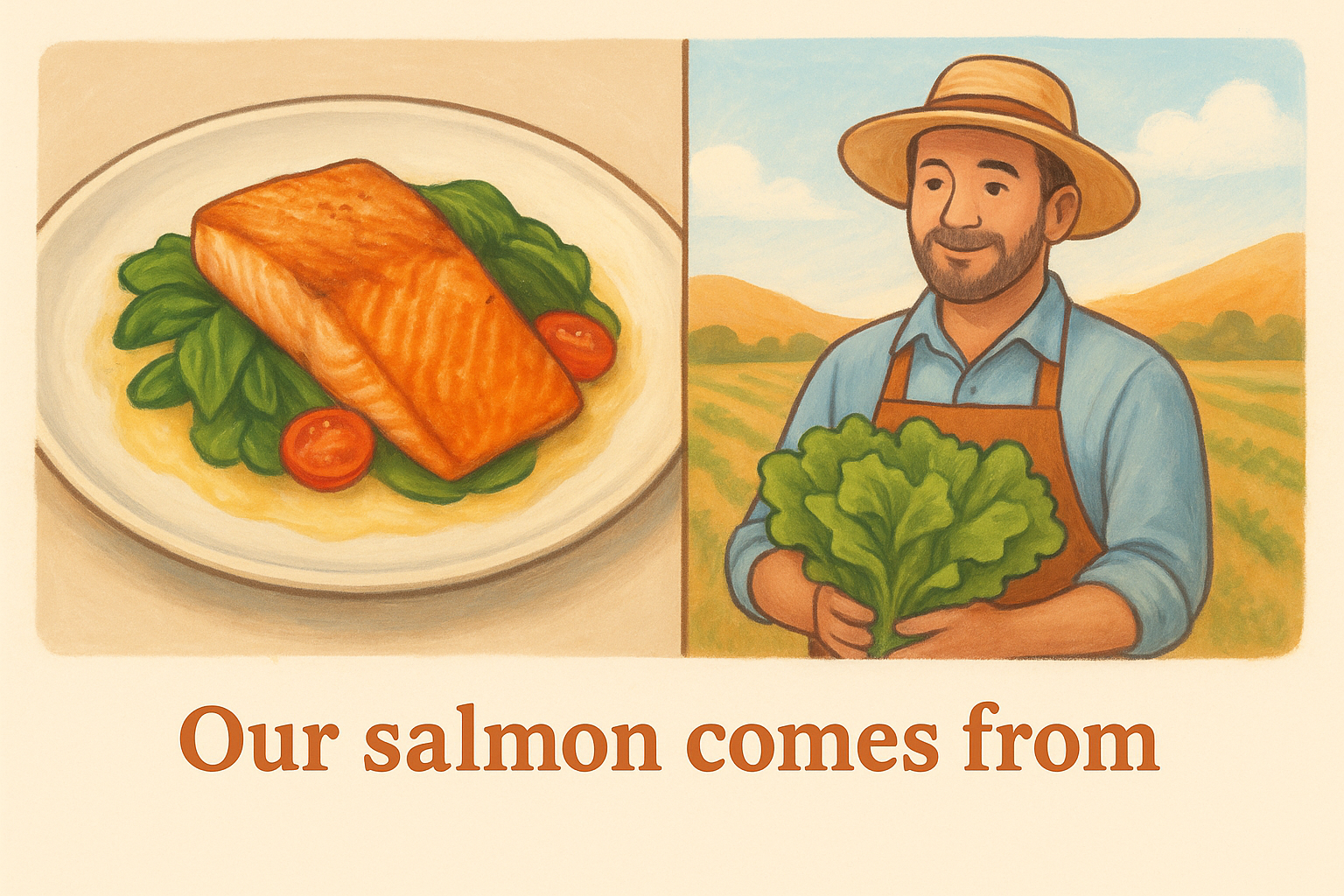
Use a split-frame layout with your finished dish on one side and a photo of the vendor, their product, or their location on the other. Add a short line of text across both frames that reads something like "Our [ingredient] comes from [partner name]." Keep your restaurant logo visible in one corner so the post stays connected to your brand.
Caption starters that tell a quick story
- "Every [dish name] starts with [ingredient] from [partner name]:"
- "We source our [ingredient] locally from [partner name] because quality starts before the kitchen."
- "Meet the people behind your [dish name]:"
How to tag partners for extra reach
Tag your partner's Facebook page directly in the caption and the photo. When you do this, the post appears on their page and in front of their followers, which extends your reach without any additional budget. Ask the partner to share or comment on the post so both audiences see the content at the same time.
11. Quick how-to or recipe tip post
A quick how-to post positions your restaurant as a source of genuine value rather than just a business asking for orders. Among all facebook posts for restaurants, this format earns some of the strongest save rates because customers want to refer back to useful tips, and every save tells Facebook's algorithm your content is worth distributing further.
What to post and why it works
This post type works because it gives something before asking for anything. Sharing a technique, a pairing suggestion, or a simple preparation tip builds goodwill with your audience and keeps your page top of mind even on days when customers aren't actively thinking about ordering food.
Content that teaches something specific gets saved at a far higher rate than content that only promotes.
Simple visual template to copy
Use a step-by-step graphic with numbered frames showing each stage of the tip visually. Keep the text on each frame under eight words, and place your restaurant logo in one corner so every share of the post carries your brand with it.
Caption starters that teach without giving away secrets
- "Here's how we keep [dish element] from getting soggy:"
- "One thing that makes your homemade [dish] taste better:"
- "Try this next time you reheat [dish name]:"
Ideas for tips any restaurant can share
You do not need to reveal proprietary recipes to post useful content. Reheating instructions, ingredient pairing suggestions, and storage tips for leftovers all deliver genuine value without exposing anything your kitchen needs to protect.
12. Hours, delivery zone, and service updates post
Operational updates are among the most overlooked facebook posts for restaurants, yet they consistently drive some of the highest engagement from existing customers. When you post clear information about your hours, delivery zones, or service changes, you cut down on the volume of direct messages and phone calls your staff fields during busy service windows.
What to post and why it works
This post type works because it solves a real problem your customers have before they need to ask. Followers who are already thinking about ordering want to know if you are open, if you deliver to their address, and whether anything has changed. A simple, scannable update answers all three questions in under 30 seconds.
Customers who can find your service information on Facebook are far less likely to abandon their order before completing it.
Simple visual template to copy
Use a clean, text-forward graphic with your restaurant name at the top, hours in the center, and your delivery zone or ordering link at the bottom. Keep your brand colors consistent with your other posts so followers recognize the format at a glance. This is not the post for food photography. Clarity is the design goal here.
Caption starters that reduce call volume
- "Updated hours for this week: [hours]. Order here:"
- "We deliver to [area]. Check if you're in our zone:"
- "Quick update on our service this weekend:"
How to pin and reshare updates without annoying fans
Pin your most current update to the top of your Facebook page so new visitors see it immediately. Reshare the post once mid-week as a simple reminder, but avoid posting it more than twice per update cycle or followers start muting your page.
Next steps
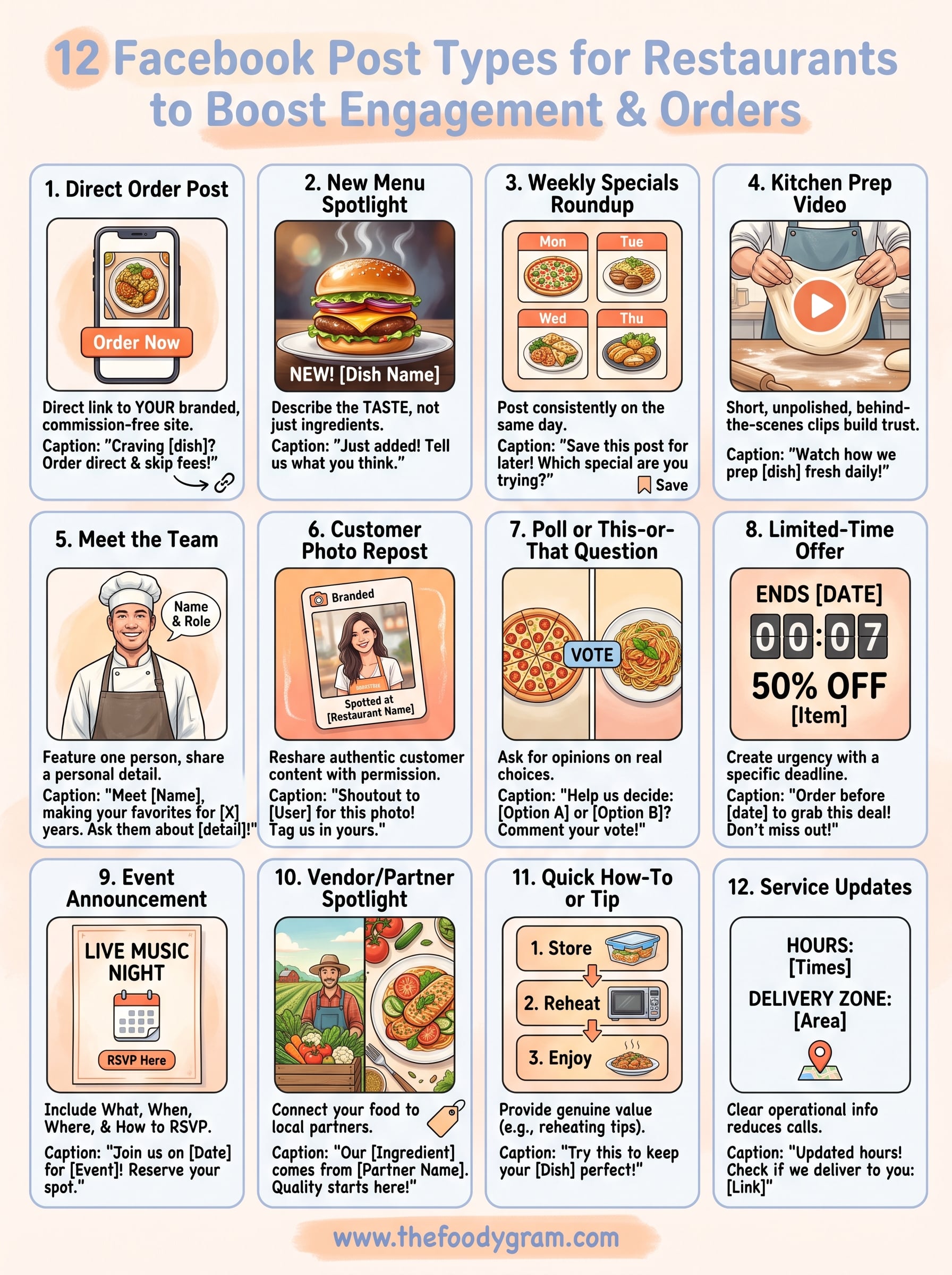
You now have 12 ready-to-use facebook posts for restaurants that cover everything from direct order links to operational updates. The goal is not to post all twelve in one week. Pick two or three formats that match what you are already doing, execute them consistently, and measure what your audience responds to before adding more.
Every post that drives a customer to your ordering page is only as valuable as the ordering experience waiting for them. If that link sends them to a third-party platform charging you 30% per order, your marketing is working harder than your margins can support. Your Facebook content should send customers to a commission-free ordering page you own and control, so the revenue from each click stays with your restaurant.
If you are ready to build that foundation, check out The Foody Gram's commission-free ordering plans and see exactly what each tier includes.