


14 Social Media Content Ideas for Restaurants That Sell
Most restaurants post on social media because they feel like they have to. A photo of today's special here, a holiday greeting there, and then crickets. The problem isn't that social media content ideas for restaurants are hard to find. It's that most of what gets posted doesn't actually drive orders or build a loyal customer base.
Social media works best when it sends hungry customers somewhere you control, like your own branded website with commission-free online ordering, not a third-party app that skims 30% off every sale. That's exactly what we help restaurants do at The Foody Gram. We build restaurants their own online ordering websites so every click, follow, and share turns into revenue you keep.
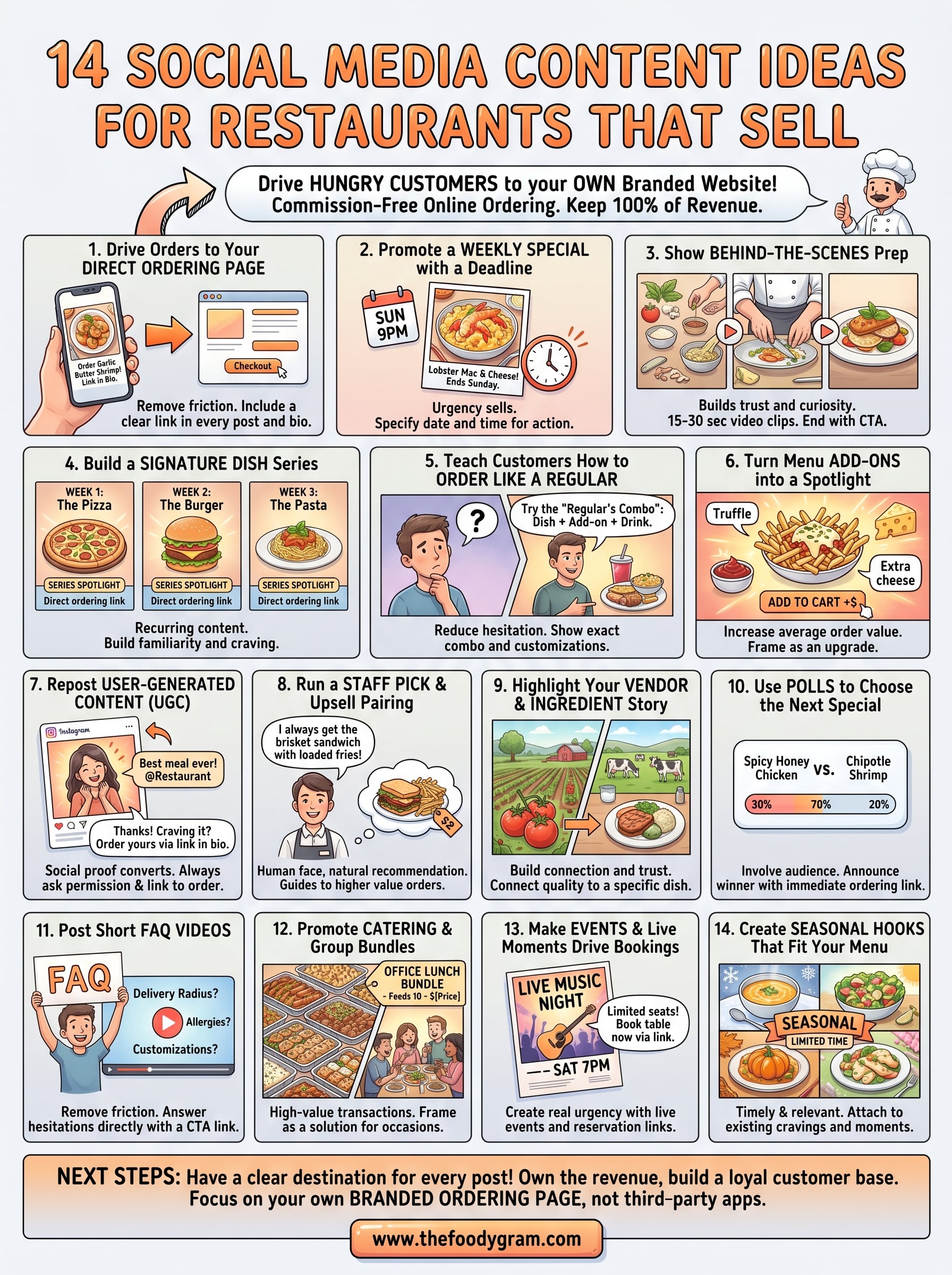
This article breaks down 14 proven content ideas that go beyond "post a nice food photo." Each one is designed to engage your audience and move them closer to placing an order, directly with you. Whether you run a single pizzeria or manage multiple locations, these ideas are practical, repeatable, and built to sell.
1. Drive orders to your direct ordering page
Every post you publish is an opportunity to send someone directly to your ordering page, but most restaurants waste that chance by not including a link or a clear direction. The single most important thing your social media can do is get a customer to your own branded ordering page, where you collect 100% of the sale and own the customer relationship entirely.
What to post
Post content that visually highlights a specific menu item and pairs it with a direct link to your ordering page in the caption or bio. This works across Instagram, Facebook, and TikTok. A short video of a dish being plated, a still photo of your most-ordered item, or a simple graphic that shows your ordering URL alongside a menu description all perform well. Among all the social media content ideas for restaurants, this one has the most direct line to revenue.
How to make it sell
The key is removing friction. Your caption should tell people exactly what to do next and make it feel easy. Avoid vague calls to action like "check us out." Instead, say "Order pickup before 8pm, link in bio." Keep the path from post to placed order as short as possible.
One direct link in your caption, pointing to your own ordering page, is worth more than ten posts with no clear destination.
Your bio link is valuable real estate. Make sure it always points to your direct ordering page, not your homepage or a third-party app. Update it whenever you run a promotion so the link matches what you are actively promoting at that moment.
Example prompts and captions
Use these as starting points and adjust them to match your restaurant's voice:
- "Our garlic butter shrimp is back this week only. Order for pickup or delivery at [yourwebsite.com]."
- "Skip the wait. Order directly from us and get your food faster. Link in bio."
- "Fresh out of the kitchen every Friday night. Tap the link to place your order now."
Metrics to track
Once you start posting with direct links, track these numbers to see what is working:
- Click-through rate on your bio link or caption URL
- New orders placed from social media referral traffic
- Repeat order rate from customers who first found you through a post
- Conversion rate from link click to completed order
2. Promote a weekly special with a clear deadline
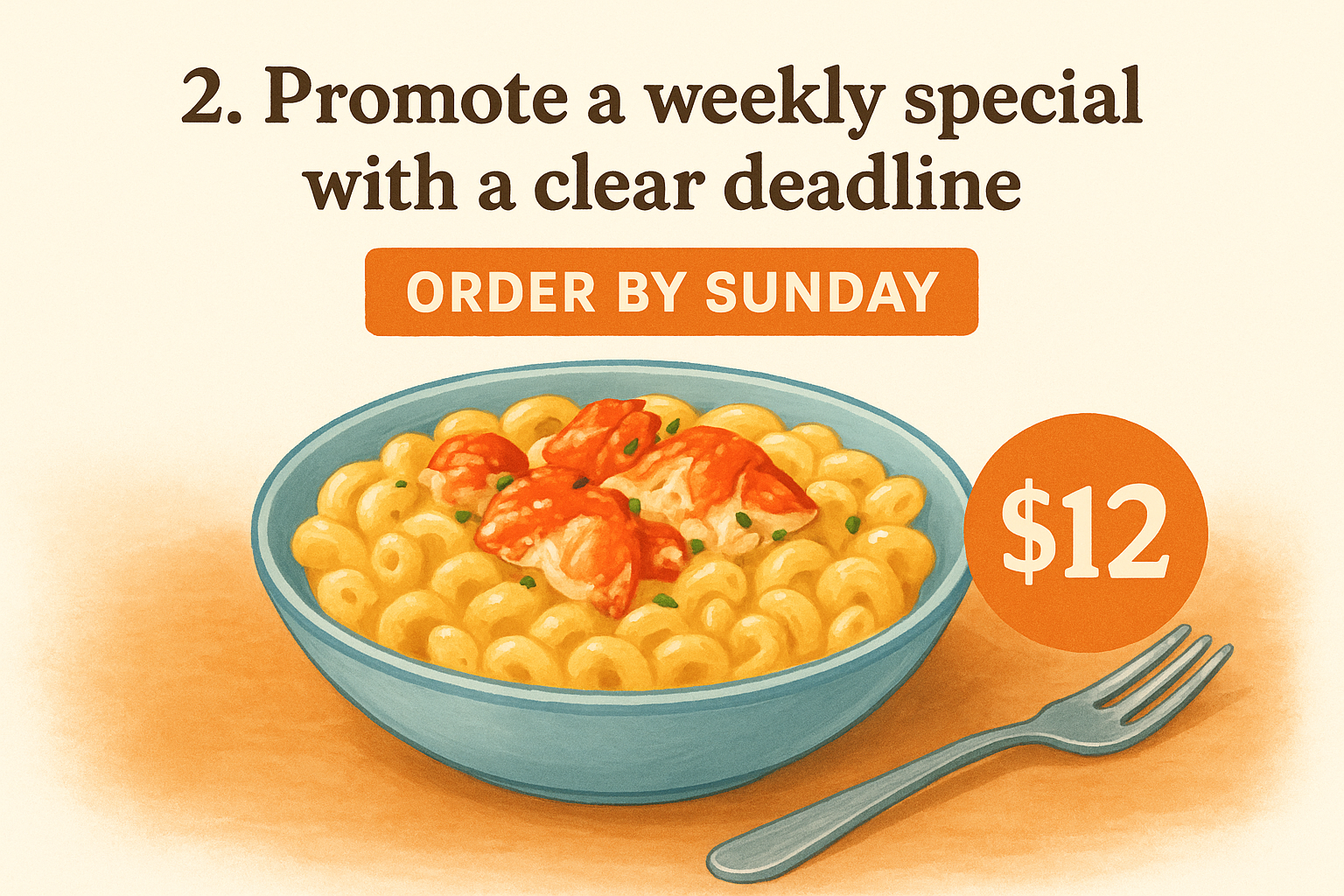
Urgency sells. When customers know a dish or deal is only available for a limited window, they act faster than they would if the same item sat on your menu permanently. A weekly special gives you a built-in reason to post every single week and keeps your most engaged followers checking back regularly.
What to post
Share a clear photo or short video of the weekly special along with its price and the exact deadline for ordering. Post it at the start of the week and follow up with a reminder post one or two days before it ends. Among all the social media content ideas for restaurants, a time-limited offer is one of the simplest formats to repeat consistently.
How to make it sell
Make the deadline visible and specific. "Available through Sunday at 9pm" converts better than "this week only" because it triggers a concrete decision. Pair the deadline with a direct link to your ordering page so the path from post to purchase stays short.
The more specific your deadline, the more orders you will see in the final 24 hours before it expires.
Example prompts and captions
- "Lobster mac and cheese is on the menu through Saturday night only. Order now at [yourwebsite.com]."
- "This week's special sells out fast. Grab yours before Sunday."
Metrics to track
- Orders placed during the special's active window
- Post reach and saves compared to your standard posts
- Repeat order rate from customers who order the special more than once
3. Show behind-the-scenes prep for a top seller
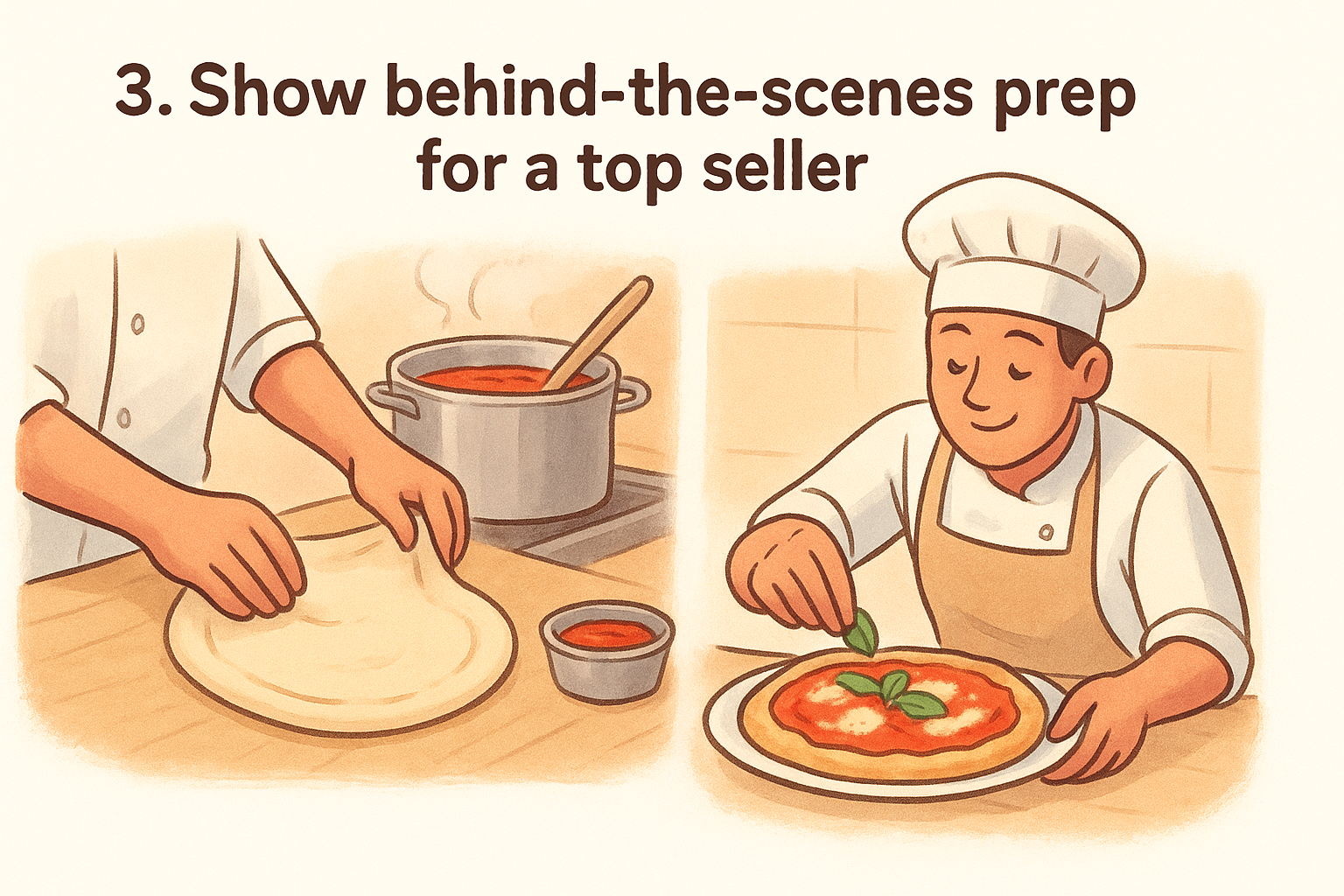
People are naturally curious about how their food is made. A quick look at the kitchen, the prep process, or the hands behind a dish builds real trust and connection that a polished product photo never can. Among all the social media content ideas for restaurants, behind-the-scenes content consistently outperforms standard food photos because it feels authentic and personal to your audience.
What to post
Film a 15 to 30 second video showing your team preparing your most-ordered dish from raw ingredients to finished plate. Focus on the details that make it special, like a hand-stretched dough, a sauce simmering low and slow, or a carefully placed garnish. These short clips perform well on Instagram Reels, Facebook, and TikTok.
How to make it sell
End every behind-the-scenes video with a direct call to action that points viewers to your ordering page. The content builds appetite and curiosity, and your caption converts that into a placed order. Keep the link in your bio current so there is zero friction between watching and ordering.
Behind-the-scenes content builds trust faster than any promotional post because it shows the real effort behind the food.
Example prompts and captions
- "This is how we make our most popular dish. Order yours today at [yourwebsite.com]."
- "Every order starts right here. Watch how your food comes together before you place yours."
Metrics to track
Pay attention to these numbers after each behind-the-scenes post:
- Video views and average watch time to gauge whether the content holds attention
- Link clicks and orders placed in the hours directly after the post goes live
- Saves and shares, which signal strong audience interest and organic reach
4. Build a signature dish series
A signature dish series turns your most recognizable menu items into recurring content that keeps your restaurant top of mind week after week. Instead of scrambling for new social media content ideas for restaurants every time you need to post, you build a predictable format your audience starts to look forward to and share.
What to post
Pick three to five dishes that define your restaurant and dedicate a weekly or bi-weekly post to each one. Rotate through them over time, updating the angle slightly each round. Focus one post on the ingredients, the next on the plating, and the next on what makes that dish unique to your kitchen. This approach stretches a small set of menu items into months of consistent content.
How to make it sell
Attach a direct link to your ordering page on every post in the series. The repetition builds familiarity and craving in your audience, and familiarity is what turns a first-time viewer into a paying customer. Label each post clearly as part of the series so followers recognize the format instantly and know what to expect next.
A consistent series trains your audience to anticipate your content, which builds the habit of ordering directly from you.
Example prompts and captions
- "Dish of the week: Our wood-fired margherita. Same recipe since day one. Order at [yourwebsite.com]."
- "Series spotlight: Meet the dish that started it all. Order yours now, link in bio."
Metrics to track
- Follower growth tied to series launch weeks
- Saves per post compared to non-series content
- Orders placed on the days each series post goes live
5. Teach customers how to order like a regular
Regular customers already know the secret combos, the best add-ons, and the customizations that make a meal worth repeating. Sharing that insider knowledge publicly turns curious followers into confident first-time buyers and gives your existing regulars a reason to share your posts with people who have never heard of you.
What to post
Create a short video or graphic that walks a first-time customer through exactly how to build your best meal combination. Show the base item, the recommended add-ons, the right portion size, and any customizations your regulars always request. This type of content is one of the most overlooked social media content ideas for restaurants, yet it directly reduces the hesitation that stops a new customer from placing that first order.
How to make it sell
The goal is to remove every reason someone might delay placing an order. When a new customer sees exactly what to select and why, the ordering process feels familiar before they even start. End the post with a direct link to your ordering page so the transition from watching to buying takes only seconds.
The easier you make the first order feel, the more likely that customer places a second one.
Example prompts and captions
- "First time ordering from us? Here is exactly what our regulars get every Friday."
- "The move: half-rack with cornbread and house sauce. Order the full combo at [yourwebsite.com]."
Metrics to track
Keep an eye on these numbers after each post in this format:
- New customer orders placed within 48 hours of the post going live
- Average order value compared to posts without combo guidance
- Saves and shares, which show that followers are bookmarking the post for later use
6. Turn menu add-ons into a high-margin spotlight
Add-ons like extra toppings, premium sauces, drink upgrades, and side dishes are often your highest-margin items, yet most restaurants never feature them on social media. Giving add-ons their own spotlight is one of the most underused social media content ideas for restaurants, and it directly increases the average order value every time a customer decides to add one more item to their cart.
What to post
Create short posts that focus entirely on one specific add-on and explain what it pairs with and why customers love it. A close-up photo of a loaded side, a quick video of a sauce being drizzled, or a simple "add this to your order" graphic all work well across Instagram and Facebook. Keep the format simple and the add-on itself the clear focus of every frame.
How to make it sell
Frame each add-on as an upgrade the customer deserves, not a sales pitch. Show it alongside your main dish so the pairing feels natural and obvious. End every post with a direct link to your ordering page so the customer can act on the craving immediately.
The easiest way to raise your average order value is to make customers aware that the upgrade exists in the first place.
Example prompts and captions
- "Add our truffle fries to any order. Order at [yourwebsite.com]."
- "The upgrade your meal is missing. Add our house jalapeño sauce at checkout."
Metrics to track
- Average order value on days your add-on post goes live
- Add-on attach rate compared to weeks without dedicated posts
- Click-through rate from the post to your ordering page
7. Repost user-generated content the right way
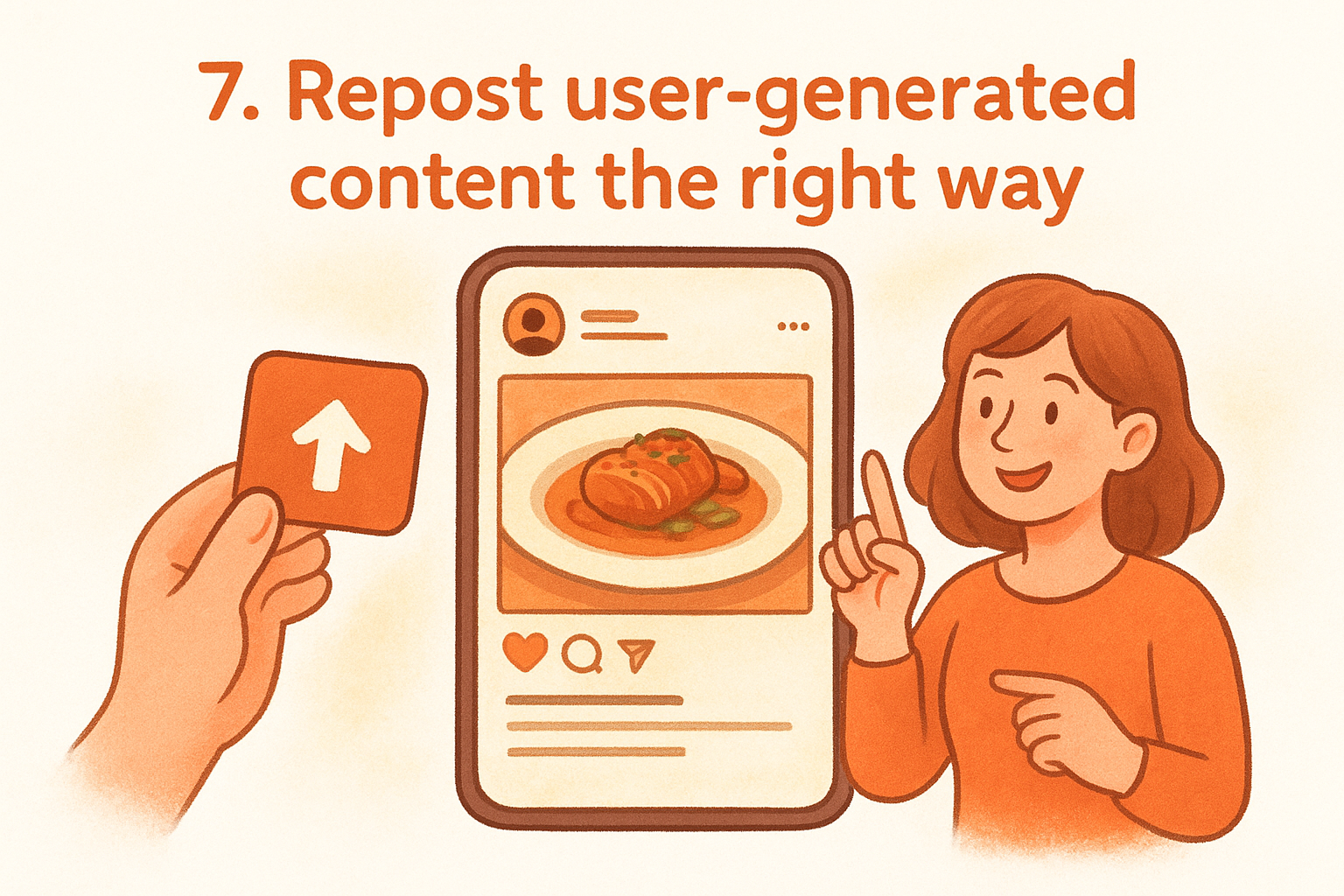
When a customer tags your restaurant in a post, they hand you free marketing that already comes with built-in social proof. User-generated content (UGC) performs better than branded posts because it shows real people choosing your food over everything else available to them. Reposting it without a clear strategy, though, wastes the opportunity entirely.
What to post
Share photos and videos your customers tag you in, and focus on posts that clearly feature your food, your space, or your packaging. Always ask for permission before you repost, even when someone has tagged you directly. Prioritize UGC that captures a finished meal in natural lighting, a genuine reaction, or a specific compliment about a dish your audience already recognizes.
How to make it sell
Add a caption that connects the customer's experience to a direct order link. Among the most effective social media content ideas for restaurants, UGC works precisely because it shows proof without feeling like a sales pitch. Let the customer's content do the persuasion, then close with your ordering link so the viewer knows exactly where to go.
Social proof from a real customer converts better than any promotional photo you produce yourself.
Example prompts and captions
- "One of our regulars said it best. Order yours at [yourwebsite.com]."
- "Thank you for sharing this. Craving it now? Link in bio to order directly."
Metrics to track
- Saves and shares on UGC reposts compared to your standard branded content
- Orders placed within 24 hours after each UGC post goes live
- New follower growth on the days you repost customer content
8. Run a staff pick and upsell pairing
Your team eats your food, knows your menu inside out, and has genuine opinions about what tastes best together. Turning those opinions into regular social media content ideas for restaurants gives your posts a human face while naturally guiding customers toward higher-value orders.
What to post
Feature one staff member per week alongside their personal menu recommendation and the pairing they always suggest with it. A short photo of your server holding their favorite dish, or a quick 20-second video of a cook explaining their go-to combo, both work well. Keep it simple and genuine, because polished production is not what makes this format effective.
How to make it sell
The pairing is where the upsell happens. When your staff member says "I always get the brisket sandwich with the loaded fries and the house lemonade," you have just described a higher-ticket order without it feeling like a pitch. Customers trust a person's recommendation far more than a promotional banner.
A staff pick with a named pairing consistently raises average order value because it gives customers a complete, confident choice instead of a blank menu.
Example prompts and captions
- "Marcus from our kitchen swears by the pulled pork with extra slaw. His pick is live on our menu now at [yourwebsite.com]."
- "Staff pick of the week: the double smash burger paired with sweet potato fries. Order the combo directly at [yourwebsite.com]."
Metrics to track
Watch these numbers after each staff pick post:
- Average order value on days the post goes live
- Orders that include the specific pairing your staff member recommended
- Engagement rate compared to your standard product posts
9. Highlight your vendor and ingredient story
Where your food comes from is part of what makes it worth ordering. Customers who know you source from a local farm, use a family recipe, or hand-select your proteins every morning feel a stronger connection to your restaurant than customers who see a food photo with no context. That connection drives orders and repeat visits.
What to post
Share a short video or photo that shows the ingredient itself, where it comes from, and how it ends up on your menu. Introduce the farmer, the butcher, or the supplier by name when you can. Among all the social media content ideas for restaurants, ingredient stories are one of the few formats that build trust and appetite at the same time, because they show quality before the customer even tastes the food.
How to make it sell
Connect the ingredient directly to a specific dish your customer can order today. Do not leave the viewer inspired with nowhere to go. Your caption should name the dish, explain what makes the ingredient worth choosing, and point directly to your ordering page.
Customers who understand the quality behind your ingredients are far more willing to pay full price and skip the discount apps.
Example prompts and captions
- "We get our tomatoes from a local farm every week. They go straight into our house sauce. Order the pasta at [yourwebsite.com]."
- "Our beef comes from a single ranch. Here is what that means for your burger. Order directly at [yourwebsite.com]."
Metrics to track
- Post saves and shares, which signal that your audience finds the content worth returning to
- Orders placed on the specific dish featured in the post
- Average order value on days your ingredient story goes live
10. Use polls to choose the next special
Polls give your audience a direct say in what you serve, and that sense of involvement turns passive followers into invested customers who actually show up to try the dish they voted for. Running a poll is one of the simplest social media content ideas for restaurants that also doubles as free market research about what your menu could do next.
What to post
Post an Instagram Stories poll or a Facebook poll with two clear options: two dishes, two flavors, or two concepts your kitchen can realistically execute. Keep the choice straightforward so followers respond quickly. Pair the poll with a photo of both options so people are voting on something they can already imagine ordering.
How to make it sell
Announce the winning special within 24 to 48 hours of the poll closing and link directly to your ordering page in that announcement post. When followers see the dish they voted for is now available, they feel a personal reason to order it. That connection between their vote and the actual menu item drives far stronger first-day order volume than a standard promotional post.
Customers who voted for a dish are significantly more likely to order it because they already made a commitment before the menu item even launched.
Example prompts and captions
- "You voted, we cooked. The winning special is live now at [yourwebsite.com]."
- "Pick next week's special: spicy honey chicken or chipotle shrimp? Vote below."
Metrics to track
- Poll participation rate across each platform you run it on
- Orders placed on the winning dish within the first 48 hours of its launch
- Return visit rate from customers who engaged with the poll
11. Post short FAQ videos that remove friction
Customers who have unanswered questions do not place orders. They move on. Short FAQ videos tackle the specific hesitations that stop a first-time buyer from completing checkout, and they work as one of the most practical social media content ideas for restaurants because the questions already exist in your inbox and comment section.
What to post
Record a 20 to 30 second video answering one specific customer question per post. Common topics include delivery radius, pickup wait times, allergen options, how to customize an order, and whether you accept modifications at checkout. Keep each video focused on a single question so the answer is clear and the viewer does not lose interest before the call to action.
How to make it sell
Every FAQ video should end with a direct link to your ordering page in the caption. The video earns trust by answering a real concern, and the link gives the viewer an immediate place to act on that trust. Do not bury the link or make it hard to find.
The question a customer asks before ordering is the exact friction standing between you and a completed sale.
Example prompts and captions
- "Yes, we deliver to your area. Order directly at [yourwebsite.com] and skip the app fees."
- "Custom orders? Here is how it works. Tap the link in bio to get started."
Metrics to track
- Orders placed in the 24 hours after each FAQ video goes live
- Comment volume and direct messages asking follow-up questions
- Click-through rate from caption link to your ordering page
12. Promote catering and group ordering with bundles
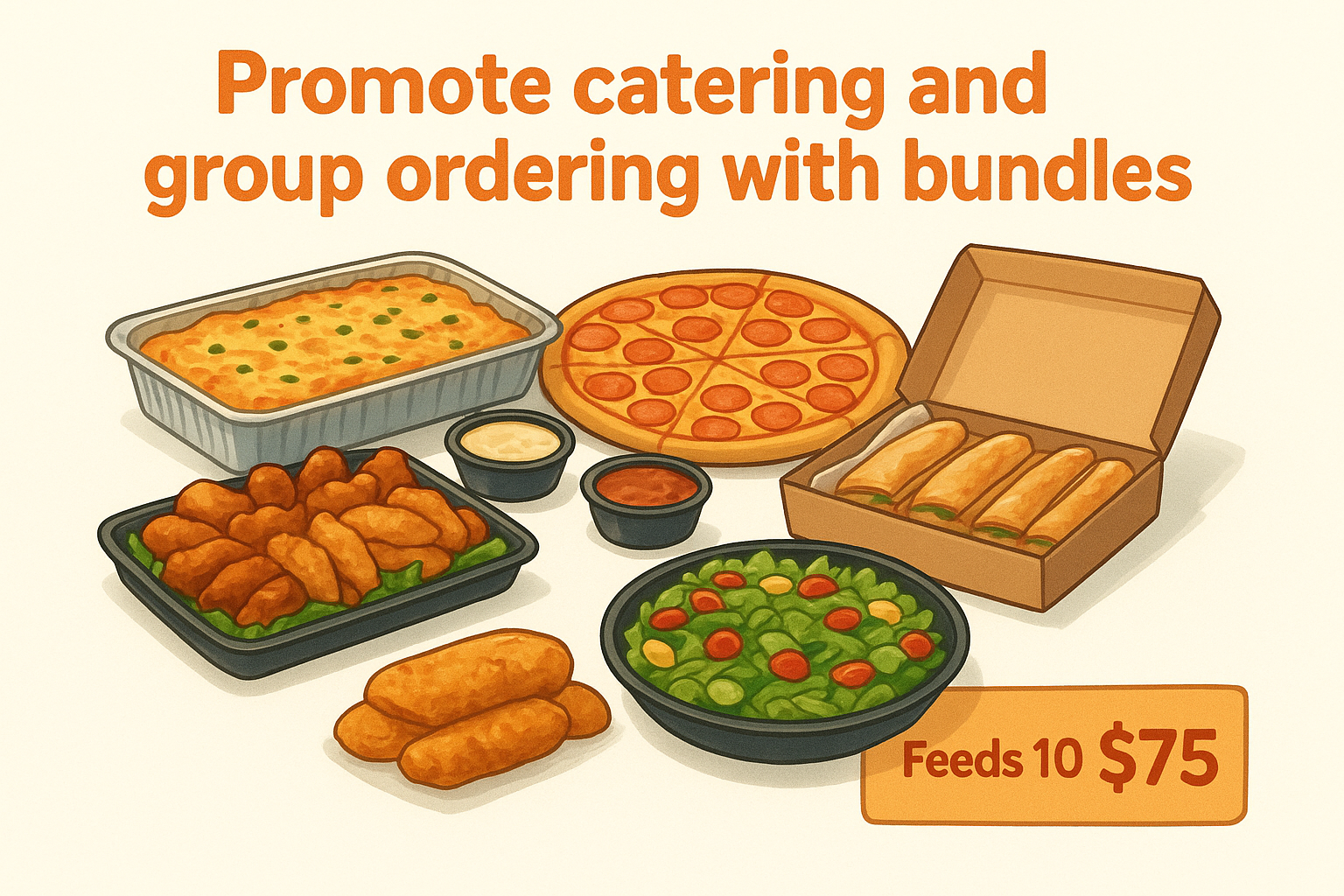
Catering and group orders represent some of the highest-value transactions your restaurant will ever process, yet most restaurants treat them as an afterthought on social media. Bundling multiple items into a clearly priced catering package and promoting it directly gives you a repeatable format that moves large orders through your own commission-free ordering page.
What to post
Post a photo or short video showing a spread of your most popular items arranged for a group setting: trays, boxed meals, or party platters. Include the package size, what it feeds, and the price in the caption so the decision is easy. This is one of the highest-return social media content ideas for restaurants because a single catering post can generate more revenue than a week of individual meal posts.
How to make it sell
Frame your bundle as a solution to a specific situation: office lunch, birthday dinner, game day, or family gathering. Customers respond to content that fits a moment they already have coming up. End every post with a direct link to your ordering page and a note about how far in advance they should place the order.
A catering post that names a specific occasion converts at a higher rate than a generic "we do group orders" announcement.
Example prompts and captions
- "Feeding the office Friday? Our lunch bundle feeds 10 for $[price]. Order at [yourwebsite.com]."
- "Game day sorted. Order our party platter directly with no fees at [yourwebsite.com]."
Metrics to track
Focus on these numbers after each catering post:
- Average catering order value generated from social referrals
- Number of group orders placed within 72 hours of the post going live
- Repeat catering customers who initially found you through a social post
13. Make events and live moments drive bookings
Live events create real urgency that standard menu posts cannot replicate. Whether you host a weekly trivia night, a live music set, or a holiday pop-up dinner, every event gives you a ready-made reason to post and a built-in deadline that pushes followers to act before the moment passes.
What to post
Share a short teaser video or photo of your event setup, performers, or a featured menu item available only on that night. Post the date, time, and any reservation or pre-order requirements clearly in the caption. Among all the social media content ideas for restaurants, live event content earns some of the highest engagement rates because it combines social proof with genuine time pressure.
How to make it sell
Tie your event post directly to a booking or pre-order link on your own ordering page. If you require a deposit or advance order, say so explicitly in the caption so followers know exactly what the next step is. Customers who see a clear seat limit or a closing registration window act faster than those who assume spots are always available.
The post that announces your event should always include a direct link to book, not just a phone number to call.
Example prompts and captions
- "Live music this Saturday starts at 7pm. Reserve your table now at [yourwebsite.com]."
- "Our Valentine's Day dinner is filling up fast. Book your spot directly at [yourwebsite.com]."
Metrics to track
- Bookings and pre-orders placed within 48 hours of the event post going live
- Event-night order value compared to a standard weeknight
- Link clicks from your event posts to your ordering or reservation page
14. Create seasonal hooks that fit your menu
Seasonal content gives you a built-in posting calendar and a ready-made reason for customers to try something new. When a dish connects to a moment your audience is already thinking about, like a summer cookout, a holiday feast, or a back-to-school rush, the post feels timely rather than promotional. This is one of the most repeatable social media content ideas for restaurants because every season brings new angles you can attach to your existing menu.
What to post
Feature a limited-time dish or ingredient that ties directly to the current season and show it in a setting that matches the mood. A warm broth in winter, a cold citrus dish in summer, or a pumpkin-spiced option in fall all perform well because they match what your audience is already craving. Post it early enough in the season to capture the full demand window before customers move on.
How to make it sell
Your caption should name the season and the deadline in the same sentence so the urgency is immediate. Point your audience directly to your ordering page so there is no delay between craving and checkout.
A seasonal post that names a specific deadline converts far better than one that simply says "available now."
Example prompts and captions
- "Our winter short rib is back for December only. Order directly at [yourwebsite.com]."
- "Summer menu just dropped. Grab the mango shrimp bowl before it sells out at [yourwebsite.com]."
Metrics to track
- Orders placed on the featured seasonal dish during the first week
- Post saves compared to your non-seasonal content
- Revenue per seasonal post versus a standard menu promotion
Next steps
You now have 14 specific social media content ideas for restaurants that go beyond generic posting and actually move people toward placing an order. The difference between restaurants that grow through social media and those that spin their wheels is not creativity. It is having a clear destination for every post and owning the revenue that follows each click.
Every idea in this list works best when you send your audience to your own branded ordering page, not a third-party app that takes a cut of every sale. The more posts you publish with a direct link to your ordering system, the more you build a customer base that buys from you directly and keeps coming back.
If you do not have your own commission-free ordering page yet, that is the first thing to fix. Take a look at our restaurant website and ordering plans and see which option fits your operation.