


10 Restaurant SEO Tips To Rank Higher On Google Maps In 2026
Most diners never scroll past the first few results on Google Maps. If your restaurant isn't showing up there, you're losing covers to competitors who are. The good news? Restaurant SEO tips aren't complicated, they just require consistency and the right foundation, starting with a website you actually own and control.
That's where we come in. At The Foody Gram, we build commission-free restaurant websites with built-in online ordering, giving you a branded digital home base that supports your SEO efforts instead of funneling your customers (and their data) to third-party delivery apps.
This guide breaks down 10 actionable steps you can take right now to climb Google Maps rankings and get found by hungry customers searching near you. Whether you're starting from scratch or trying to improve an existing listing, each tip is practical, proven, and built for independent restaurant owners who'd rather spend time cooking than decoding algorithms.
1. Launch a fast, crawlable site with The Foody Gram
Your website is the foundation of every restaurant SEO tip you'll apply. Without a fast, mobile-friendly site that Google can crawl and index, your Google Business Profile has no strong home base to point to, and your rankings will reflect that gap. The Foody Gram builds you a branded restaurant website in 48 to 72 hours, fully optimized for local search from day one, so you can start earning visibility while your competitors are still filling out forms with other providers.
What to set up first for map pack SEO
Before you touch your Google Business Profile, get a live website with a verified domain, a clear business name in the title tag, and your city and neighborhood mentioned in the page copy. Google cross-references your site with your GBP to confirm your location is legitimate and active. Set up Google Search Console and submit your sitemap immediately so Google can crawl and index your pages without delay, which directly accelerates how fast your listing climbs in local results.
A fast, indexed website tied to your GBP tells Google your restaurant is real, local, and open for business, and that signal carries serious weight in the map pack.
What to publish on your site to support your GBP
Publishing the right pages turns your site into a local SEO asset. Start with a dedicated menu page written in HTML, not a PDF, so Google can actually read your dishes and match them to nearby search queries like "wood-fired pizza near me." Add an "About" page that names your neighborhood, your cuisine type, and your restaurant's story in plain, searchable language.
A contact page with your full address, phone number, and hours displayed in plain text is equally important. It gives Google clear data to verify against your GBP listing, and it gives customers an easy path to reach you without digging through multiple clicks.
How to keep online ordering commission-free and trackable
Third-party apps like Uber Eats and DoorDash redirect your customers through their own platforms, which means you lose the order data and pay a commission on every transaction. With The Foody Gram, your ordering system lives directly on your own website, so every order is tracked in your dashboard and deposited to you with no per-order fee cutting into your margins.
Pointing your GBP ordering button to your own site instead of a third-party app also strengthens your conversion data, giving you real numbers on which local searches are generating actual revenue rather than just traffic you can never trace.
2. Claim and complete your Google Business Profile
Your Google Business Profile (GBP) is the single most influential asset for local search visibility, and it costs nothing to set up. If you haven't claimed yours yet, go to google.com/business and start the process today. Skipping this step means competitors with complete profiles will consistently outrank you, regardless of how good your food is.
What to check during setup and verification
Google requires you to verify your business before your profile becomes active in search results. Most restaurants receive a postcard with a verification code at their physical address, though video verification is now common. Confirm that your business name, address, and phone number match exactly what's on your website before submitting, because inconsistencies at this stage can delay verification or create data conflicts that hurt your rankings later.
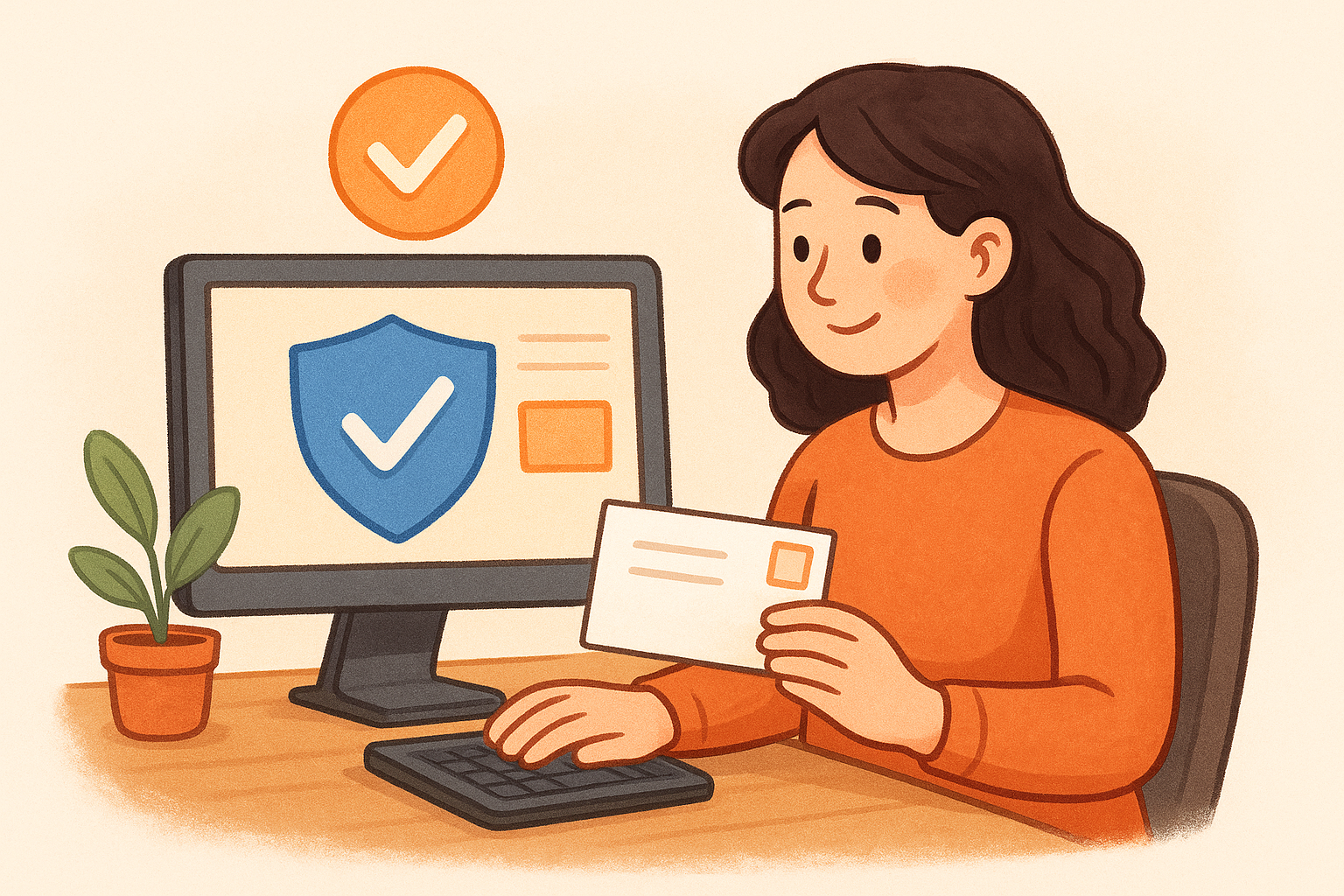
Completing verification immediately after claiming your profile gives Google a clean signal that your restaurant is active and operating at a legitimate address.
What fields to fill out to improve relevance
Fill out every available field, including your business description (up to 750 characters), website URL, opening date, service areas, and accepted payment methods. These fields are among the most impactful restaurant SEO tips you can apply directly inside Google's own platform. Your business description should naturally mention your cuisine type, neighborhood, and what makes your restaurant worth visiting.
What to avoid so you do not trigger suspensions
Never add keywords to your business name unless they are part of your legal trading name. Google's guidelines prohibit keyword stuffing in this field and actively flag it. Avoid creating duplicate listings for the same location, as this splits your authority and can trigger an automatic suspension that takes weeks to resolve.
3. Choose the right primary category and attributes
Your primary category is one of the strongest ranking signals inside your Google Business Profile. Google uses it to decide which searches your restaurant appears for, so picking the wrong one means you'll rank for the wrong audience or miss high-intent searches entirely. Most restaurant owners rush this step and pay for it in lost impressions.
How to pick a primary category that matches intent
Start by searching for your main competitor on Google Maps and checking which primary category they use. Google displays this directly below the business name on the profile. Choose the category that most accurately matches what your restaurant primarily serves, such as "Pizza Restaurant" or "Thai Restaurant," rather than a generic option like "Restaurant." The more specific your primary category, the more precisely Google connects your profile to relevant nearby searches.
Your primary category should reflect what most of your customers actually order, not the broadest possible label you can apply to your business.
Which attributes help you win high-intent searches
Attributes are filters diners use when searching, and filling them in is one of the most overlooked restaurant SEO tips available inside GBP. Mark accurate options like "dine-in," "takeout," "delivery," "outdoor seating," and payment types. Google surfaces profiles with matching attributes when someone searches "restaurants with outdoor seating near me," so each attribute you confirm expands your visibility across specific, high-converting queries.
How to handle multiple cuisines without confusing Google
If your menu spans multiple cuisines, keep your primary category focused on your dominant offering. You can add secondary categories to cover additional cuisine types, but Google weighs the primary category most heavily. Listing too many conflicting categories signals ambiguity, which weakens your relevance score for any single search intent.
4. Add the right links for menu, ordering, and reservations
The links you attach to your Google Business Profile do more than send people to your website. They shape how Google categorizes your restaurant, and they determine whether a customer clicks to order directly from you or gets handed off to a third-party platform that takes a cut. Getting this right is one of the most practical restaurant SEO tips you can apply in under an hour.
Which link types Google shows and where they appear
Your GBP lets you add a primary website link plus additional links for your menu, online ordering, and reservations. These appear directly on your profile in Google Search and Google Maps, often as clickable buttons beneath your business name. Google prioritizes the ordering and reservation buttons prominently on mobile, which is where most of your potential customers are searching, so each link you fill in increases the chances a diner converts without ever visiting a competitor's listing.
How to prevent third-party links from stealing orders
Google sometimes auto-populates your profile with third-party ordering links from platforms like DoorDash or Uber Eats if it finds them indexed elsewhere on the web. Check your profile regularly and replace any auto-filled links with your own ordering URL. You can do this inside the GBP dashboard under the "Order" section. Letting a third-party link sit there means you pay a commission on orders that your own SEO efforts earned.
Every customer who clicks a third-party ordering button on your profile is a customer whose data and margin you hand over to someone else.
How to build a link setup that matches your funnel
Set your menu link to your HTML menu page, your ordering link to your direct checkout, and your reservation link to your own booking flow rather than a third-party reservation tool that charges per cover. This structure keeps customers on your own website, builds your first-party data, and ensures your GBP links support your revenue goals from the first click.
5. Keep hours accurate and use special hours every time
Your listed hours are one of the most visible trust signals on your Google Business Profile, and they directly affect whether a potential customer calls, visits, or bounces to a competitor. Google factors hour accuracy into local rankings because it wants to serve reliable results. If your hours are wrong, even briefly, you risk both a ranking dip and a frustrated diner who shows up to a locked door.
How inaccurate hours kill rankings and conversions
When your listed hours do not match reality, Google picks up on that signal through user behavior. Customers who find your restaurant closed when your profile says open leave negative feedback or update your listing themselves, and Google treats those corrections as a trust signal against your profile. Over time, this pattern damages your local ranking and your conversion rate simultaneously.
Inaccurate hours are one of the fastest ways to lose both rankings and repeat customers at the same time.
How to set holiday hours and temporary updates
Google gives you a special hours feature inside your GBP dashboard that lets you set custom hours for holidays, private events, or temporary closures. Use it every single time without exception. Restaurants that leave their regular hours active during a holiday closure risk getting flagged as unreliable, which is one of the most avoidable mistakes covered in any solid list of restaurant SEO tips.
How to align hours across your site and listings
Your hours must match exactly on your Google Business Profile, your website contact page, Yelp, Apple Maps, and every other directory where your restaurant appears. Mismatches create citation inconsistencies that confuse Google's local algorithms and weaken your ranking signals across the board. Audit all your listings quarterly to catch any drift before it affects your visibility.
6. Upload photos that drive clicks, calls, and directions
Photos are one of the most underused restaurant SEO tips available inside your Google Business Profile. Google's own data shows that profiles with photos receive significantly more clicks to websites, more direction requests, and more phone calls than profiles without them. Uploading the right images consistently signals to Google that your business is active and worth surfacing to nearby searchers.
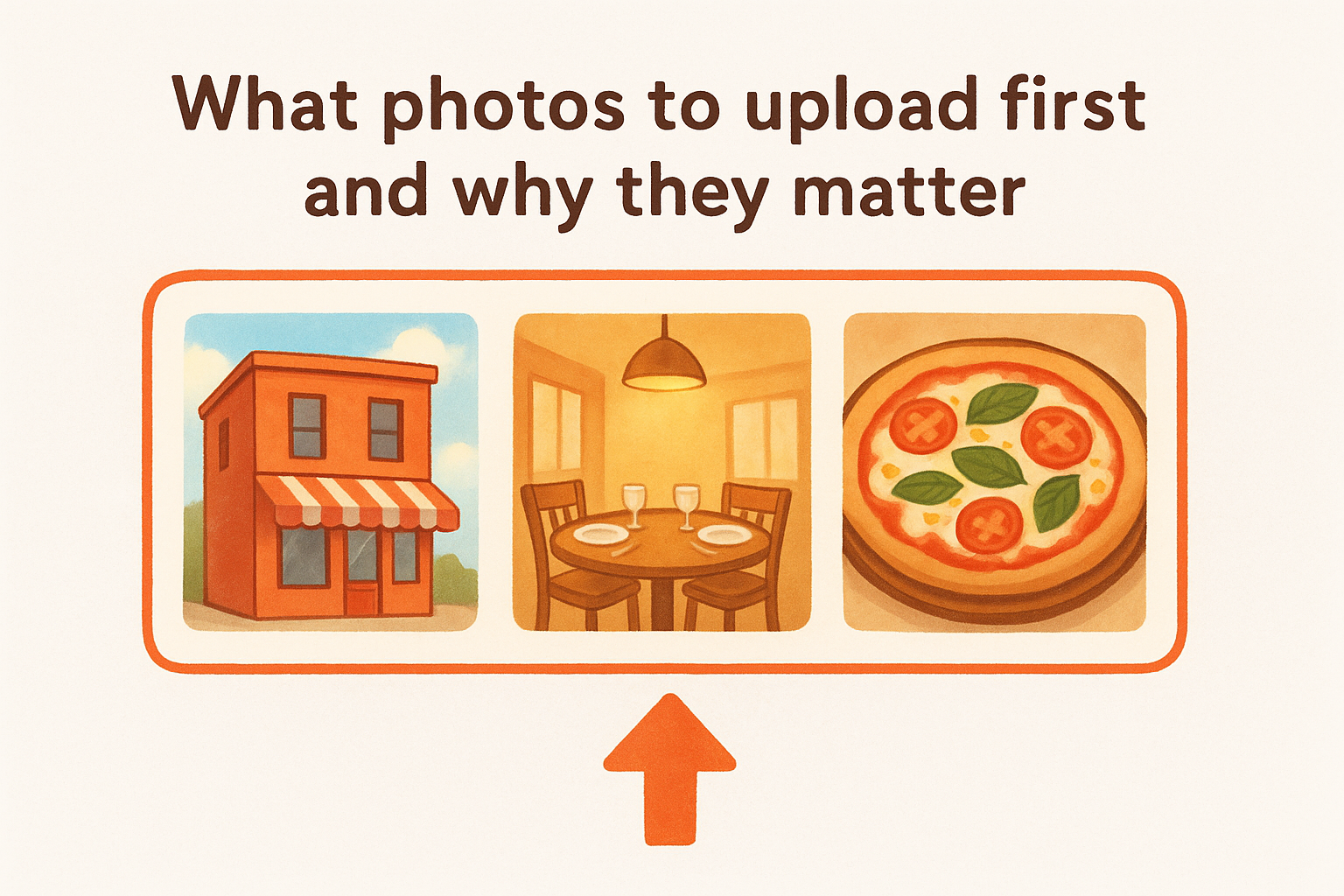
What photos to upload first and why they matter
Start with your exterior photo so customers can recognize your building from the street, then add interior shots that show your dining room at its best. Follow those with high-quality food photos of your top-selling dishes, since food images generate the most engagement on Google Maps. A profile with at least 10 photos covering exterior, interior, and food categories consistently outperforms sparse profiles in click-through rates.
How to name, size, and rotate photos for speed and quality
Upload photos as JPG files at a minimum of 720 x 720 pixels and keep file sizes under 5MB for fast loading on mobile. Rename your files with descriptive text before uploading, such as "wood-fired-margherita-pizza-chicago.jpg," because descriptive file names give Google additional context about what the image contains. Rotate your photo library monthly by adding new images, which tells Google your profile is actively maintained rather than abandoned.
An active, photo-rich profile consistently outperforms a stale one in the local map pack, even when other ranking factors are similar.
How to get customers to upload photos without begging
Place a small sign near your exit or on your receipt with a simple request: "Love your meal? Drop a photo on Google." You can also include a direct link to your GBP photos section in your post-order confirmation email, which removes friction and makes it easy for satisfied customers to contribute without any follow-up from you.
7. Build a review system and respond to every review
Reviews are one of Google's strongest local ranking signals, and they're also the first thing a potential customer reads before deciding to visit. A consistent review generation system gives your profile a steady stream of fresh content that tells Google your restaurant is active, trusted, and worth surfacing higher in the map pack.
How to ask for reviews at the right moments
The best time to ask is right after a positive interaction, such as when a customer compliments your food or completes a pickup order. Include a direct review link in your post-order confirmation email and on printed receipts so the request reaches them while their experience is still fresh. Cutting the number of steps between the request and the review form significantly increases how many customers follow through.
How to respond to positive and negative reviews fast
Respond to every review within 24 to 48 hours to show Google and potential diners that your restaurant is engaged and accountable. Thank positive reviewers by name and reference a specific detail from their feedback. For negative reviews, acknowledge the issue calmly and offer a direct resolution without using defensive language that discourages future visitors.
Fast, personal responses signal to Google that your business is active, which carries real weight in local rankings.
Avoid copying and pasting the same message across multiple reviews. Generic responses reduce the unique content value each reply adds to your profile and signal low engagement to both Google and prospective customers reading your listing.
How to turn review text into keyword signals naturally
Reviewers often write natural search phrases like "best tacos in Austin" without realizing it, and Google reads that text as a direct ranking signal. This is one of the more practical restaurant seo tips available to you at no cost: mirror relevant phrases from reviews naturally in your responses to reinforce keyword associations without forced repetition.
Adding those phrases to your replies also strengthens the topical relevance of your profile over time, building a compounding signal that supports your position in local search results with every new exchange.
8. Fix NAP consistency and clean up local citations
NAP stands for name, address, and phone number, and keeping these three data points identical across every platform where your restaurant appears is one of the most foundational restaurant seo tips you can apply. Google cross-references your NAP data across dozens of directories and data sources to confirm your business is legitimate and correctly located. Any mismatch, even a small one like "St." versus "Street," weakens that confirmation and pushes your ranking down.
How to standardize your name, address, and phone everywhere
Pick one exact format for your business name, address, and phone number, and use it everywhere without variation. If your address uses "Avenue" on your website, every listing must say "Avenue" as well. Write down your standardized NAP format in a reference document and check it every time you update or create a new listing so you never introduce a fresh inconsistency by accident.
Which directories matter most for restaurants in the US
Focus first on the platforms Google checks most frequently when validating your business information. These five carry the most weight for local search authority:
- Google Business Profile
- Yelp
- Apple Maps
- Bing Places
Keeping your NAP accurate across these five platforms covers the majority of your citation authority before you expand to smaller directories.
How to find and remove duplicates and wrong listings
Search your restaurant name and address directly in Google, Yelp, and Apple Maps to find any duplicate listings created from old addresses or previous owners. Claim those duplicates and request removal through each platform's support process.
A single duplicate listing with outdated information can split your citation authority and silently suppress your map pack rankings.
Once you remove duplicates, run a follow-up search one month later to confirm they are fully gone. Some platforms take time to process removals, and a listing that appears deleted can resurface with wrong information if the removal was not completed correctly.
9. Make your menu and pages easy for Google to read
Your website content is only useful for local SEO if Google can actually read and understand it. Many restaurant owners unknowingly block Google from indexing their most important content by using formats and structures that search engines cannot parse, which makes this one of the most impactful restaurant seo tips to fix before anything else.
Tip 9: Replace your PDF menu with an HTML menu page
A PDF menu is invisible to Google. Search engines cannot reliably read text inside a PDF the same way they crawl a standard HTML webpage, which means every dish name, ingredient, and cuisine term locked in your PDF is wasted SEO potential. Replace it with a dedicated menu page built in HTML where each section uses a clear heading, dish names appear as readable text, and your location is woven naturally into the page copy.
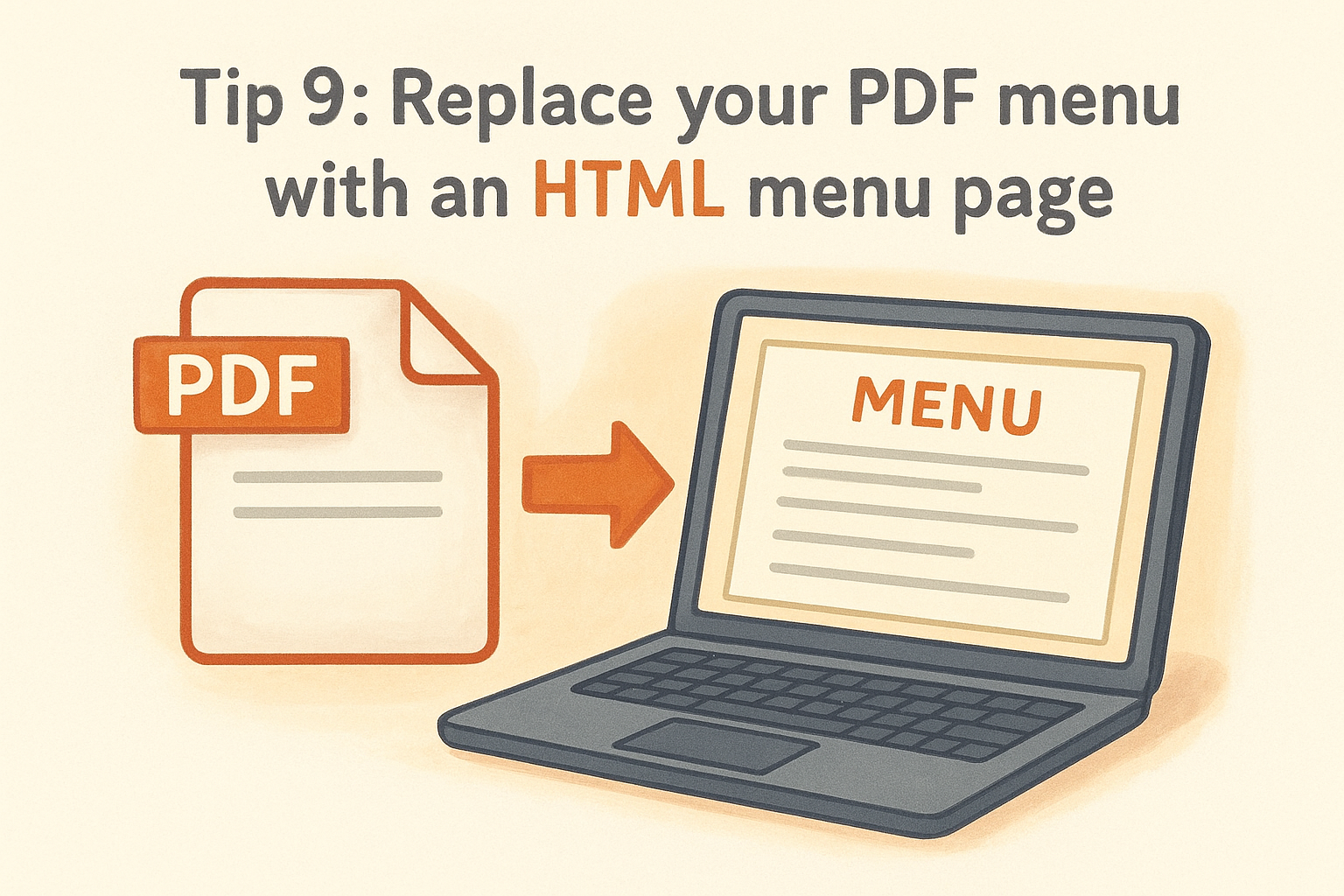
Google reads your HTML menu page as direct evidence of what your restaurant serves, connecting your dishes to nearby search queries in real time.
Tip 10: Add schema, headings, and image alt text that match intent
Schema markup tells Google exactly what type of business you run, your hours, and your location in a format its systems process instantly. Add LocalBusiness or Restaurant schema to your homepage so Google can extract structured data without guessing. Write descriptive alt text for every food photo using language that mirrors what a diner would search for, such as "crispy fried chicken sandwich served in Austin."
How to improve speed and usability for mobile diners
Most local searches happen on a phone with a slow connection, so page speed directly affects both your rankings and your conversion rate. Compress every image before uploading, eliminate unnecessary plugins, and confirm that your ordering button is visible above the fold on mobile without any scrolling required.
Next steps
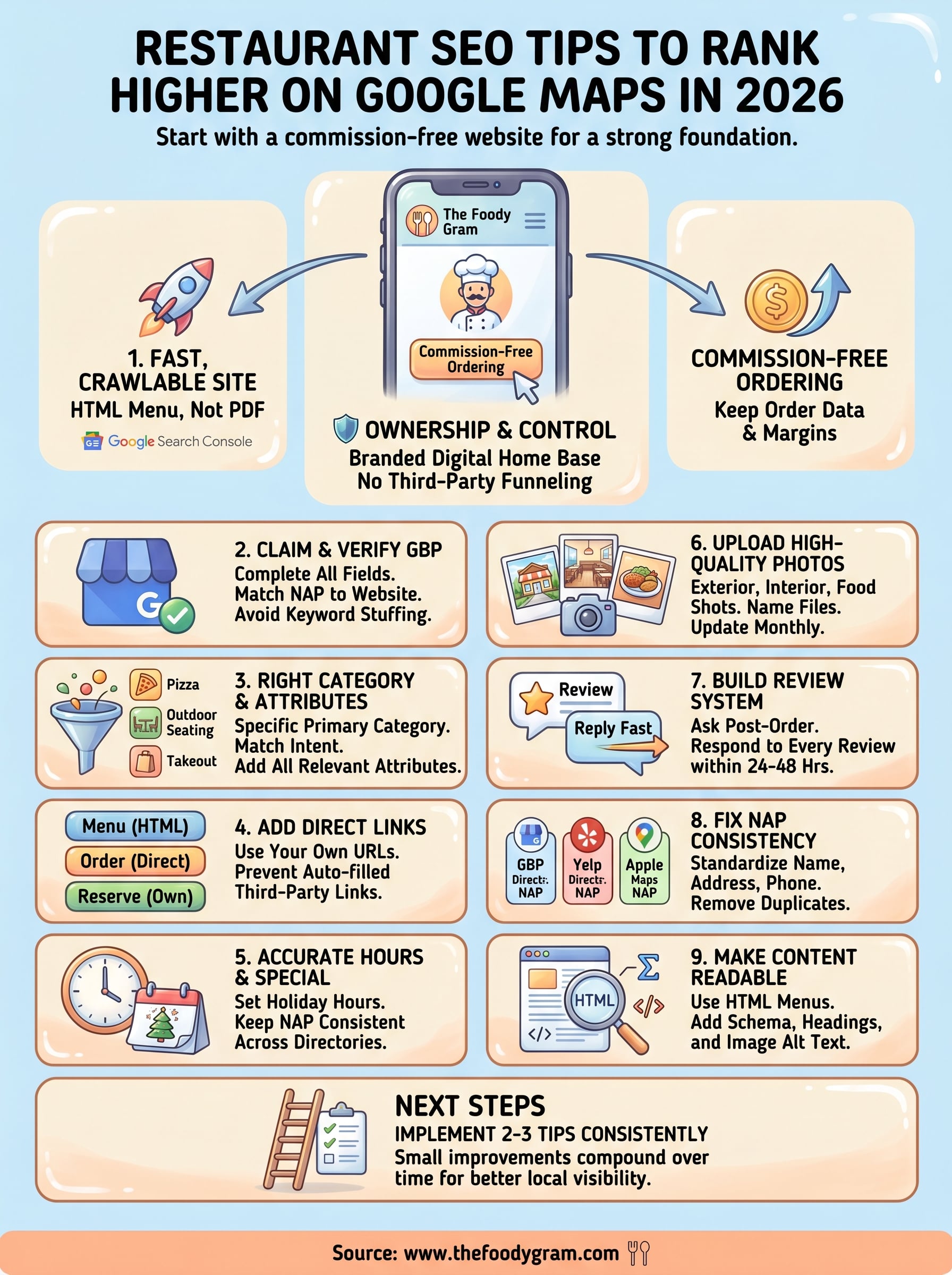
These 10 restaurant seo tips give you a complete framework for climbing Google Maps rankings without spending money on ads or handing your margins to third-party platforms. Each step builds on the last, so the fastest path to results is starting with a solid website foundation and working through your Google Business Profile from there.
Pick two or three tips from this list and implement them this week rather than trying to do everything at once. Consistency over time matters more than a single burst of effort, and small improvements in your citations, photos, and review responses compound into real ranking gains across months.
If you want to skip the technical setup and launch a commission-free ordering website that's already built for local SEO, The Foody Gram handles the hard parts for you. Check out our restaurant website and online ordering plans and see which tier fits your operation.